
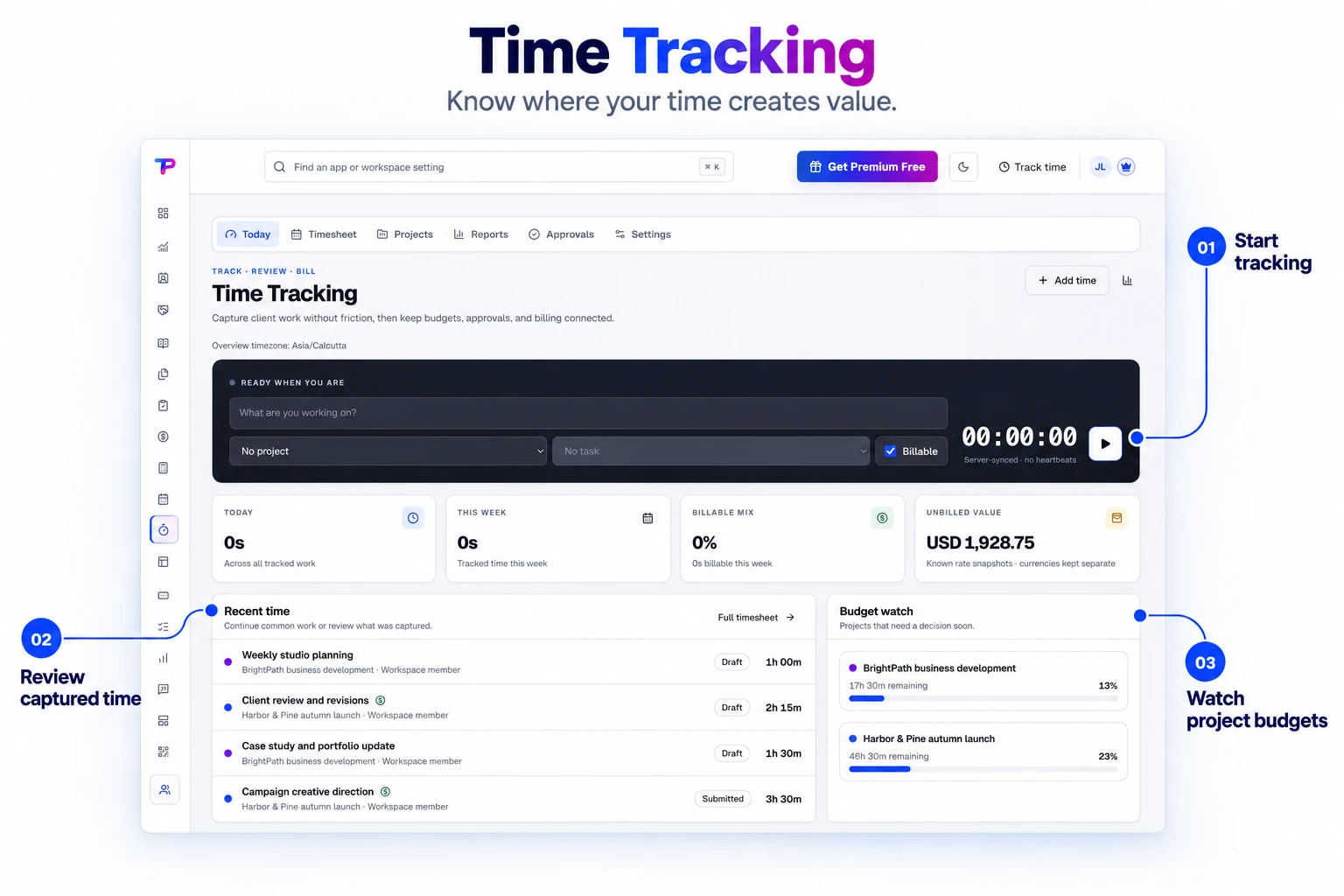
One fast timer
Start, pause, resume, or continue recent work from a focused timer that remains available throughout ToolsPad.
Run a fast timer from anywhere in ToolsPad, review accurate team timesheets, understand project profitability, and turn approved billable hours into polished invoices.
Keep the timer, recent entries, and project budget watch in one overview. Move from recording the work to reviewing its cost in time.
Capture every valuable hour without surveillance, spreadsheet cleanup, or duplicate billing work.
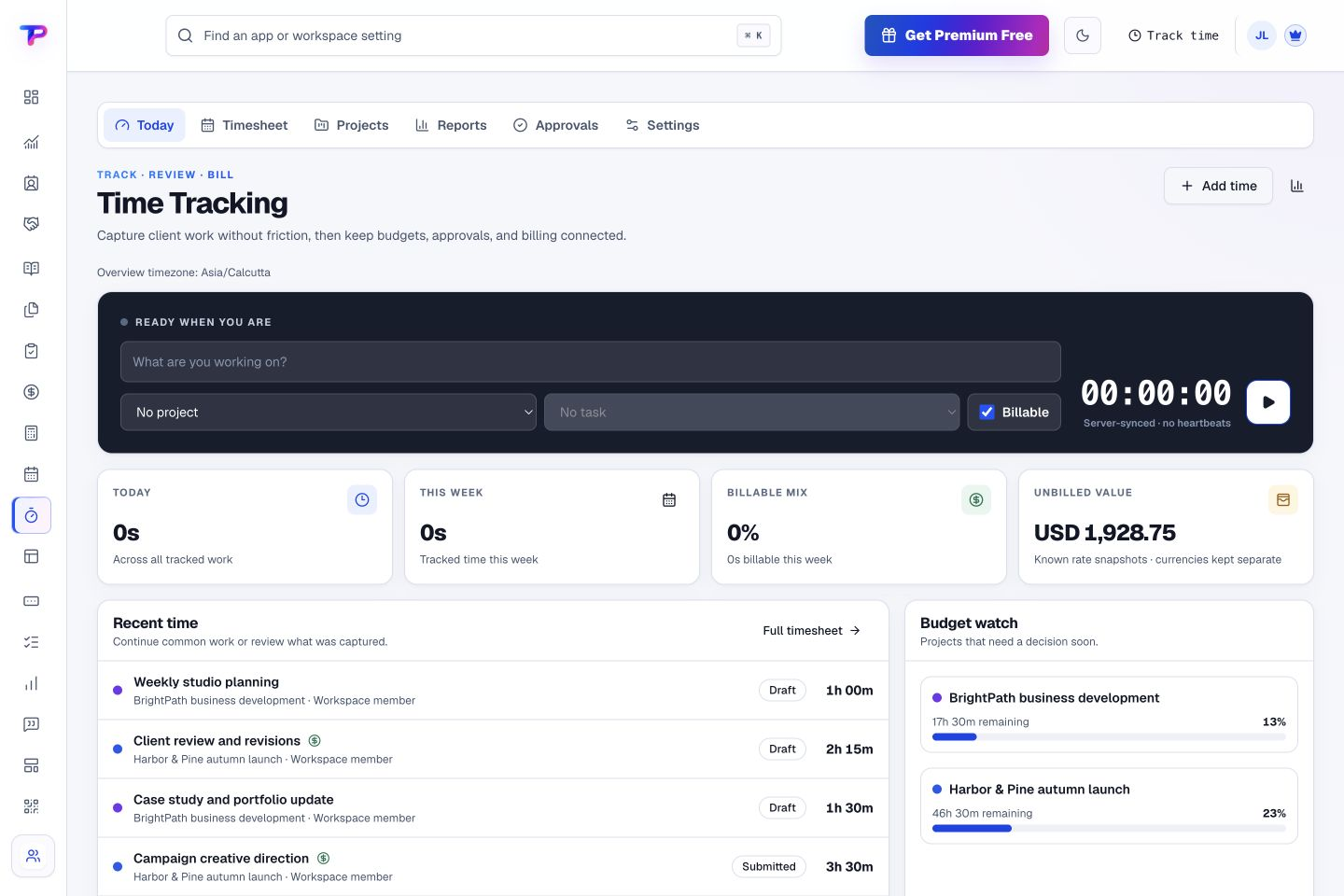
Start, pause, resume, or continue recent work from a focused timer that remains available throughout ToolsPad.
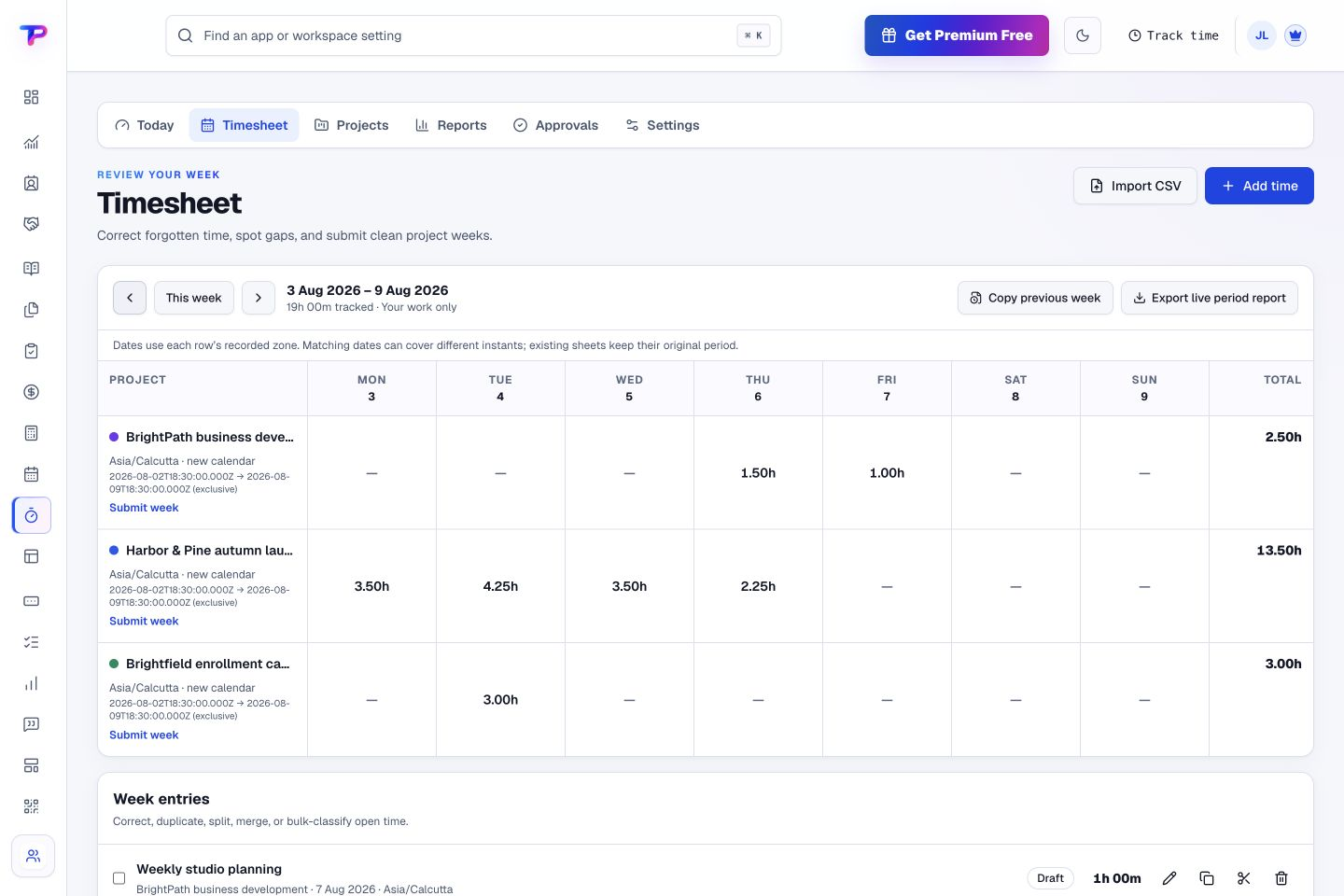
Use daily, weekly, and calendar views, then correct forgotten time without losing the original audit context.
Track hours, billable value, budget burn, forecasted overruns, fixed fees, and recurring retainers in one commercial workspace.
Keep billable and internal cost rates separate so authorized managers can see revenue, labour cost, gross profit, and margin.
Let simple teams skip approvals while client projects can submit, approve, reject, lock, and reopen weekly or monthly periods.
Convert approved unbilled time and expenses into a draft ToolsPad invoice without copying customer or entry data.
See tracked hours by project and day in one timesheet. Review how time is distributed across the week and the work behind each total.
Start from the global timer or add a precise manual entry against the right project.
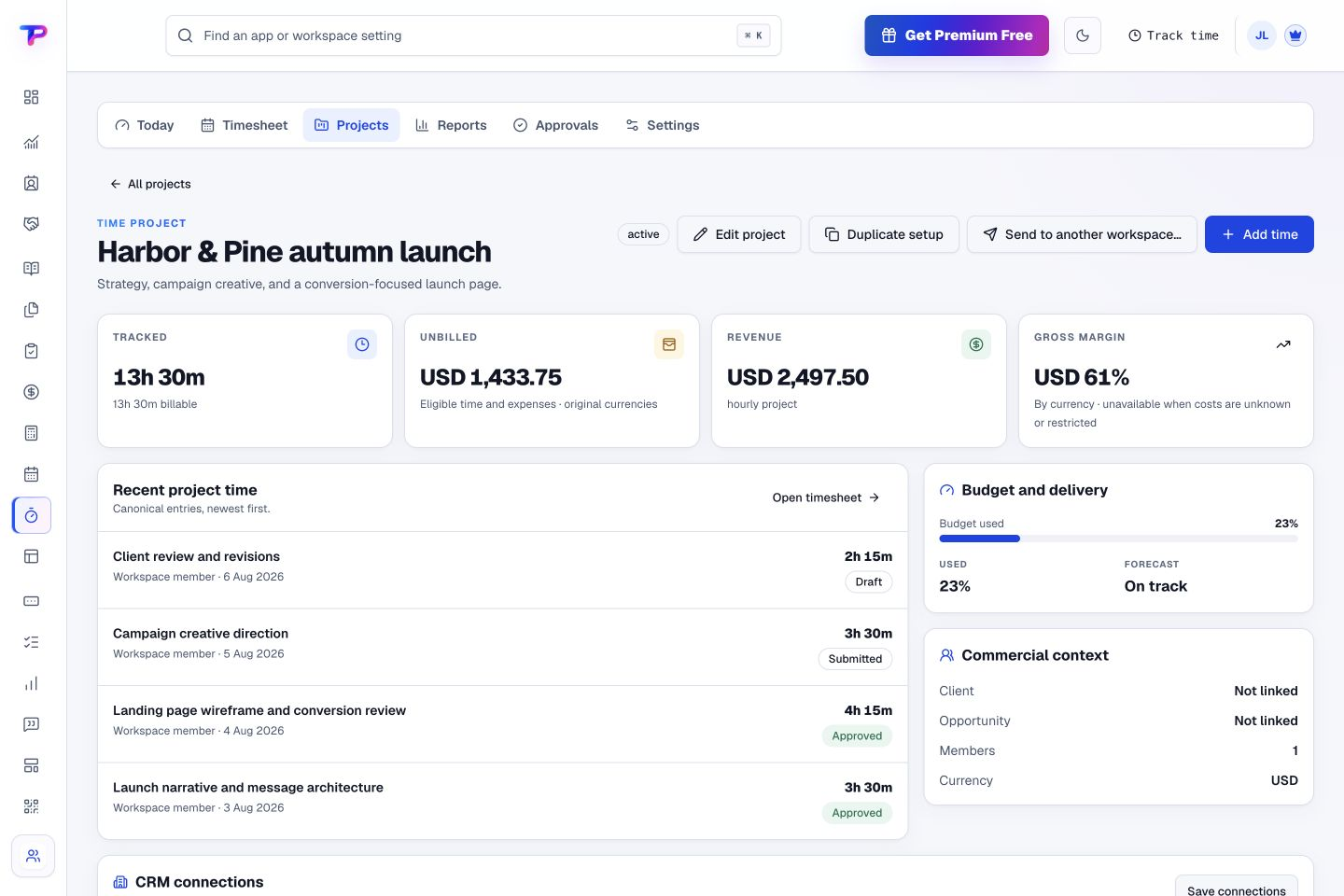
See billable status, team submissions, approvals, budget burn, costs, and profitability.
Convert approved, unbilled hours and expenses into an invoice ready for your review.
Review recent entries and their status alongside the project budget and delivery context. Keep time records useful to the people managing the work.
Let tasks become time and approved time become an invoice.
Give every next step an owner and a deadline.
Prepare clear invoices and track their status.
Keep contacts, context and follow-ups together.
Keep ideas, briefs and decisions easy to find.
Map ideas alongside the work they belong to.
Turn website enquiries into organized leads.
Ask better questions. Learn from every response.
Let your audience help make the next decision.
Build a focused page around your next offer.
See what renews before you pay again.
Turn your proposal into a clear, professional quote.
Collect customer stories and publish your best proof.
Work through pricing, margins and business scenarios.
Let customers choose a time that works.
Route visitors and compare campaign results.
Keep promising deals moving toward a decision.
Create branded QR codes and review their reach.
Bring useful business signals into one view.
Find, share and reuse your business files.
Give your expertise a place to grow.
Know where the working hours are going.
You’re hereMore tools. One free account.Scroll to explore, or use the arrows.
Clear answers before you create your first time tracking workflow.
Add a manual time entry and assign it to the right project. Daily, weekly, and calendar views help you review and correct your timesheet before billing.
Yes. Authorized users can review eligible time and expenses, choose how invoice lines are grouped, and create a linked draft in Invoice Maker.
No. Time Tracking is designed for client work, budgets, approvals, and billing—not employee surveillance.
Yes. One free account includes all 21 ToolsPad apps within Free plan limits, unlimited human teammates, and 30 days of Premium to explore—no card required. Afterward, continue on Free or choose a paid plan for more capacity and advanced features.
Start with Time Tracking today. Add the other apps as you need them—all from the same free account.