
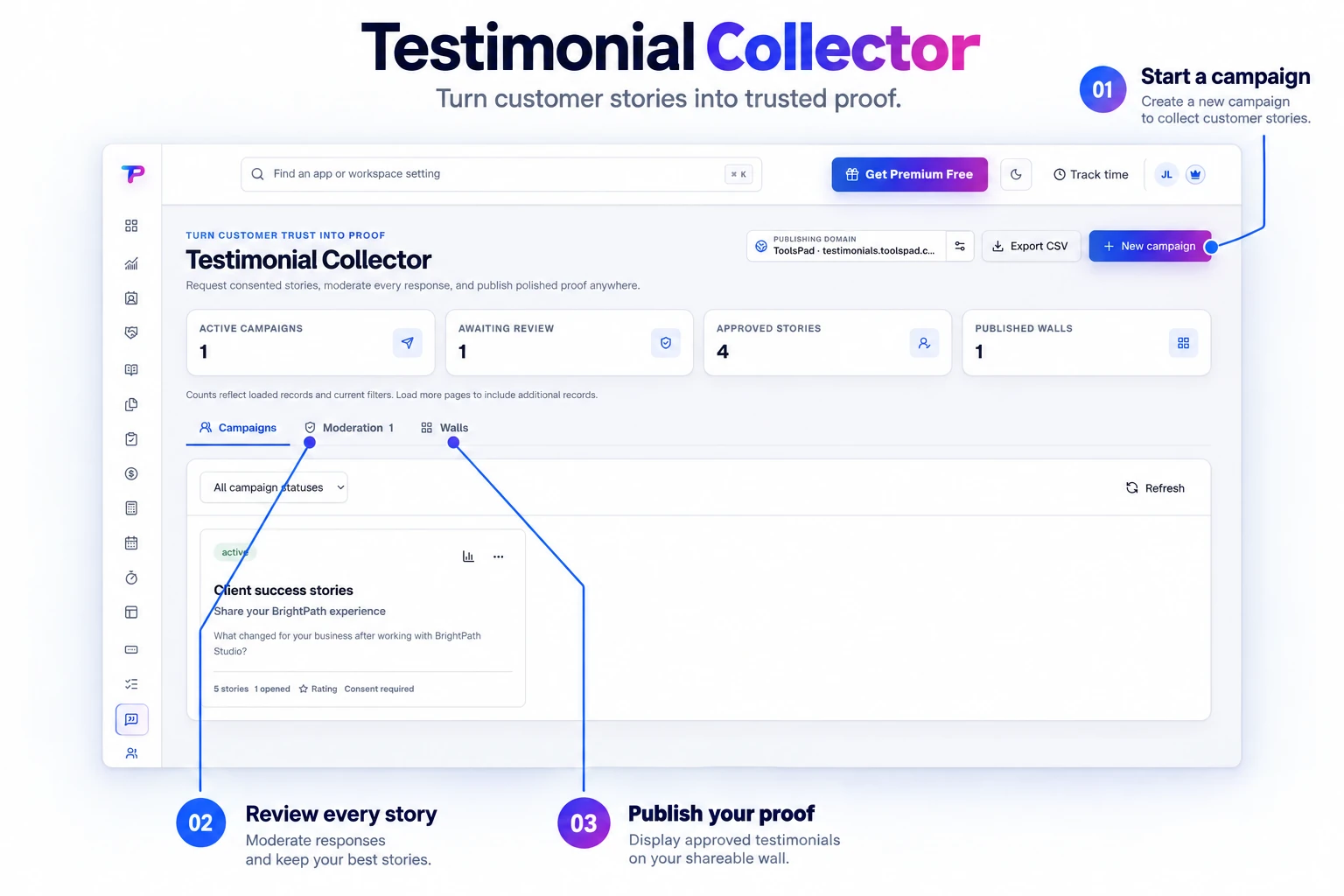
Branded request campaigns
Create a focused collection experience for a product, service, or customer group.
Run branded request campaigns, review text, rating, and photo responses, then publish approved proof as hosted walls or embeddable widgets.
Keep collection campaigns, reviews awaiting approval, and published walls together. Follow each story from submission toward publication. Shown with fictional example testimonials.
Ask consistently, respect customer consent, and put credible proof where buyers need it.
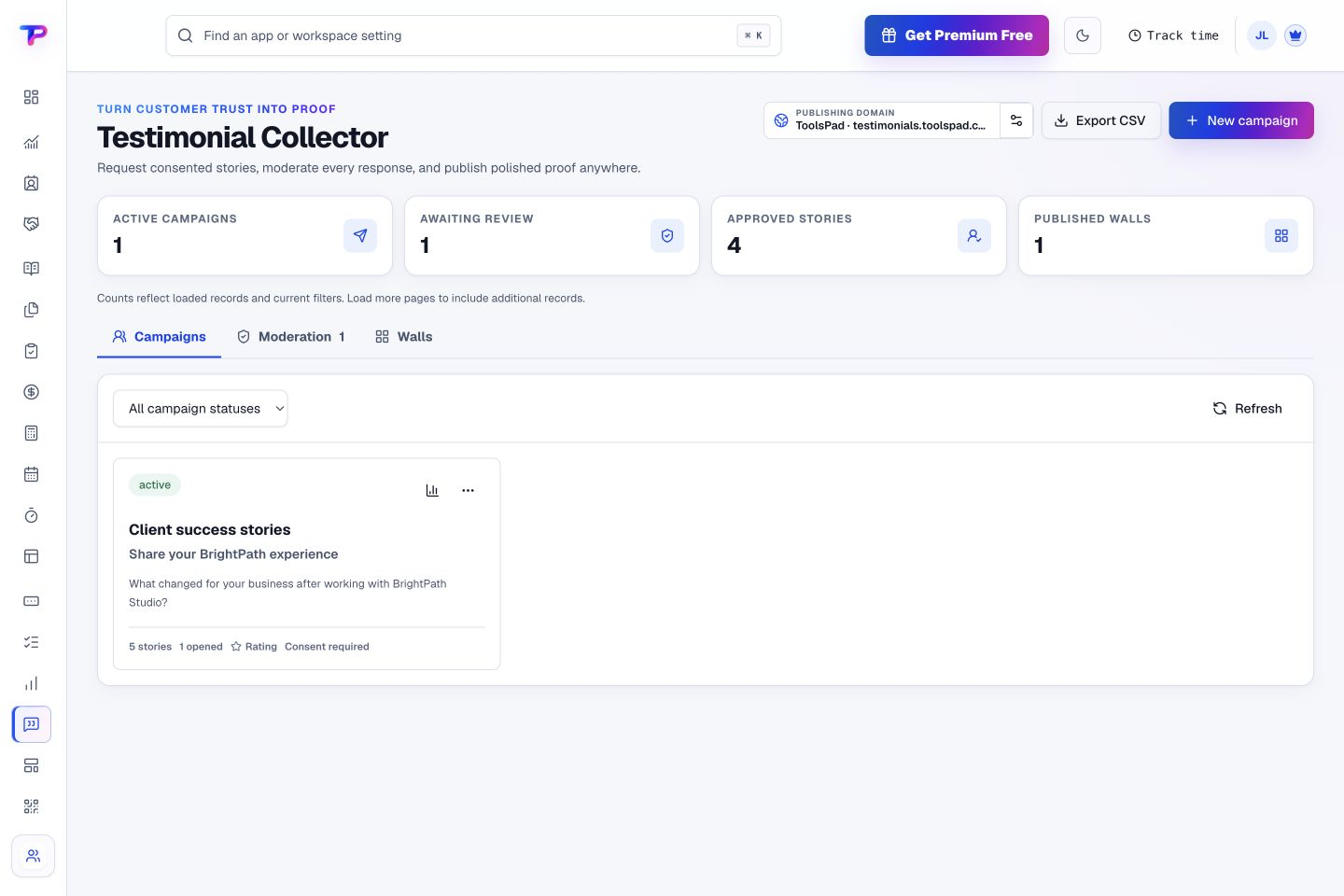
Create a focused collection experience for a product, service, or customer group.
Record publication permission alongside the submitted testimonial.
Give customers a simple way to share their experience, a star rating, and a photo in one response.
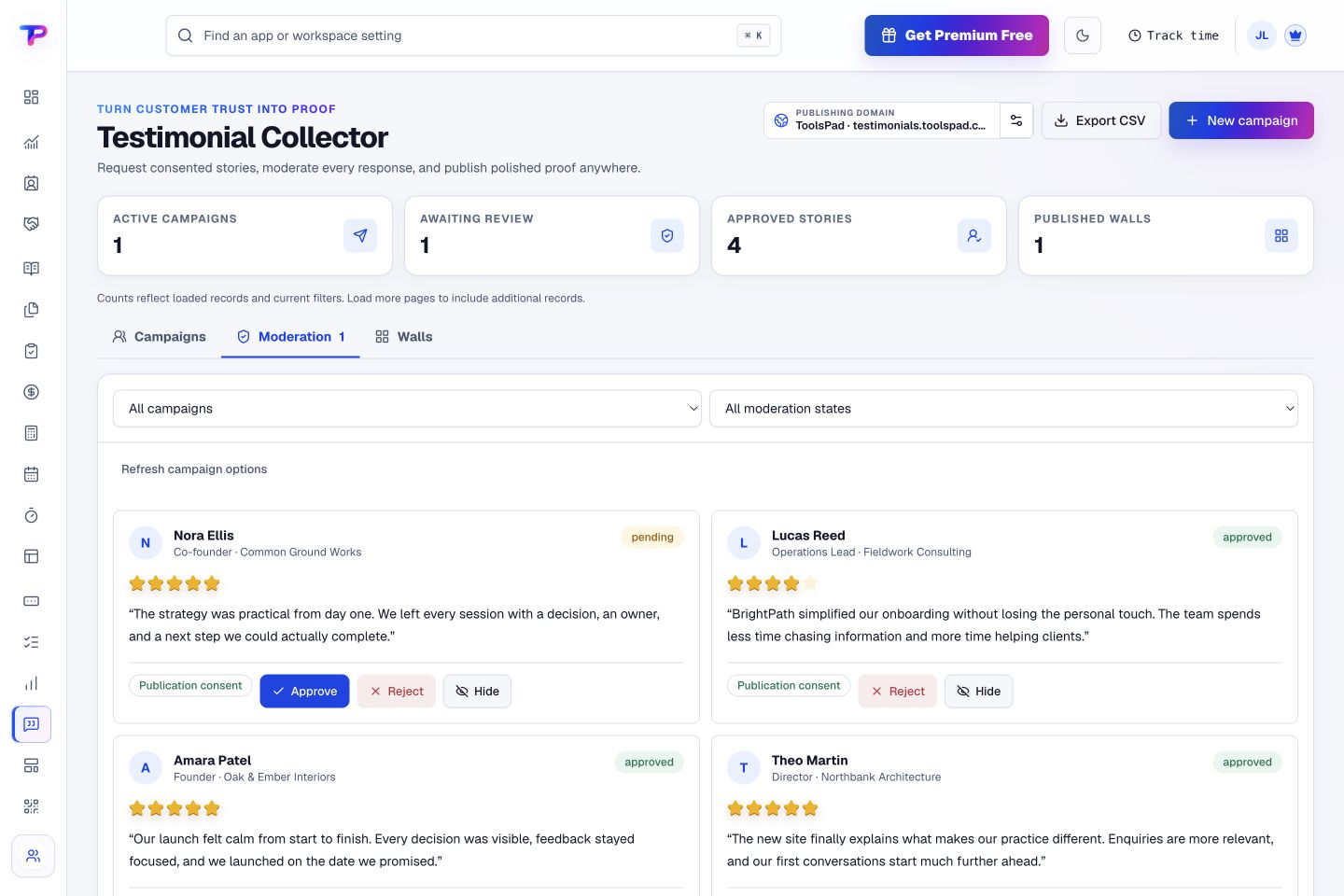
Review every response before it can appear publicly.
Publish an approved collection on a dedicated ToolsPad URL.
Place moderated testimonial proof inside an existing HTTPS website.
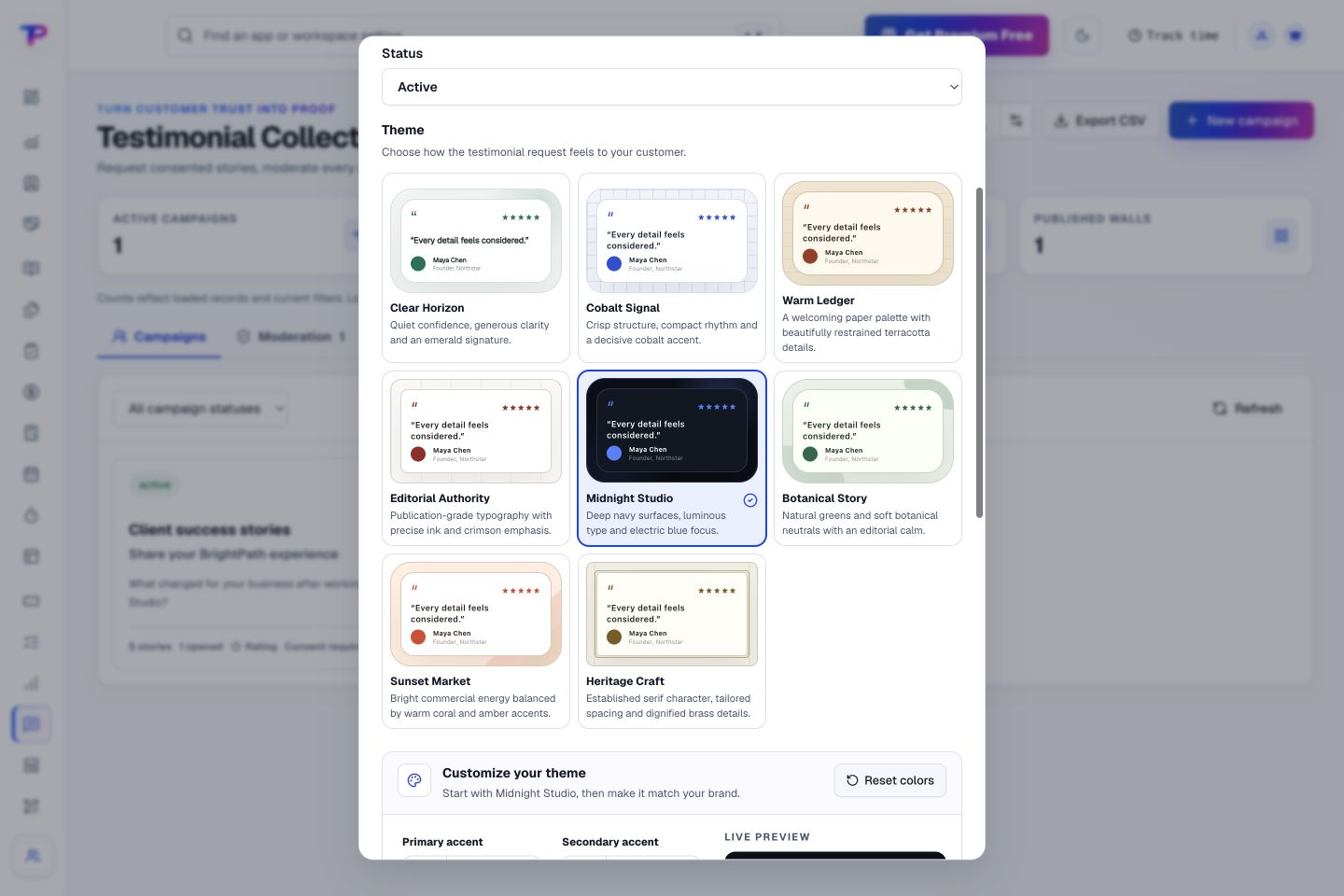
Explore collection themes and preview a style that suits your business before saving. Give customers a polished place to share their experience.
Choose the questions, theme, rating, photo, and consent requirements.
Send a private request or use one reusable campaign link across many customers.
Approve the response, then add it to a hosted wall, embed, or landing page.
Review the testimonial and its publication consent before approving, rejecting, or hiding it. Keep editorial control over the proof you publish. Shown with a fictional example.
Place approved proof beside the customer, offer, and campaign it supports.
Build a focused page around your next offer.
Keep contacts, context and follow-ups together.
Keep ideas, briefs and decisions easy to find.
Map ideas alongside the work they belong to.
Give every next step an owner and a deadline.
Turn website enquiries into organized leads.
Ask better questions. Learn from every response.
Let your audience help make the next decision.
See what renews before you pay again.
Turn your proposal into a clear, professional quote.
Prepare clear invoices and track their status.
Work through pricing, margins and business scenarios.
Let customers choose a time that works.
Know where the working hours are going.
Route visitors and compare campaign results.
Keep promising deals moving toward a decision.
Create branded QR codes and review their reach.
Bring useful business signals into one view.
Find, share and reuse your business files.
Give your expertise a place to grow.
Collect customer stories and publish your best proof.
You’re hereMore tools. One free account.Scroll to explore, or use the arrows.
Clear answers before you create your first testimonial collector workflow.
No. New responses enter moderation, and only approved submissions can be added to a public wall.
Yes. Share your published wall as a standalone page or embed approved testimonials on your website, beside the offer they support.
Yes. One free account includes all 21 ToolsPad apps within Free plan limits, unlimited human teammates, and 30 days of Premium to explore—no card required. Afterward, continue on Free or choose a paid plan for more capacity and advanced features.
Start with Testimonial Collector today. Add the other apps as you need them—all from the same free account.