
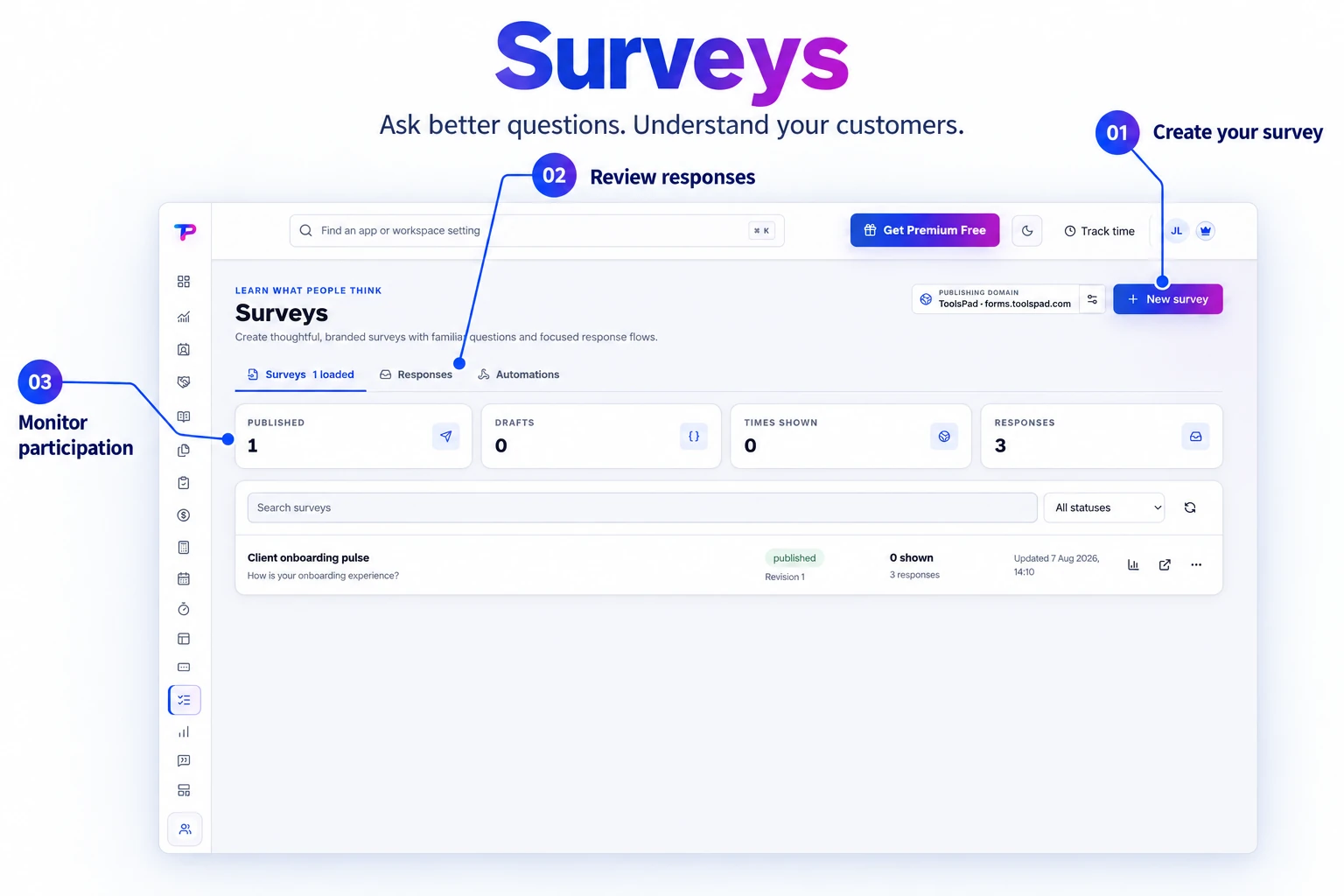
Familiar visual builder
Create and reorder questions on a document-style canvas that feels immediately understandable.
Build branded surveys in a familiar question-by-question editor, choose a polished theme, and collect structured responses inside your ToolsPad workspace.
Keep surveys, publishing status, response counts, and analytics access together. Follow feedback from the moment you share your survey.
Ask better questions, reduce respondent friction, and keep every answer ready for action.
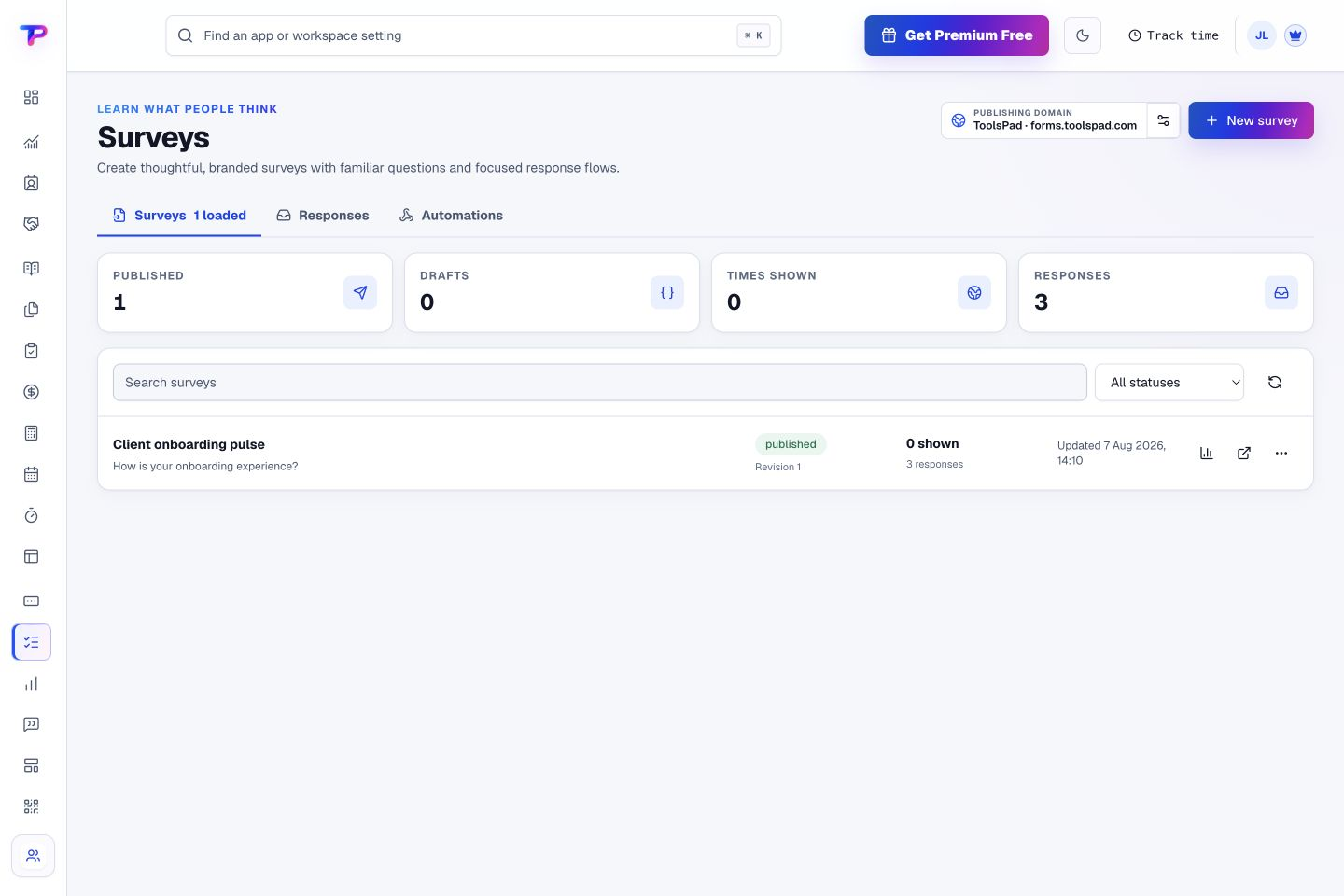
Create and reorder questions on a document-style canvas that feels immediately understandable.
Combine short answers, long answers, choices, dates, contact details, and consent.
Start from professional presets or enter exact HEX colors for your brand.
Show the complete survey or use a one-question-at-a-time visual flow.
Share a direct ToolsPad link or embed a published survey on an HTTPS website.
Review responses, protect public collection with Turnstile, and export structured data.
Build the question flow, choose answer options, and mark essential questions as required. Review the survey as you shape it.
Start with onboarding, service feedback, discovery, or a team pulse.
Use the right question types and conditional logic without overbuilding the survey.
See response summaries and connect identified respondents to their CRM context.
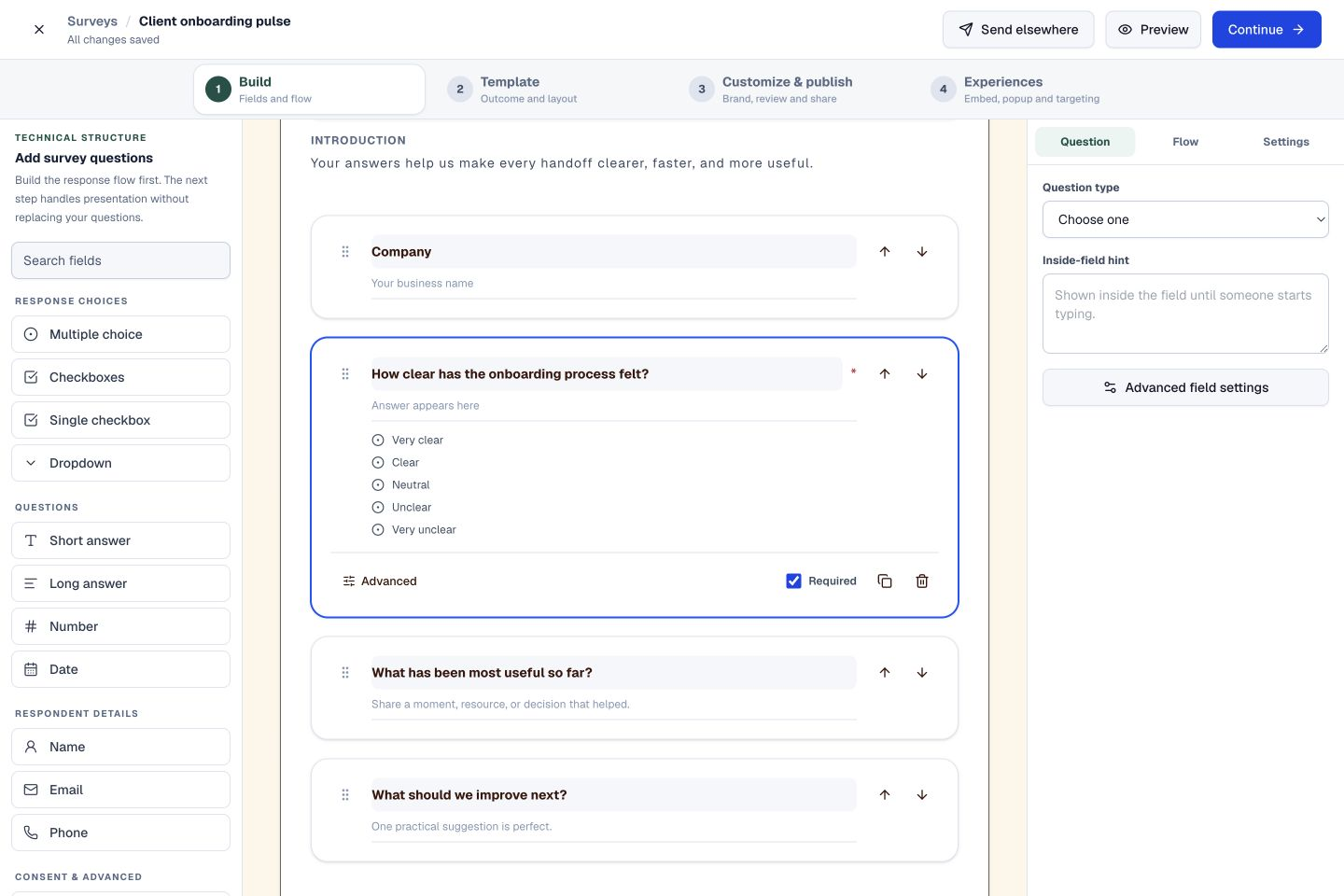
Filter responses and see the survey, date, and review status for each submission. Keep new feedback easy to find and revisit.
Turn important feedback into customer context and follow-up work.
Give every next step an owner and a deadline.
Build a focused page around your next offer.
Keep contacts, context and follow-ups together.
Keep ideas, briefs and decisions easy to find.
Map ideas alongside the work they belong to.
Turn website enquiries into organized leads.
Let your audience help make the next decision.
See what renews before you pay again.
Turn your proposal into a clear, professional quote.
Prepare clear invoices and track their status.
Collect customer stories and publish your best proof.
Work through pricing, margins and business scenarios.
Let customers choose a time that works.
Know where the working hours are going.
Route visitors and compare campaign results.
Keep promising deals moving toward a decision.
Create branded QR codes and review their reach.
Bring useful business signals into one view.
Find, share and reuse your business files.
Give your expertise a place to grow.
Ask better questions. Learn from every response.
You’re hereMore tools. One free account.Scroll to explore, or use the arrows.
Clear answers before you create your first surveys workflow.
Yes. Publish a hosted survey and share its direct link. You can also embed it on an existing website when you want feedback alongside your own content.
Yes. Choose a theme, then adjust exact HEX colors, typography, corner radius, and content width.
Yes. One free account includes all 21 ToolsPad apps within Free plan limits, unlimited human teammates, and 30 days of Premium to explore—no card required. Afterward, continue on Free or choose a paid plan for more capacity and advanced features.
Start with Surveys today. Add the other apps as you need them—all from the same free account.