
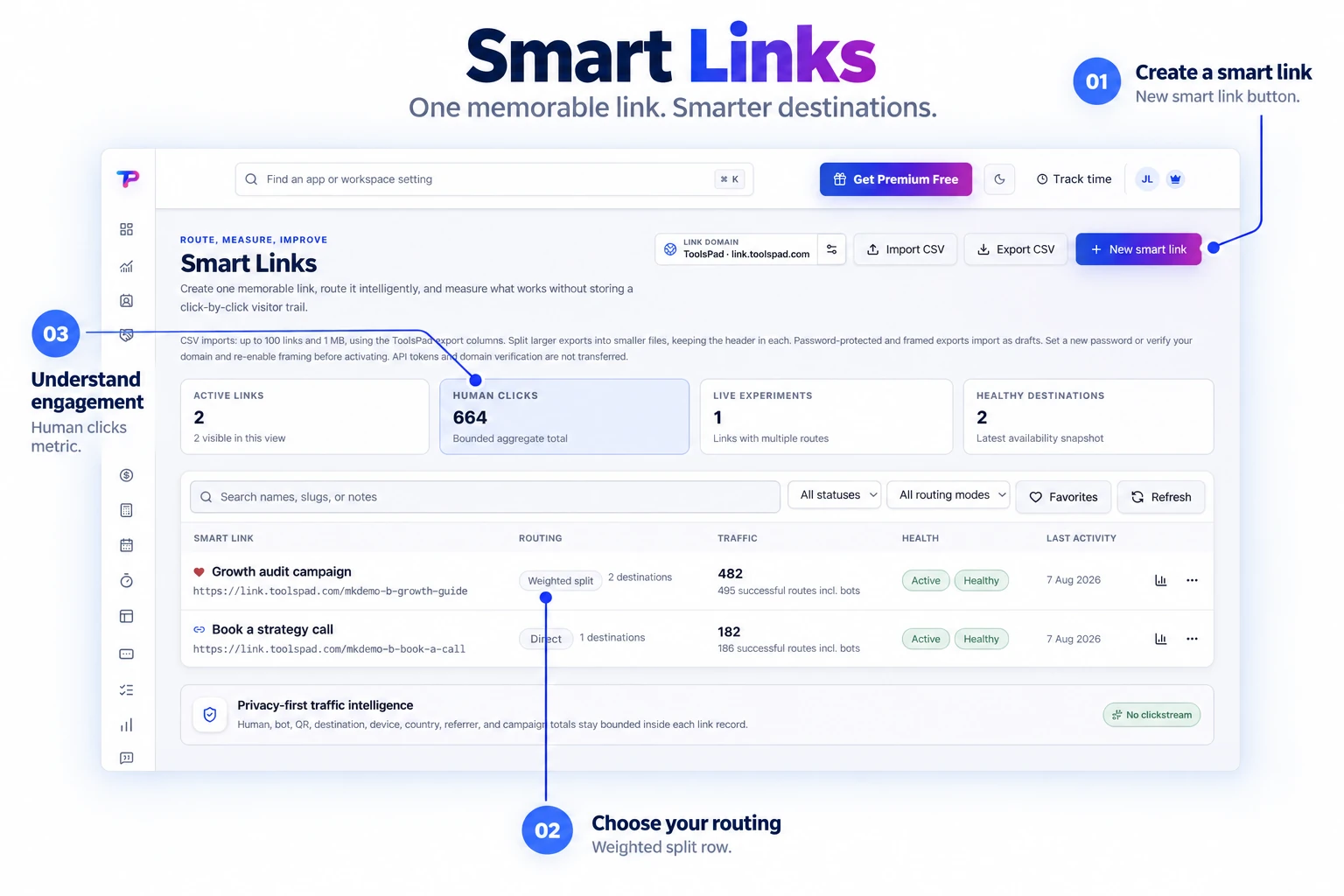
Short and branded links
Generate a memorable slug automatically or choose an available custom path on the ToolsPad redirect domain.
Create branded short links, run weighted or round-robin routing, schedule campaigns, protect access, and measure aggregate outcomes without building visitor profiles.
Manage links, routing modes, recorded human clicks, and destination health in one library. See the links behind your campaigns at a glance.
Test offers, share visits fairly, and see which destinations turn attention into action.
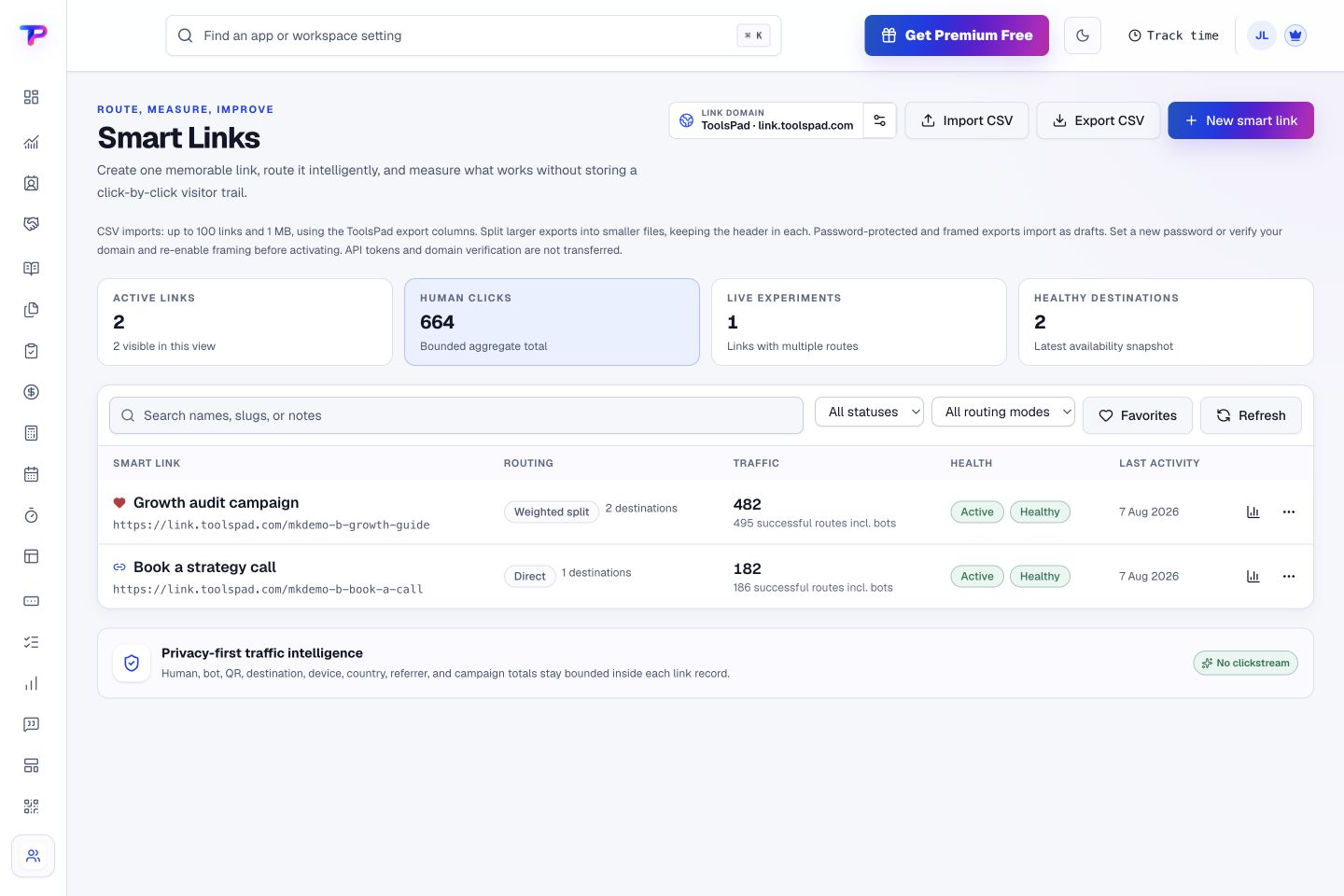
Generate a memorable slug automatically or choose an available custom path on the ToolsPad redirect domain.
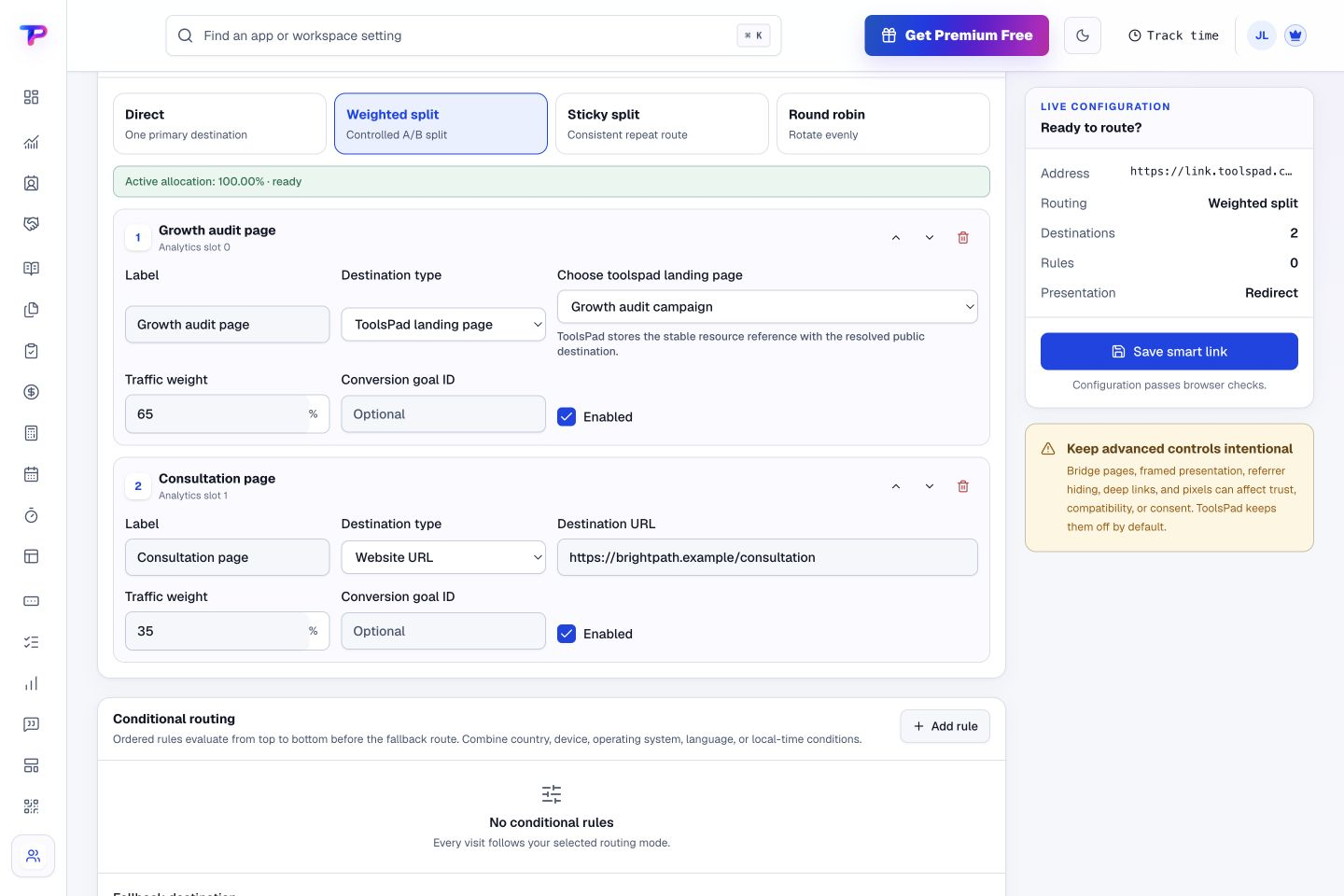
Distribute visits by weight, sticky assignment, or exact rotation across as many as ten destinations.
Route by country, device, operating system, language, schedule, or campaign rules with an explicit fallback.
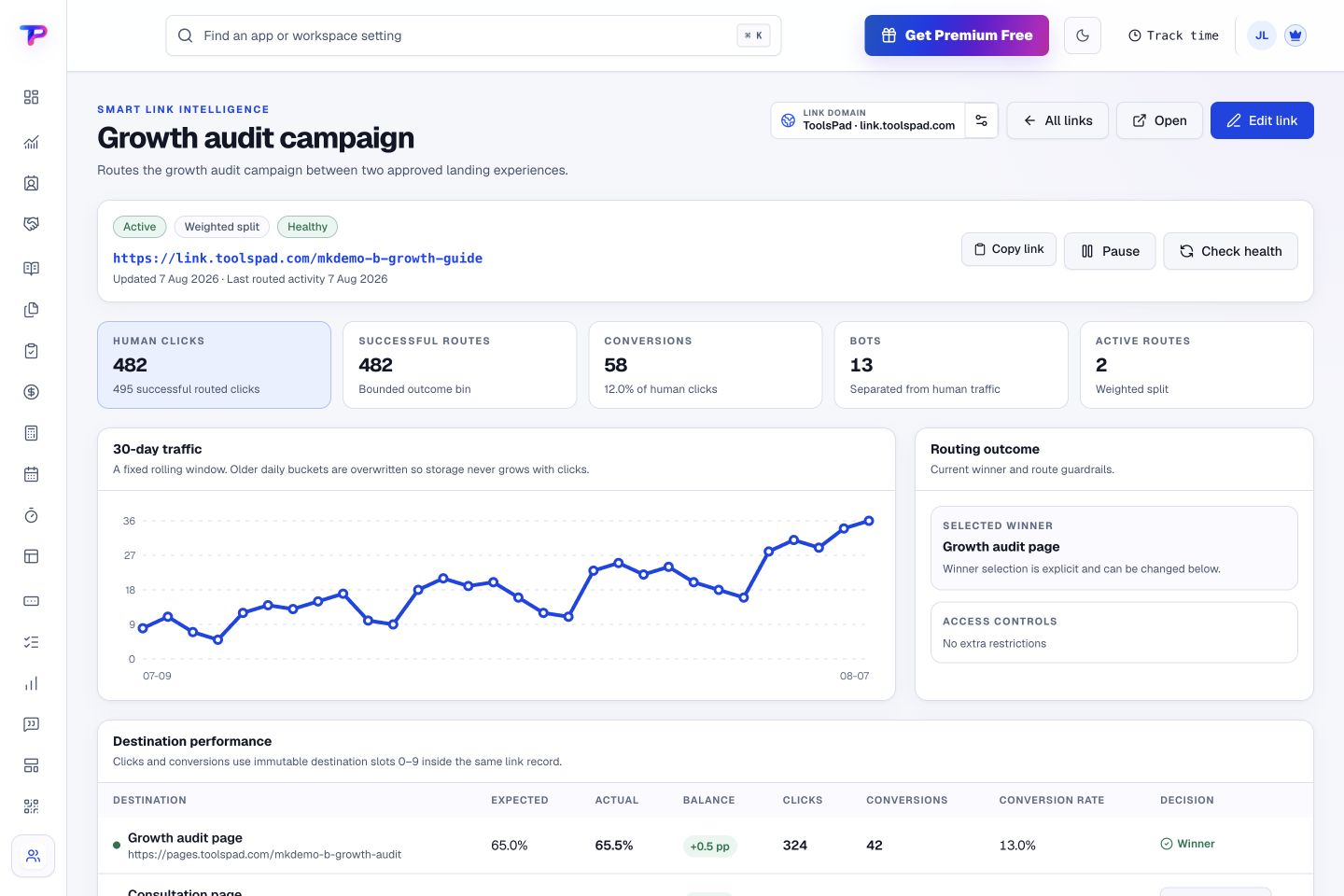
Compare clicks and conversions by destination, then explore traffic totals by source, country, device, and time.
Add supported marketing pixels through a branded intermediate page with clear disclosure and an onward link.
Pause a campaign, limit its clicks, or require a password when an offer should only reach a selected audience.
Choose a routing mode and set weighted destinations in the link editor. Shape how visitors are distributed across your campaign pages.
Use an automatic slug or choose a memorable custom path on a ToolsPad or custom domain.
Send everyone to one page, split visits between offers, or route by country, device, and other campaign rules.
Review traffic and conversion totals to understand which offers and audiences perform.
Review human clicks, recorded conversions, bot activity, and traffic trends together. Compare route results and see the selected winner, illustrated here with sample data.
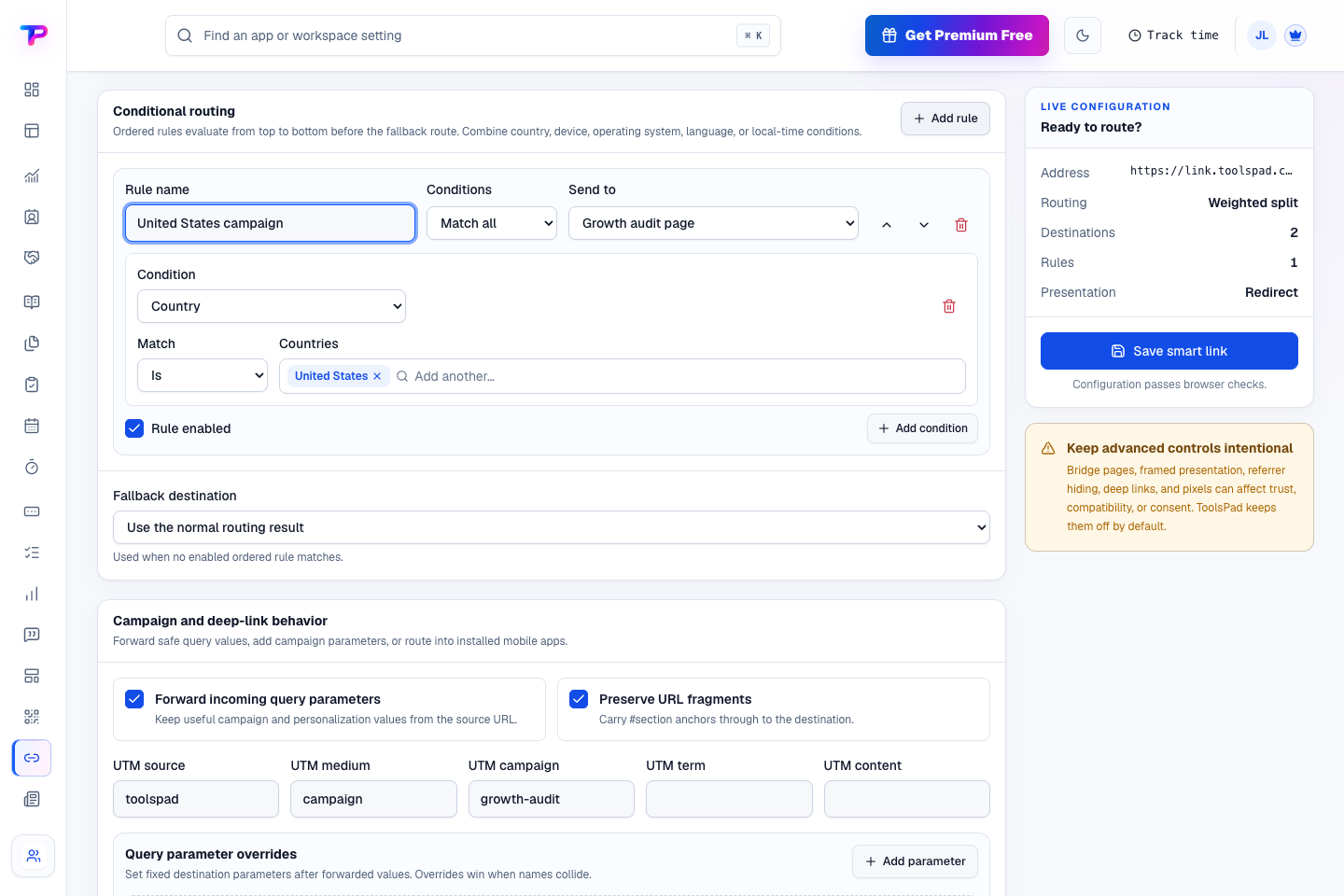
Build conditions around country, device, language, or local time, then choose a fallback. This example shows a country rule alongside campaign parameters in the editor.
Give pages, forms, and QR campaigns one durable address.
Turn website enquiries into organized leads.
Build a focused page around your next offer.
Keep ideas, briefs and decisions easy to find.
Map ideas alongside the work they belong to.
Give every next step an owner and a deadline.
Ask better questions. Learn from every response.
Let your audience help make the next decision.
See what renews before you pay again.
Turn your proposal into a clear, professional quote.
Prepare clear invoices and track their status.
Collect customer stories and publish your best proof.
Work through pricing, margins and business scenarios.
Let customers choose a time that works.
Know where the working hours are going.
Keep contacts, context and follow-ups together.
Keep promising deals moving toward a decision.
Create branded QR codes and review their reach.
Bring useful business signals into one view.
Find, share and reuse your business files.
Give your expertise a place to grow.
Route visitors and compare campaign results.
You’re hereMore tools. One free account.Scroll to explore, or use the arrows.
Clear answers before you create your first smart links workflow.
No. ToolsPad shows useful campaign totals without building a visitor-by-visitor activity feed.
Yes. Split traffic between destinations using your chosen weights, and use sticky assignment when repeat visitors should see the same version. Connect a conversion action to compare conversion rates as well as clicks.
Yes, through an explicit branded bridge mode using approved provider integrations. ToolsPad does not inject arbitrary scripts or disguise third-party tracking.
Yes. One free account includes all 21 ToolsPad apps within Free plan limits, unlimited human teammates, and 30 days of Premium to explore—no card required. Afterward, continue on Free or choose a paid plan for more capacity and advanced features.
Start with Smart Links today. Add the other apps as you need them—all from the same free account.