
You are the memory system.
Customer context, jobs to finish and promises to keep are all competing for space in your head.
When you run the business and do the work, switching between scattered tools gets expensive in attention. Give your customers, daily tasks, conversations and billing paperwork one practical home.
Customer context, jobs to finish and promises to keep are all competing for space in your head.
Busy client work makes it easier to miss the follow-up that brings the next engagement.
The business needs a useful working system, not a week of software administration.
Start with what matters to owners & founders. Keep the work and its context in the same workspace.
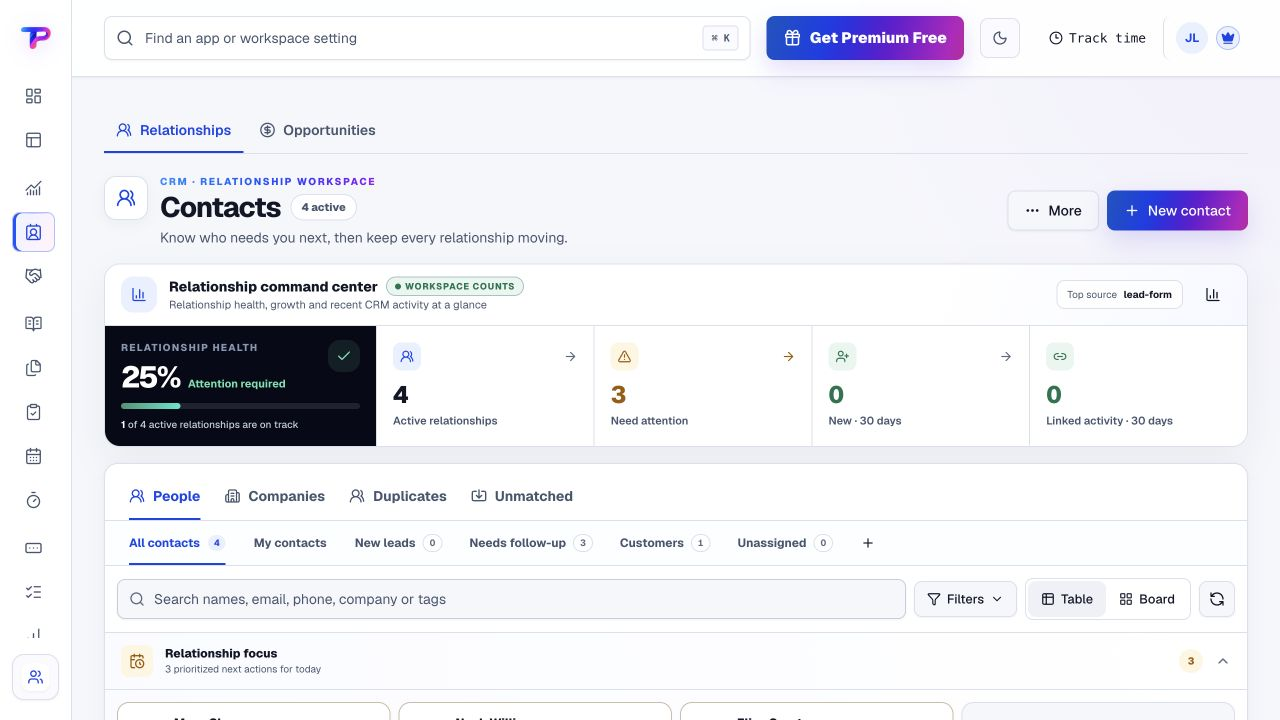
Add the people and companies you work with, then record useful context and follow-up.
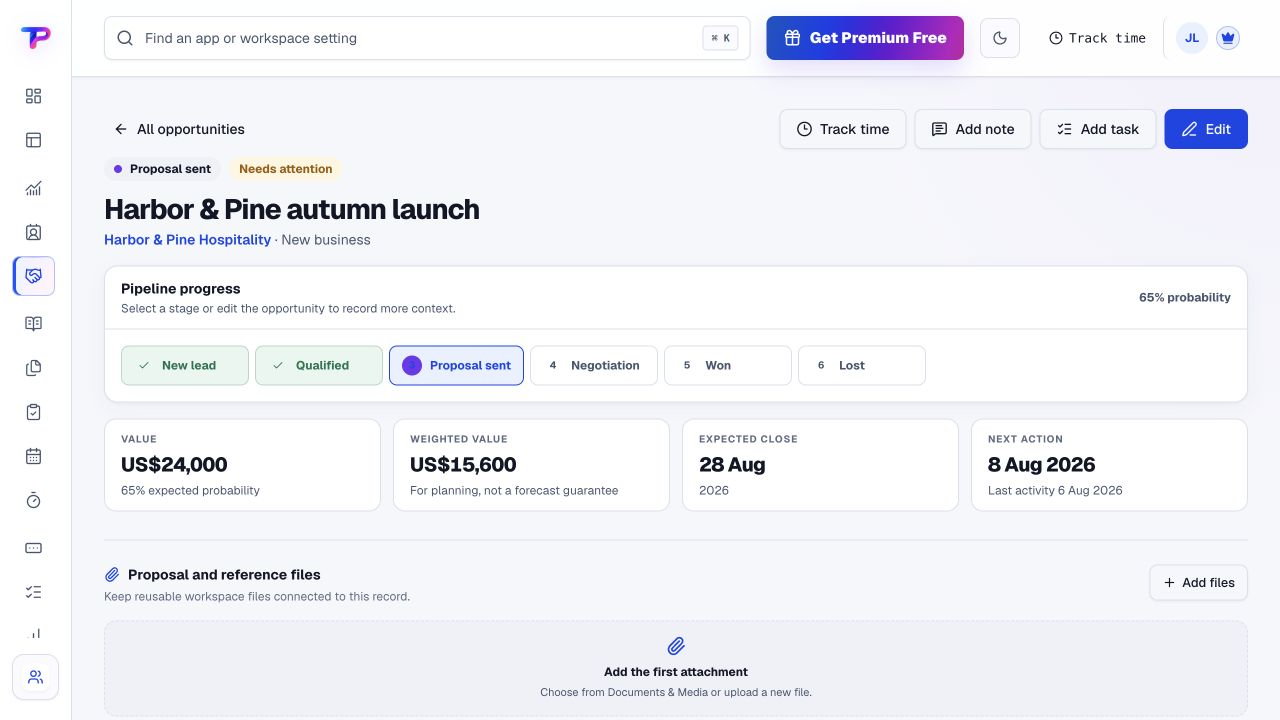
Keep potential work in Opportunities and turn your immediate commitments into tasks.
Use task detail and Notes for the instructions, decisions and information you need today.
Prepare the invoice and record its payment status, using the payment process your business already has.
A working process, not an automatic setup. Choose the apps you need and organise them around your business.
Each app has a clear job. Together, they give owners & founders room to work without juggling a separate account for every task.
Find the customer context before you make the next call.
Explore CRMSee prospective work and the next sales action you need to take.
Explore OpportunitiesKeep today's priorities and delegated jobs out of your head.
Explore TasksSave decisions, ideas and procedures where you can find them again.
Explore NotesMake time for customers without another scheduling thread.
Explore Appointment SchedulingPrepare billing documents and record the follow-up status.
Explore Invoice MakerAll included in one account, within your plan’s limits. Use one app today and add another when the work calls for it.
Keep the people, apps and records for each business in a dedicated workspace. Bring your teammates into the work without a per-seat bill.
Find the plan that fitsEvery plan, including Free, supports unlimited human teammates. Resource and feature limits still depend on your plan.
A workspace is a dedicated home for one business. Switch between your workspaces from the same account.
Use workspace roles and app permissions to manage who can see and work with business records.
You can get value without setting up every app or importing every old record.
Start in CRM. Shape the workspace around your own work.Add one customer you are working with now.
Write down the next three actions.
Keep the next appointment or invoice in the same workspace.
What owners & founders should know before getting started.
See pricing and plan limitsYes. Start with customer records, tasks or notes—whichever saves you the most searching. The other apps are there when the business needs them.
No. Use a small set first. One account gives you access to the suite within your plan's limits; it is not a requirement to set up every app.
Use separate workspaces to keep each business's records, people and access apart. Workspace capacity and advanced features depend on your plan.
Yes. Every plan supports unlimited human teammates. Invite the right people into the relevant workspace and use its access controls.
No. ToolsPad organises customer and operational work. Keep your accounting software and mailbox, and use Invoice Maker for billing documents with manually recorded status.
Yes. One free account includes all 21 ToolsPad apps within Free plan limits, unlimited human teammates, and 30 days of Premium to explore—no card required. Afterward, continue on Free or choose a paid plan for more capacity and advanced features. See Pricing for current limits.
Today's customer work may become tomorrow's landing page, survey or shared whiteboard. The rest of the suite is ready when you have a reason to use it.
Find the customer context before you make the next call.
See prospective work and the next sales action you need to take.
Keep today's priorities and delegated jobs out of your head.
Save decisions, ideas and procedures where you can find them again.
Make time for customers without another scheduling thread.
Prepare billing documents and record the follow-up status.
Map ideas alongside the work they belong to.
Turn website enquiries into organized leads.
Ask better questions. Learn from every response.
Let your audience help make the next decision.
Build a focused page around your next offer.
See what renews before you pay again.
Turn your proposal into a clear, professional quote.
Collect customer stories and publish your best proof.
Work through pricing, margins and business scenarios.
Know where the working hours are going.
Route visitors and compare campaign results.
Create branded QR codes and review their reach.
Bring useful business signals into one view.
Find, share and reuse your business files.
Give your expertise a place to grow.
More tools. One free account.Scroll to explore, or use the arrows.
Start with one customer and one next action. Keep the useful parts together and build your working rhythm from there.