
Everyone sees the deadline. Nobody owns the task.
Coordination works better when responsibility is explicit, not implied by who was in the meeting.
Keep delivery understandable without turning coordination into a second job. Organise tasks, instructions, documents and tracked work so the team can see what matters and what happens next.
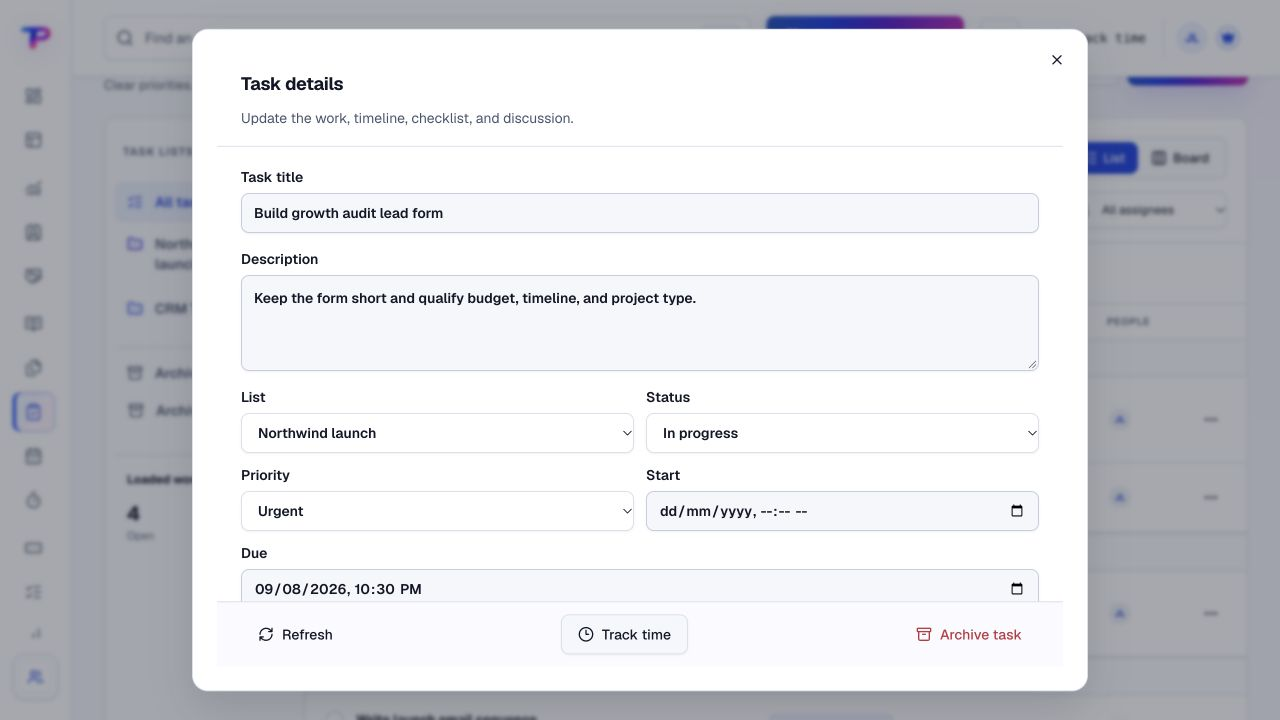
Coordination works better when responsibility is explicit, not implied by who was in the meeting.
A task is harder to finish when its checklist, supporting file and latest decision are spread across tools.
A reliable working record can make a review more useful than another round of searching for updates.
Start with what matters to operations & project managers. Keep the work and its context in the same workspace.
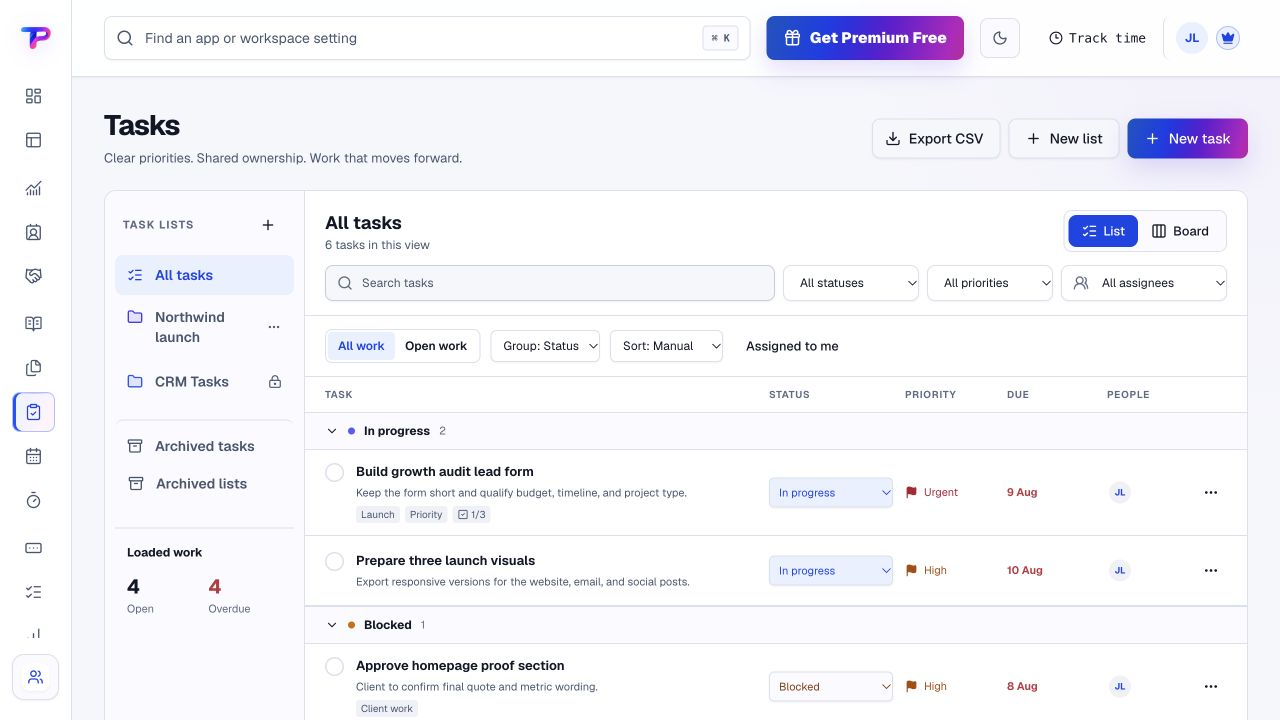
Create tasks with owners, priorities, dates and status. Use the list or board view that suits the team.
Add checklists and comments, record reusable instructions in Notes and organise the supporting files.
Configure supported dashboard widgets and open the working records when a summary needs attention.
Capture project time and review it alongside the delivery work. Use a Whiteboard to improve the next handoff or process.
A working process, not an automatic setup. Choose the apps you need and organise them around your business.
Each app has a clear job. Together, they give operations & project managers room to work without juggling a separate account for every task.
Assign responsibility, priorities and due dates in list or board views.
Explore TasksBuild a focused review using supported workspace widgets.
Explore DashboardsKeep procedures, decisions and handover context easy to recover.
Explore NotesOrganise the files and working assets your team needs.
Explore Documents & MediaMap a process and place linked records beside the explanation.
Explore WhiteboardsRecord project effort and review the entries behind a time estimate.
Explore Time TrackingAll included in one account, within your plan’s limits. Use one app today and add another when the work calls for it.
Keep the people, apps and records for each business in a dedicated workspace. Bring your teammates into the work without a per-seat bill.
Find the plan that fitsEvery plan, including Free, supports unlimited human teammates. Resource and feature limits still depend on your plan.
A workspace is a dedicated home for one business. Switch between your workspaces from the same account.
Use workspace roles and app permissions to manage who can see and work with business records.
Start with a small set of active tasks and the context needed to finish them.
Start in Tasks. Shape the workspace around your own work.List the work due next and assign each task.
Add the instructions, checklists and supporting documents.
Review progress and record the actions needed to unblock delivery.
What operations & project managers should know before getting started.
See pricing and plan limitsYes. Assign tasks to workspace members and use priorities, due dates, statuses, comments and checklists to make execution detail visible.
Yes. They are different views of the same task data, so teams can choose the layout that helps them work.
No. ToolsPad focuses on practical small-team coordination. This page does not promise portfolio scheduling, enterprise resource planning or arbitrary process automation.
Yes. Whiteboards supports visual process mapping and linked ToolsPad records. Tasks remains the place to manage the owned execution work.
No. It records work time and supports project review; it does not monitor screenshots, GPS or keystrokes.
Yes. One free account includes all 21 ToolsPad apps within Free plan limits, unlimited human teammates, and 30 days of Premium to explore—no card required. Afterward, continue on Free or choose a paid plan for more capacity and advanced features. See Pricing for current limits.
Delivery connects to the rest of the business. The same account also includes customer records, forms, appointments, publishing and billing documents when your workflow needs them.
Assign responsibility, priorities and due dates in list or board views.
Build a focused review using supported workspace widgets.
Keep procedures, decisions and handover context easy to recover.
Organise the files and working assets your team needs.
Map a process and place linked records beside the explanation.
Record project effort and review the entries behind a time estimate.
Turn website enquiries into organized leads.
Ask better questions. Learn from every response.
Let your audience help make the next decision.
Build a focused page around your next offer.
See what renews before you pay again.
Turn your proposal into a clear, professional quote.
Prepare clear invoices and track their status.
Collect customer stories and publish your best proof.
Work through pricing, margins and business scenarios.
Let customers choose a time that works.
Route visitors and compare campaign results.
Keep contacts, context and follow-ups together.
Keep promising deals moving toward a decision.
Create branded QR codes and review their reach.
Give your expertise a place to grow.
More tools. One free account.Scroll to explore, or use the arrows.
Put ownership, the deadline and the useful context in one working place. Start with the next week of delivery, free.