
The campaign brief is hard to follow.
Ideas and instructions are scattered across conversations, making the next version harder to produce.
Move from the brief to a useful offer without scattering the work. Plan the campaign, assign the launch tasks, publish a focused page and form, then collect the responses and feedback that help your team improve.
Ideas and instructions are scattered across conversations, making the next version harder to produce.
A deadline needs clear owners for copy, page, form and final checks.
A useful submission should remain available for review and follow-up after the launch celebration.
Start with what matters to marketing teams. Keep the work and its context in the same workspace.
Use a Whiteboard to work through the audience, message, destination and requested action.
Create tasks for the assets and checks, with owners, due dates and useful checklists.
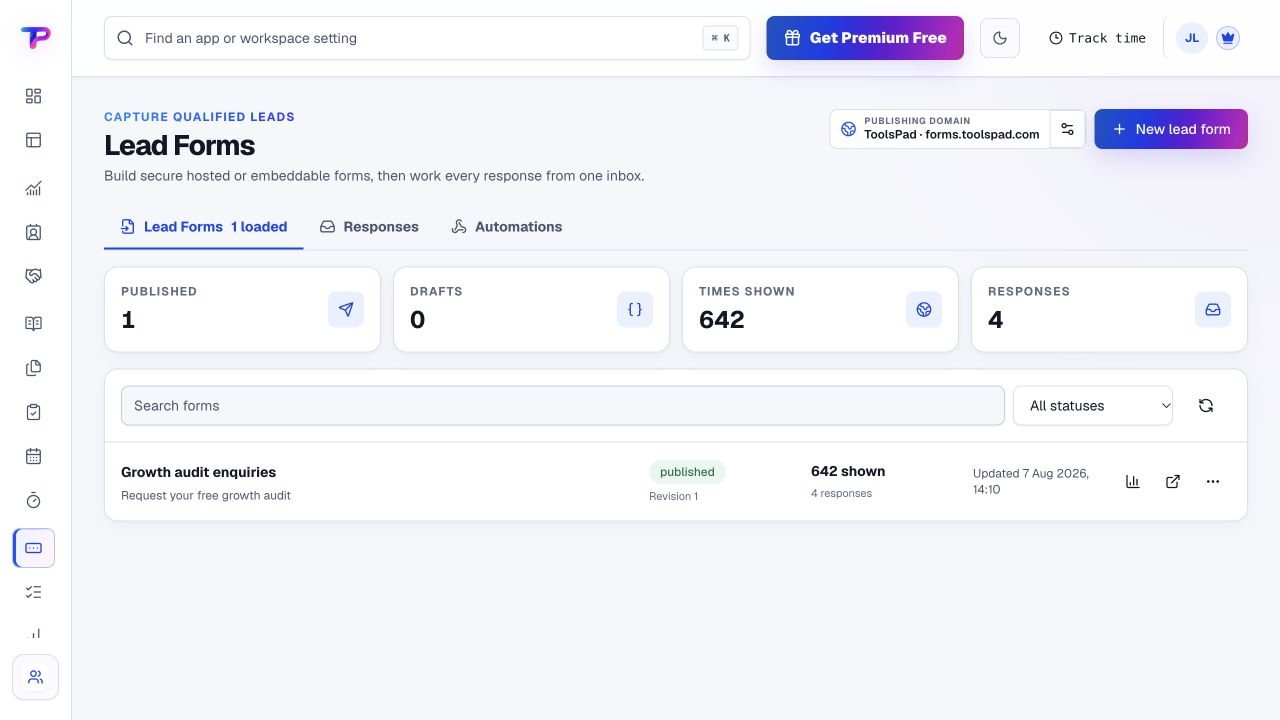
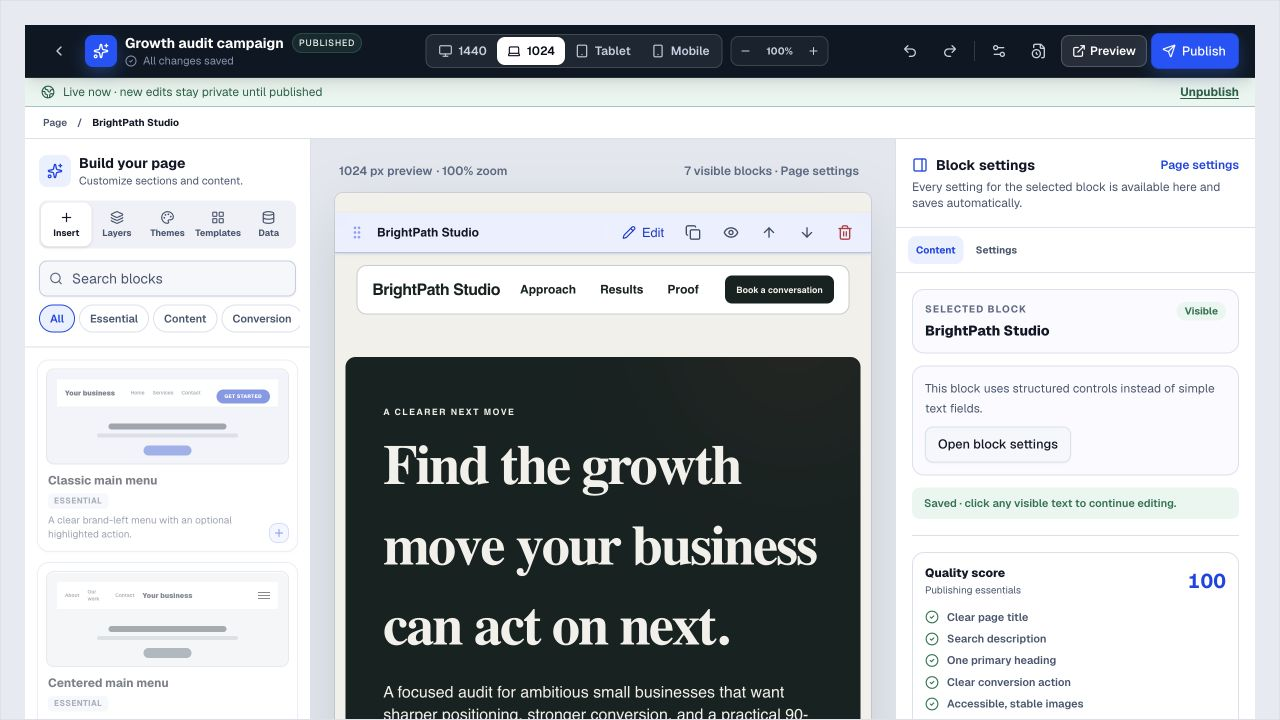
Build a focused landing page and lead form. You choose when to publish and how to promote the link.
Review responses and available source details, request feedback and give the next iteration an owner.
A working process, not an automatic setup. Choose the apps you need and organise them around your business.
Each app has a clear job. Together, they give marketing teams room to work without juggling a separate account for every task.
Map the audience, message and campaign journey together.
Explore WhiteboardsGive copy, creative and launch work clear owners and deadlines.
Explore TasksPublish a focused campaign page with a clear call to action.
Explore Landing PagesCapture the details needed to review and follow up an enquiry.
Explore Lead FormsAsk useful questions before or after the campaign.
Explore SurveysKeep shared destinations manageable and inspect available clicks.
Explore Smart LinksRequest, review and publish customer proof where it helps the offer.
Explore Testimonial CollectorAll included in one account, within your plan’s limits. Use one app today and add another when the work calls for it.
Keep the people, apps and records for each business in a dedicated workspace. Bring your teammates into the work without a per-seat bill.
Find the plan that fitsEvery plan, including Free, supports unlimited human teammates. Resource and feature limits still depend on your plan.
A workspace is a dedicated home for one business. Switch between your workspaces from the same account.
Use workspace roles and app permissions to manage who can see and work with business records.
Keep the offer simple and give the team a concrete first outcome.
Start in Lead Forms. Shape the workspace around your own work.Write down the audience, offer and next action.
Create the page or lead form and assign the launch checklist.
Publish, share through your existing channels and review responses.
What marketing teams should know before getting started.
See pricing and plan limitsNo. Use a dedicated ToolsPad landing page for one offer, embed a form on an existing HTTPS website or share a hosted form URL.
No. Build and organise the destination and follow-up work here, then use your existing advertising accounts to promote it.
No social-network publishing or scheduling is promised. Use Tasks to coordinate that work and your existing tools to publish it.
Yes. Whiteboards supports collaborative visual planning, while Tasks provides owners, dates, comments and checklists for execution.
No. ToolsPad can keep supported form and customer context connected, but your team reviews enquiries and manages qualification and follow-up. No conversion result is guaranteed.
Yes. One free account includes all 21 ToolsPad apps within Free plan limits, unlimited human teammates, and 30 days of Premium to explore—no card required. Afterward, continue on Free or choose a paid plan for more capacity and advanced features. See Pricing for current limits.
A campaign does not stop at the form. Explore CRM, appointments, notes and the other apps when your next step needs more than publishing.
Map the audience, message and campaign journey together.
Give copy, creative and launch work clear owners and deadlines.
Publish a focused campaign page with a clear call to action.
Capture the details needed to review and follow up an enquiry.
Ask useful questions before or after the campaign.
Keep shared destinations manageable and inspect available clicks.
Request, review and publish customer proof where it helps the offer.
Keep ideas, briefs and decisions easy to find.
Let your audience help make the next decision.
See what renews before you pay again.
Turn your proposal into a clear, professional quote.
Prepare clear invoices and track their status.
Work through pricing, margins and business scenarios.
Let customers choose a time that works.
Know where the working hours are going.
Keep contacts, context and follow-ups together.
Keep promising deals moving toward a decision.
Create branded QR codes and review their reach.
Bring useful business signals into one view.
Find, share and reuse your business files.
Give your expertise a place to grow.
More tools. One free account.Scroll to explore, or use the arrows.
Give the offer a page, the work an owner and the response a place to land. Start with one campaign, free.