
Activity is easier to see than priority.
A busy campaign calendar needs clear ownership and a view of what must ship next.
Give campaign execution a clearer operating rhythm. Review team priorities, publish focused offers and keep captured leads and feedback near the work that produced them—without pretending every ad platform is one reporting system.
A busy campaign calendar needs clear ownership and a view of what must ship next.
A landing page, a captured enquiry and the team's next action need coherent context.
Useful operational evidence matters more than a polished chart claiming returns it cannot verify.
Start with what matters to small-business CMOs. Keep the work and its context in the same workspace.
Turn campaign priorities into owned tasks with dates, checklists and the decisions needed to move forward.
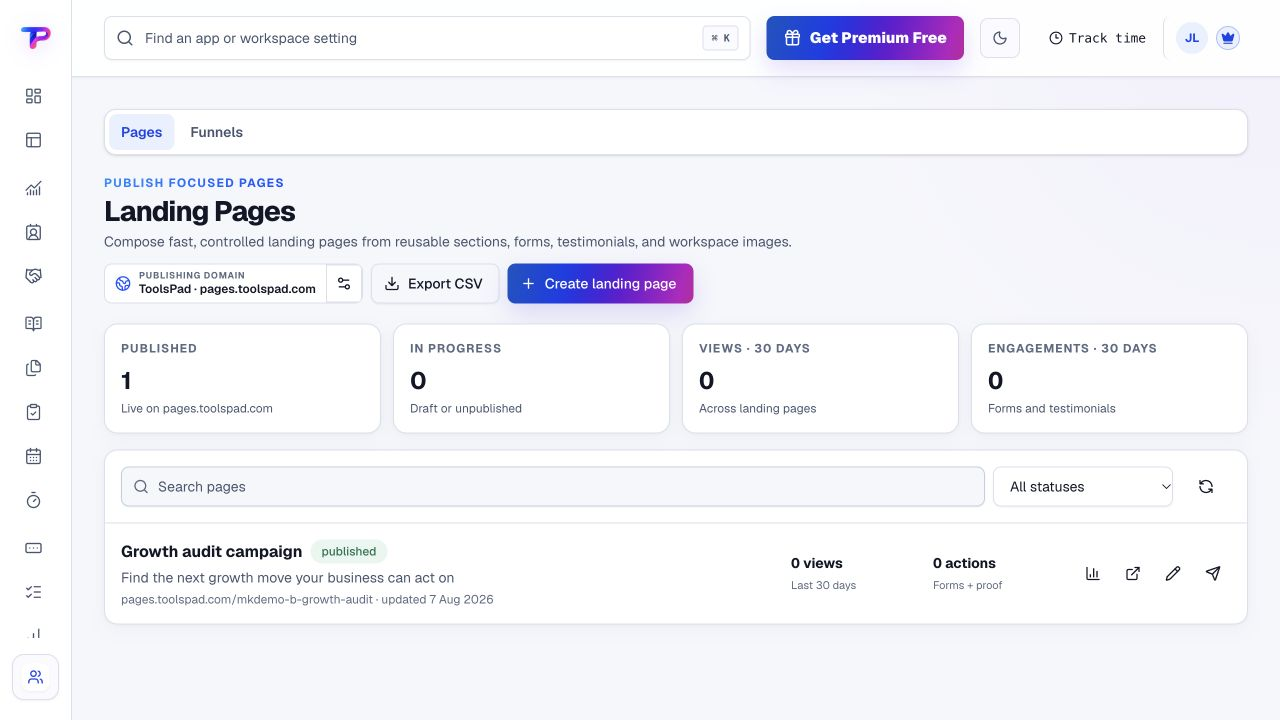
Create a landing page and form for the offer. Keep the message and requested next action clear.
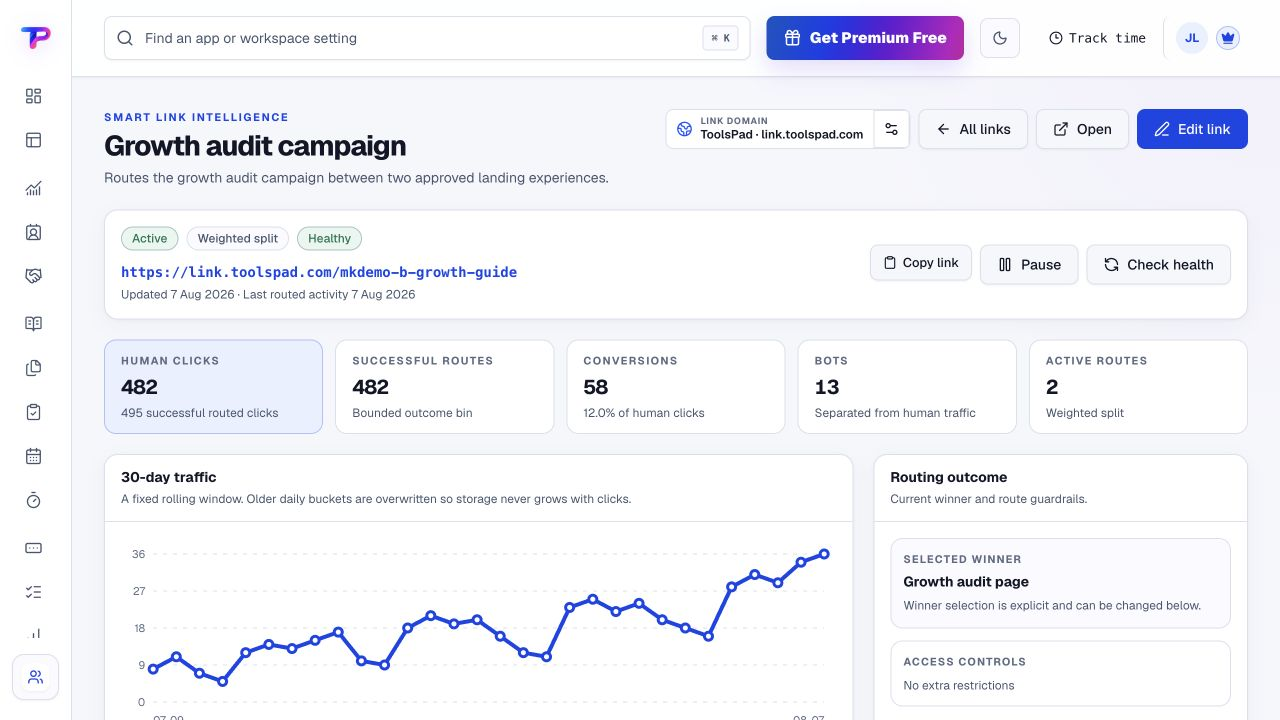
Inspect captured form responses, supported campaign source details and available link engagement. Use your ad platforms for their performance data.
Configure supported dashboard widgets and assign the follow-up work. Collect customer feedback and proof for the next iteration.
A working process, not an automatic setup. Choose the apps you need and organise them around your business.
Each app has a clear job. Together, they give small-business CMOs room to work without juggling a separate account for every task.
Configure a focused review using the workspace widgets available to you.
Explore DashboardsGive launches and campaign priorities owners, dates and visible progress.
Explore TasksCollect enquiries with useful campaign context and follow-up details.
Explore Lead FormsPublish a focused offer with a clear next step.
Explore Landing PagesManage campaign destinations and review available link engagement.
Explore Smart LinksCollect structured audience or customer feedback.
Explore SurveysBuild a reviewed source of customer proof for future campaigns.
Explore Testimonial CollectorAll included in one account, within your plan’s limits. Use one app today and add another when the work calls for it.
Keep the people, apps and records for each business in a dedicated workspace. Bring your teammates into the work without a per-seat bill.
Find the plan that fitsEvery plan, including Free, supports unlimited human teammates. Resource and feature limits still depend on your plan.
A workspace is a dedicated home for one business. Switch between your workspaces from the same account.
Use workspace roles and app permissions to manage who can see and work with business records.
Start with the offer, ownership and customer response—not a full reporting-system replacement.
Start in Dashboards. Shape the workspace around your own work.Choose a campaign and assign the work required to launch it.
Publish its landing page or lead form.
Review responses and give the next action an owner.
What small-business CMOs should know before getting started.
See pricing and plan limitsNo. Keep your advertising and analytics platforms for their reporting. ToolsPad organises campaign work, published properties, captured leads and available engagement information.
No cross-platform CAC or ROAS calculation is promised. Those measures require verified spend, attribution and revenue data beyond the scope of this page.
Lead Forms supports campaign context such as available UTM attribution. Coverage depends on the visitor, link and captured evidence; a missing source must not be treated as a complete attribution model.
No special CMO preset is promised. Configure ToolsPad Dashboards with the supported widgets available to your account and use the underlying records for detail.
This page focuses on prioritisation, operating review and decisions. Marketing Teams focuses on building and publishing the campaign assets and coordinating day-to-day execution.
Yes. One free account includes all 21 ToolsPad apps within Free plan limits, unlimited human teammates, and 30 days of Premium to explore—no card required. Afterward, continue on Free or choose a paid plan for more capacity and advanced features. See Pricing for current limits.
Campaigns connect to customer relationships, delivery and commercial work. Your account includes the wider suite when marketing needs that context.
Configure a focused review using the workspace widgets available to you.
Give launches and campaign priorities owners, dates and visible progress.
Collect enquiries with useful campaign context and follow-up details.
Publish a focused offer with a clear next step.
Manage campaign destinations and review available link engagement.
Collect structured audience or customer feedback.
Build a reviewed source of customer proof for future campaigns.
Keep ideas, briefs and decisions easy to find.
Map ideas alongside the work they belong to.
Let your audience help make the next decision.
See what renews before you pay again.
Turn your proposal into a clear, professional quote.
Prepare clear invoices and track their status.
Work through pricing, margins and business scenarios.
Let customers choose a time that works.
Know where the working hours are going.
Keep contacts, context and follow-ups together.
Keep promising deals moving toward a decision.
Create branded QR codes and review their reach.
Find, share and reuse your business files.
Give your expertise a place to grow.
More tools. One free account.Scroll to explore, or use the arrows.
Connect priorities, published work and captured responses. Keep specialist ad reporting where it belongs, and make the next action clear.