
The invoice is disconnected from the work.
Commercial follow-up becomes harder when scope, recorded time and billing paperwork are in different places.
Keep commercial administration close to the work behind it. Organise quotes, invoices, tracked project effort and subscription renewals—alongside, not instead of, your accounting system.
Commercial follow-up becomes harder when scope, recorded time and billing paperwork are in different places.
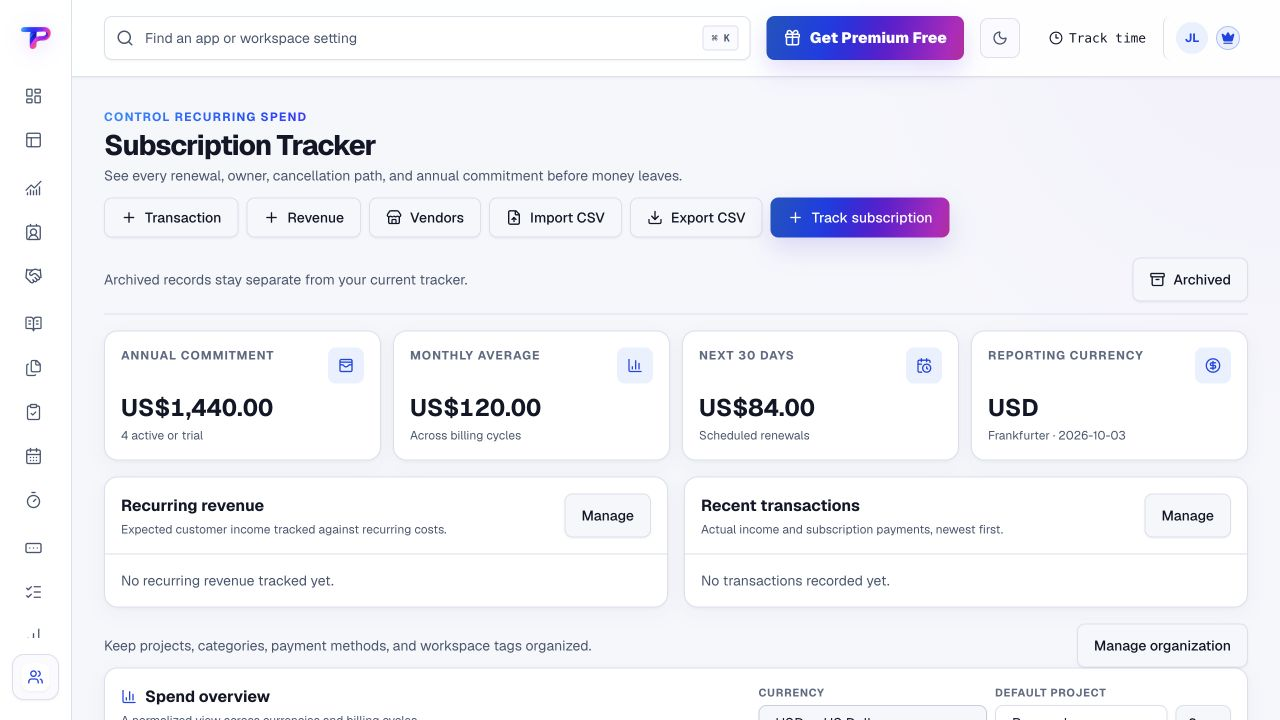
A recurring service needs a known owner and decision date, not just an entry on a statement.
Operational invoice status needs to be clear without pretending it is bank reconciliation or a financial ledger.
Start with what matters to small-business CFOs. Keep the work and its context in the same workspace.
Prepare quotes and organise the supporting documents for the work being discussed.
Use project time entries and configured budgets for operational review. These views depend on the information your team records.
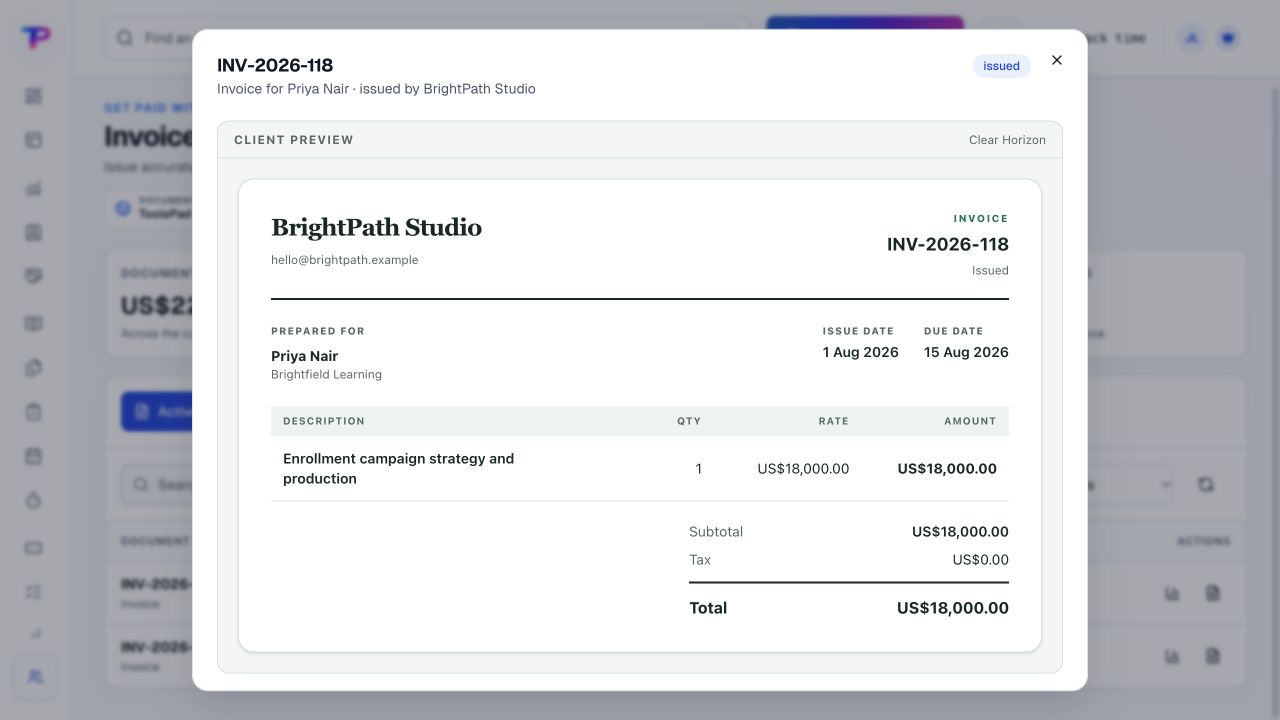
Issue an invoice with payment instructions, then record the payment status. Create follow-up tasks where human action is needed.
Record the subscription, cost, owner and renewal date. Review the commitment and act with the service provider when needed.
A working process, not an automatic setup. Choose the apps you need and organise them around your business.
Each app has a clear job. Together, they give small-business CFOs room to work without juggling a separate account for every task.
Build operational views from the supported billing and workspace widgets.
Explore DashboardsIssue billing documents and review manually recorded payment status.
Explore Invoice MakerKeep the quoted scope, pricing and customer paperwork organised.
Explore Estimates & QuotesReview project hours and configured budgets without rebuilding timesheets.
Explore Time TrackingRecord recurring commitments, costs, owners and renewal dates.
Explore Subscription TrackerGive invoice follow-up and renewal reviews an accountable owner.
Explore TasksKeep supporting working documents in the appropriate workspace.
Explore Documents & MediaAll included in one account, within your plan’s limits. Use one app today and add another when the work calls for it.
Keep the people, apps and records for each business in a dedicated workspace. Bring your teammates into the work without a per-seat bill.
Find the plan that fitsEvery plan, including Free, supports unlimited human teammates. Resource and feature limits still depend on your plan.
A workspace is a dedicated home for one business. Switch between your workspaces from the same account.
Use workspace roles and app permissions to manage who can see and work with business records.
Keep your accounting system in place and organise a practical operational gap around it.
Start in Invoice Maker. Shape the workspace around your own work.Prepare one invoice or review its recorded status.
Add the recurring commitments you want to review next.
Assign follow-up tasks and keep supporting documents together.
What small-business CFOs should know before getting started.
See pricing and plan limitsNo. Keep your accounting system authoritative for ledgers, reconciliation, tax and financial statements. ToolsPad is a companion for billing documents, recorded project effort, renewals and operational follow-up.
No. Invoice Maker payment status is recorded by your team. It does not connect to your bank, collect the payment or automatically reconcile receipts.
Time Tracking supports project time and budget review. Where you configure billable and internal cost rates, authorised views can use those recorded inputs; the results are not a replacement for accounting records or audited financial reporting.
No. It records cost, ownership, timing and cancellation details so your team can review the decision. Cancellation or changes must be made with the relevant service provider.
No. This page does not promise cash-flow forecasting, consolidated financial statements, payroll, tax filing or statutory compliance. Use your specialist systems for those responsibilities.
Yes. One free account includes all 21 ToolsPad apps within Free plan limits, unlimited human teammates, and 30 days of Premium to explore—no card required. Afterward, continue on Free or choose a paid plan for more capacity and advanced features. See Pricing for current limits.
Finance follow-up works better with the context behind it. The wider suite keeps customer records, delivery work, notes and documents available in the same account.
Build operational views from the supported billing and workspace widgets.
Issue billing documents and review manually recorded payment status.
Keep the quoted scope, pricing and customer paperwork organised.
Review project hours and configured budgets without rebuilding timesheets.
Record recurring commitments, costs, owners and renewal dates.
Give invoice follow-up and renewal reviews an accountable owner.
Keep supporting working documents in the appropriate workspace.
Keep ideas, briefs and decisions easy to find.
Map ideas alongside the work they belong to.
Turn website enquiries into organized leads.
Ask better questions. Learn from every response.
Let your audience help make the next decision.
Build a focused page around your next offer.
Collect customer stories and publish your best proof.
Work through pricing, margins and business scenarios.
Let customers choose a time that works.
Route visitors and compare campaign results.
Keep contacts, context and follow-ups together.
Keep promising deals moving toward a decision.
Create branded QR codes and review their reach.
Give your expertise a place to grow.
More tools. One free account.Scroll to explore, or use the arrows.
Keep the accounting system you trust. Use ToolsPad to organise the paperwork, recorded work and next actions around it.