
Updates do not create a clear picture.
You can receive plenty of information and still struggle to see where attention would make a difference.
Leadership needs a clear view of the work—not another wall of disconnected updates. Build useful operating views, review opportunities and keep decisions tied to the actions that follow.
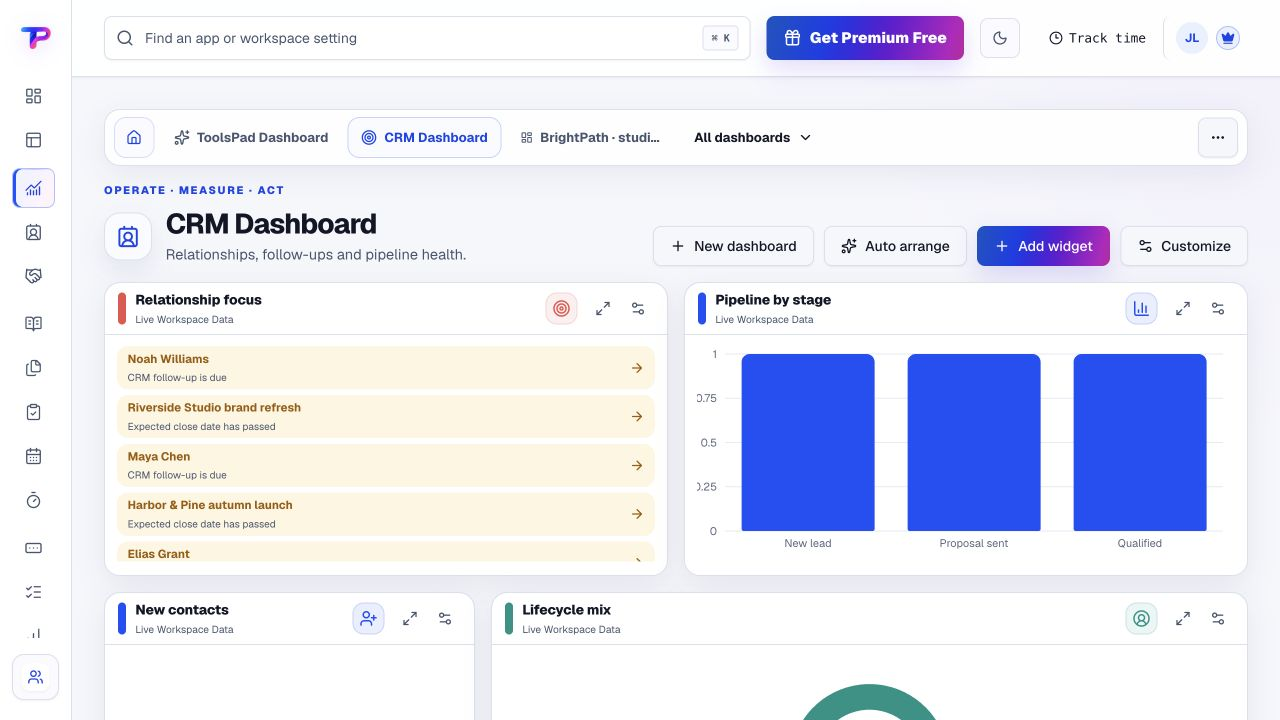
You can receive plenty of information and still struggle to see where attention would make a difference.
Meeting notes record the discussion, but the owner and follow-through live elsewhere.
A strategic conversation is more useful when the team can find the work and context behind it.
Start with what matters to small-business CEOs. Keep the work and its context in the same workspace.
Choose supported dashboard widgets for the work you want to review. Configure the view rather than expecting a prebuilt CEO reporting system.
Open the relevant opportunity, task or source record when a summary deserves a closer look.
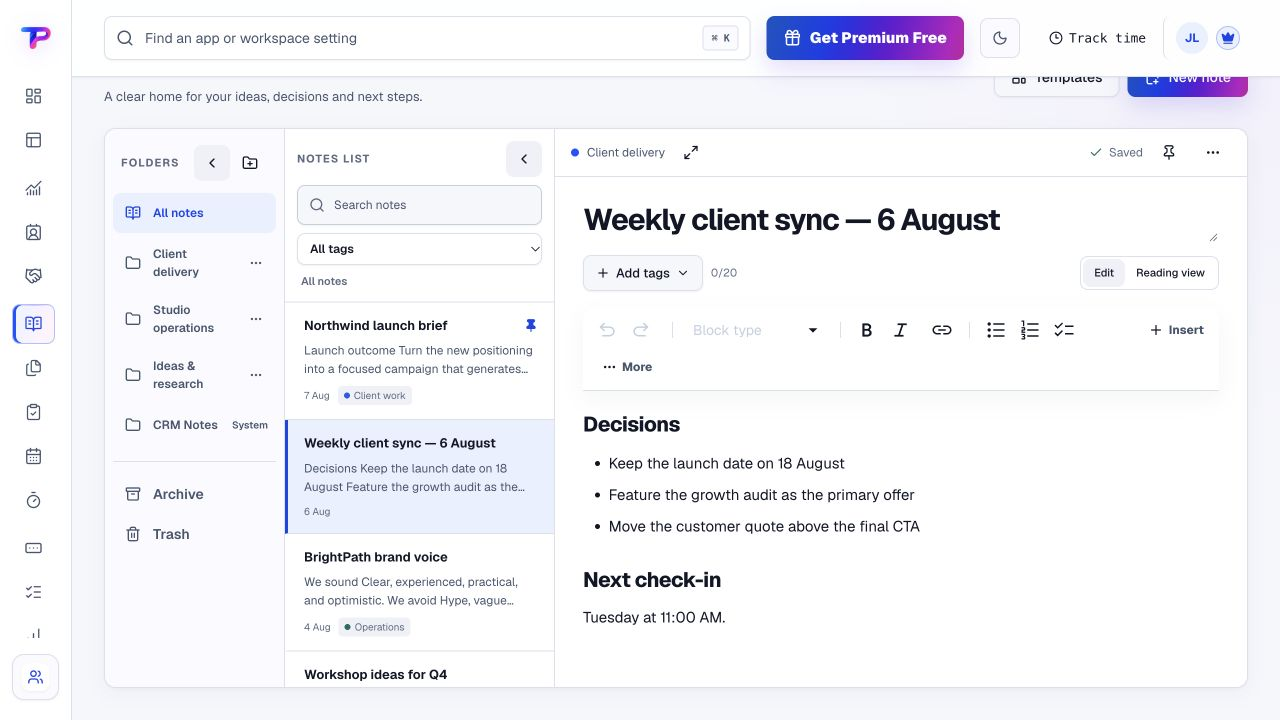
Record the outcome in Notes and use a Whiteboard when the plan benefits from a visual map.
Create the agreed actions as tasks with accountable owners and dates. Review progress in the working records.
A working process, not an automatic setup. Choose the apps you need and organise them around your business.
Each app has a clear job. Together, they give small-business CEOs room to work without juggling a separate account for every task.
Configure an operating view using supported workspace data and widgets.
Explore DashboardsReview prospective work and the conversations that need leadership attention.
Explore OpportunitiesMake agreed priorities visible with an owner and a deadline.
Explore TasksKeep leadership decisions and meeting context available after the discussion.
Explore NotesMap an initiative and place linked business records beside the plan.
Explore WhiteboardsGive important working documents a shared, permission-aware home.
Explore Documents & MediaAll included in one account, within your plan’s limits. Use one app today and add another when the work calls for it.
Keep the people, apps and records for each business in a dedicated workspace. Bring your teammates into the work without a per-seat bill.
Find the plan that fitsEvery plan, including Free, supports unlimited human teammates. Resource and feature limits still depend on your plan.
A workspace is a dedicated home for one business. Switch between your workspaces from the same account.
Use workspace roles and app permissions to manage who can see and work with business records.
Start with a real leadership question, not a dashboard full of everything.
Start in Dashboards. Shape the workspace around your own work.Choose the workspace information you need to review.
Configure a small dashboard using supported widgets.
Record decisions and assign the next actions.
What small-business CEOs should know before getting started.
See pricing and plan limitsThis page does not promise a special CEO preset. ToolsPad Dashboards lets you configure views from the widgets and workspace data available to your account.
No. It is a practical operating workspace for smaller businesses. It does not promise arbitrary warehouse connections, consolidated enterprise reporting or company-wide forecasting.
Yes. Invite the appropriate people and use workspace permissions. Tasks, Notes and Whiteboards provide shared places for execution and decision context.
No. You can organise notes, documents and actions, but this page does not claim board governance, automated board packs or compliance workflows.
The owner page focuses on hands-on customer and daily administrative work. This page focuses on leadership review, priorities, decisions and follow-through across a small team.
Yes. One free account includes all 21 ToolsPad apps within Free plan limits, unlimited human teammates, and 30 days of Premium to explore—no card required. Afterward, continue on Free or choose a paid plan for more capacity and advanced features. See Pricing for current limits.
Your leadership view is backed by a wider working suite. Explore the apps your team uses to capture enquiries, deliver work, publish and keep billing organised.
Configure an operating view using supported workspace data and widgets.
Review prospective work and the conversations that need leadership attention.
Make agreed priorities visible with an owner and a deadline.
Keep leadership decisions and meeting context available after the discussion.
Map an initiative and place linked business records beside the plan.
Give important working documents a shared, permission-aware home.
Turn website enquiries into organized leads.
Ask better questions. Learn from every response.
Let your audience help make the next decision.
Build a focused page around your next offer.
See what renews before you pay again.
Turn your proposal into a clear, professional quote.
Prepare clear invoices and track their status.
Collect customer stories and publish your best proof.
Work through pricing, margins and business scenarios.
Let customers choose a time that works.
Know where the working hours are going.
Route visitors and compare campaign results.
Keep contacts, context and follow-ups together.
Create branded QR codes and review their reach.
Give your expertise a place to grow.
More tools. One free account.Scroll to explore, or use the arrows.
Start with the question that matters, the records behind it and the actions that follow. Build the view your team actually needs.