
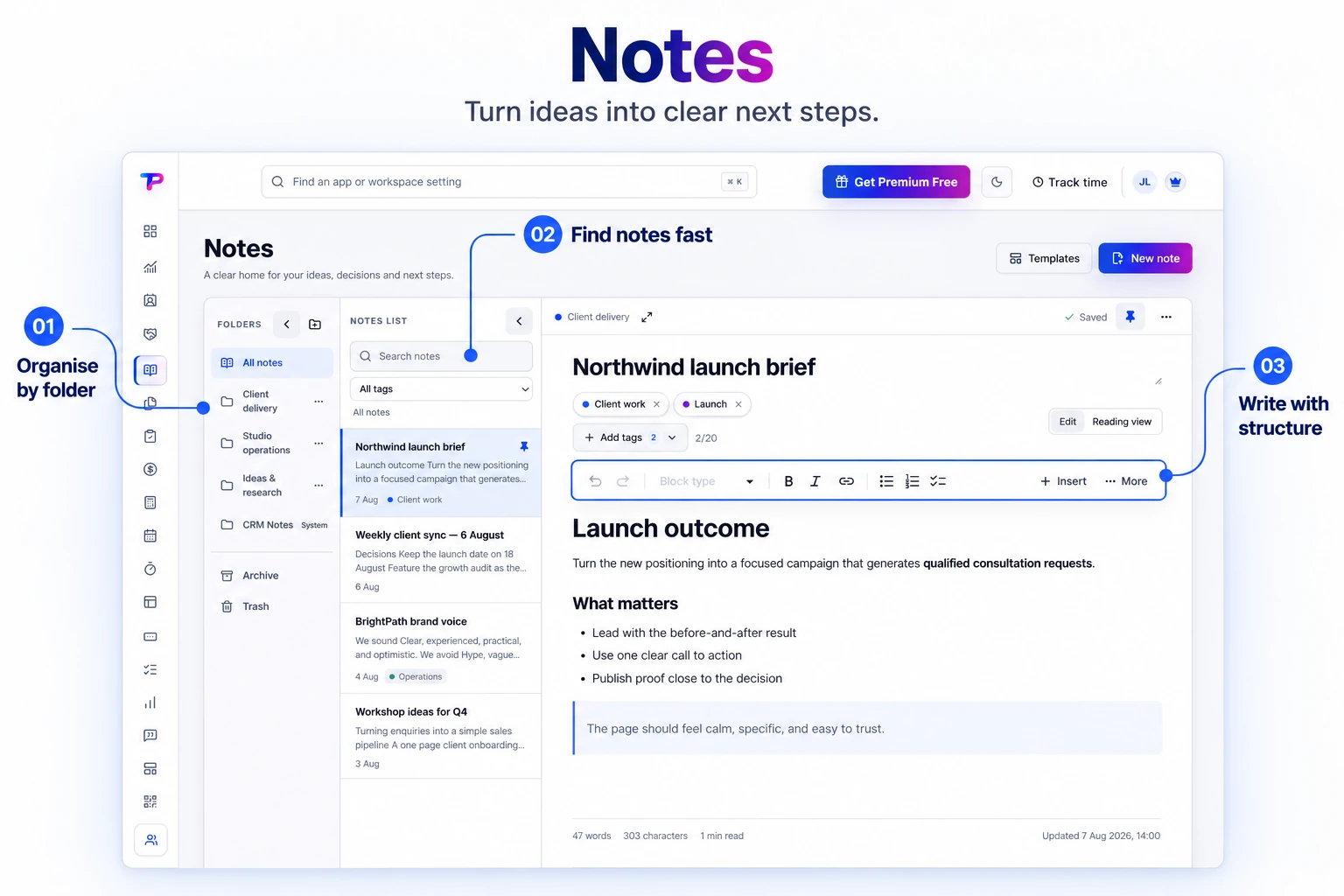
Notebooks and folders
Give projects, clients, and departments a clear home without deep folder clutter.
Capture meeting notes, procedures, ideas, and decisions in a focused workspace your team can actually search and use.
Organize notes with folders and workspace tags, then use search to get back to the brief, decision, or idea you need.
Write quickly. Organize lightly. Find the answer when work moves on.
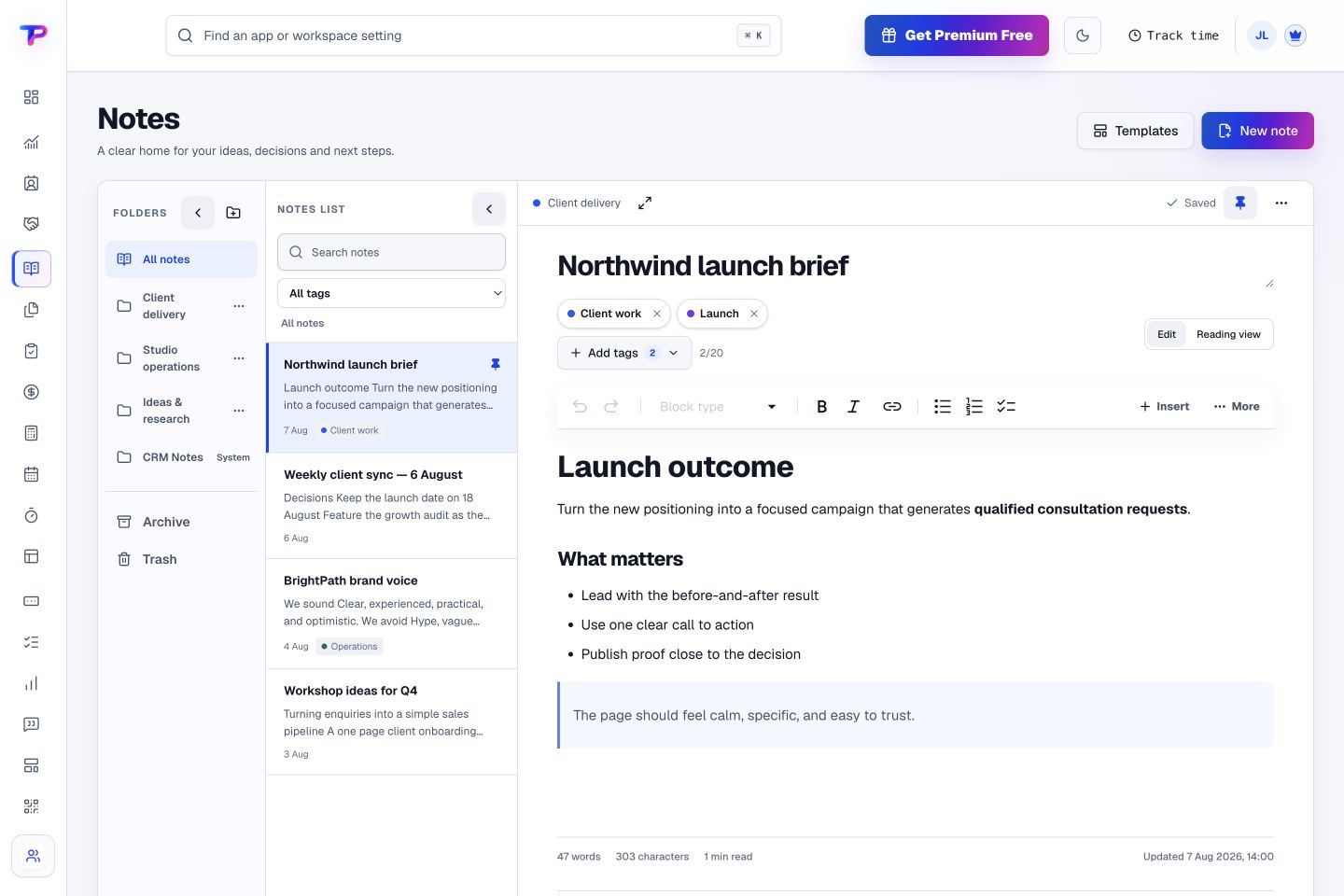
Give projects, clients, and departments a clear home without deep folder clutter.
Format headings, lists, links, tables, emphasis, and checklists directly—without exposing markup characters.
Combine fast search with flexible tags to recover context in seconds.
Keep current knowledge visible while preserving decisions you may need later.
Take your workspace data with you through owner-controlled exports.
Keep notes inside the same secure workspace as the rest of your operations.
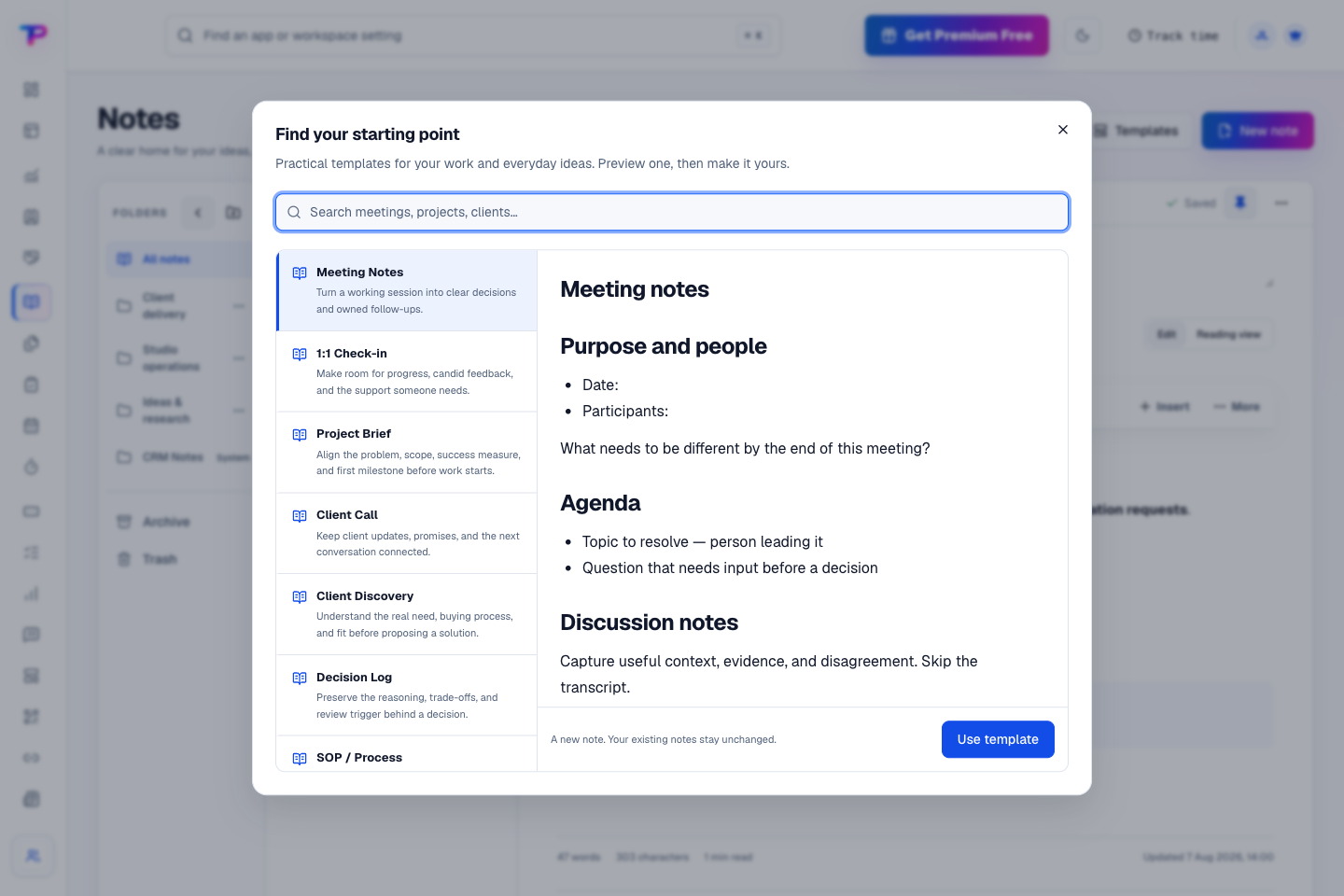
Choose a meeting agenda, project brief, client call, or decision log. Preview the structure, then make it your own instead of starting with a blank page.
Write meeting notes, procedures, and decisions in a familiar visual editor.
Use a light structure that stays searchable as your workspace grows.
Connect the note to a task, customer, or opportunity without copying its content.
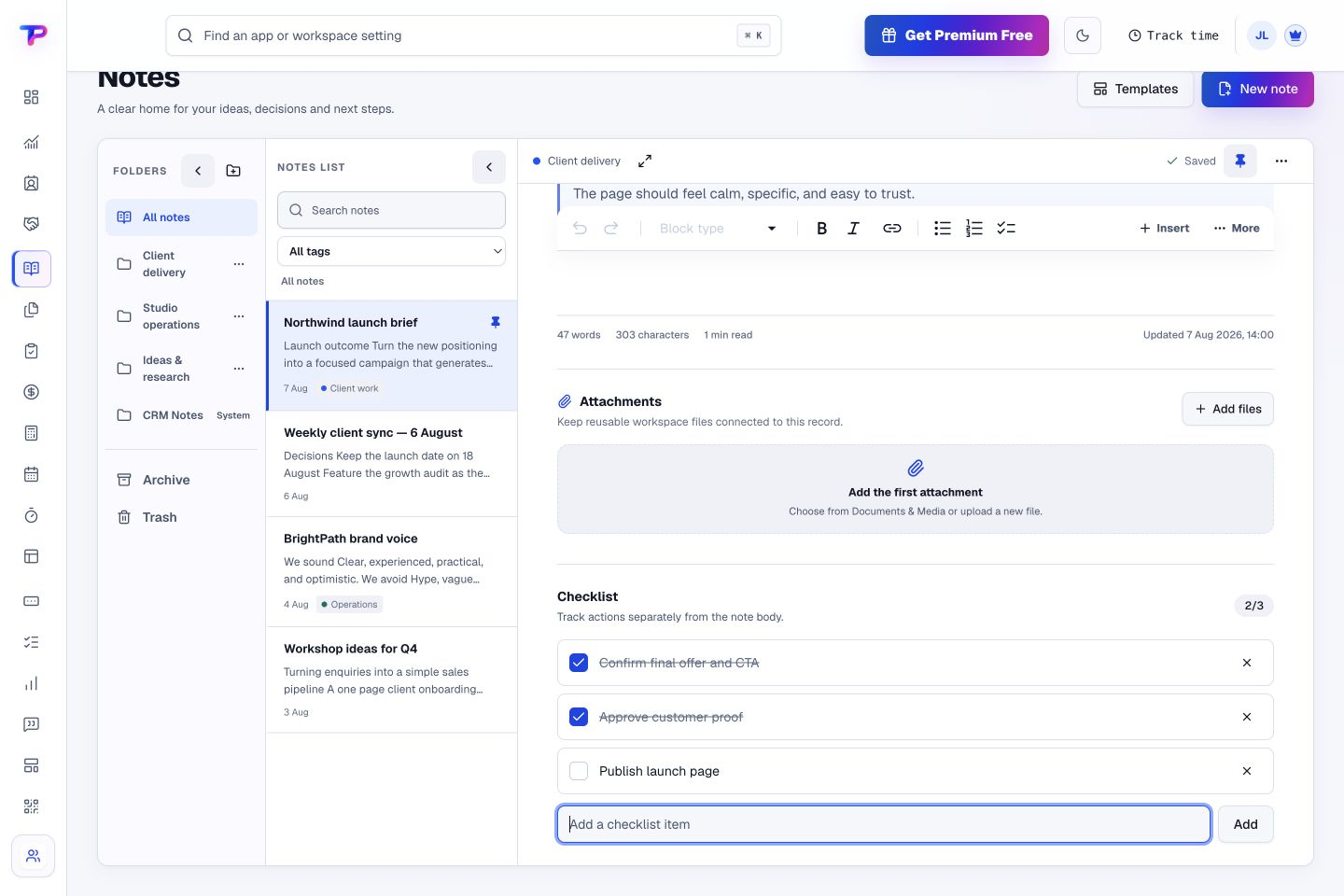
Add a checklist beside your thinking and tick off actions as you go. The plan and its progress stay together.
Keep the decision beside the customer, task, or opportunity it affects.
Give every next step an owner and a deadline.
Keep contacts, context and follow-ups together.
Keep promising deals moving toward a decision.
Map ideas alongside the work they belong to.
Turn website enquiries into organized leads.
Ask better questions. Learn from every response.
Let your audience help make the next decision.
Build a focused page around your next offer.
See what renews before you pay again.
Turn your proposal into a clear, professional quote.
Prepare clear invoices and track their status.
Collect customer stories and publish your best proof.
Work through pricing, margins and business scenarios.
Let customers choose a time that works.
Know where the working hours are going.
Route visitors and compare campaign results.
Create branded QR codes and review their reach.
Bring useful business signals into one view.
Find, share and reuse your business files.
Give your expertise a place to grow.
Keep ideas, briefs and decisions easy to find.
You’re hereMore tools. One free account.Scroll to explore, or use the arrows.
Clear answers before you create your first notes workflow.
Yes. The editor stays visual while you write, and a dedicated action lets you copy Markdown-compatible content when you need it elsewhere.
Archive notes you no longer use regularly and keep current notes pinned. Archived notes remain available when you need to revisit a decision.
Yes. One free account includes all 21 ToolsPad apps within Free plan limits, unlimited human teammates, and 30 days of Premium to explore—no card required. Afterward, continue on Free or choose a paid plan for more capacity and advanced features.
Start with Notes today. Add the other apps as you need them—all from the same free account.