
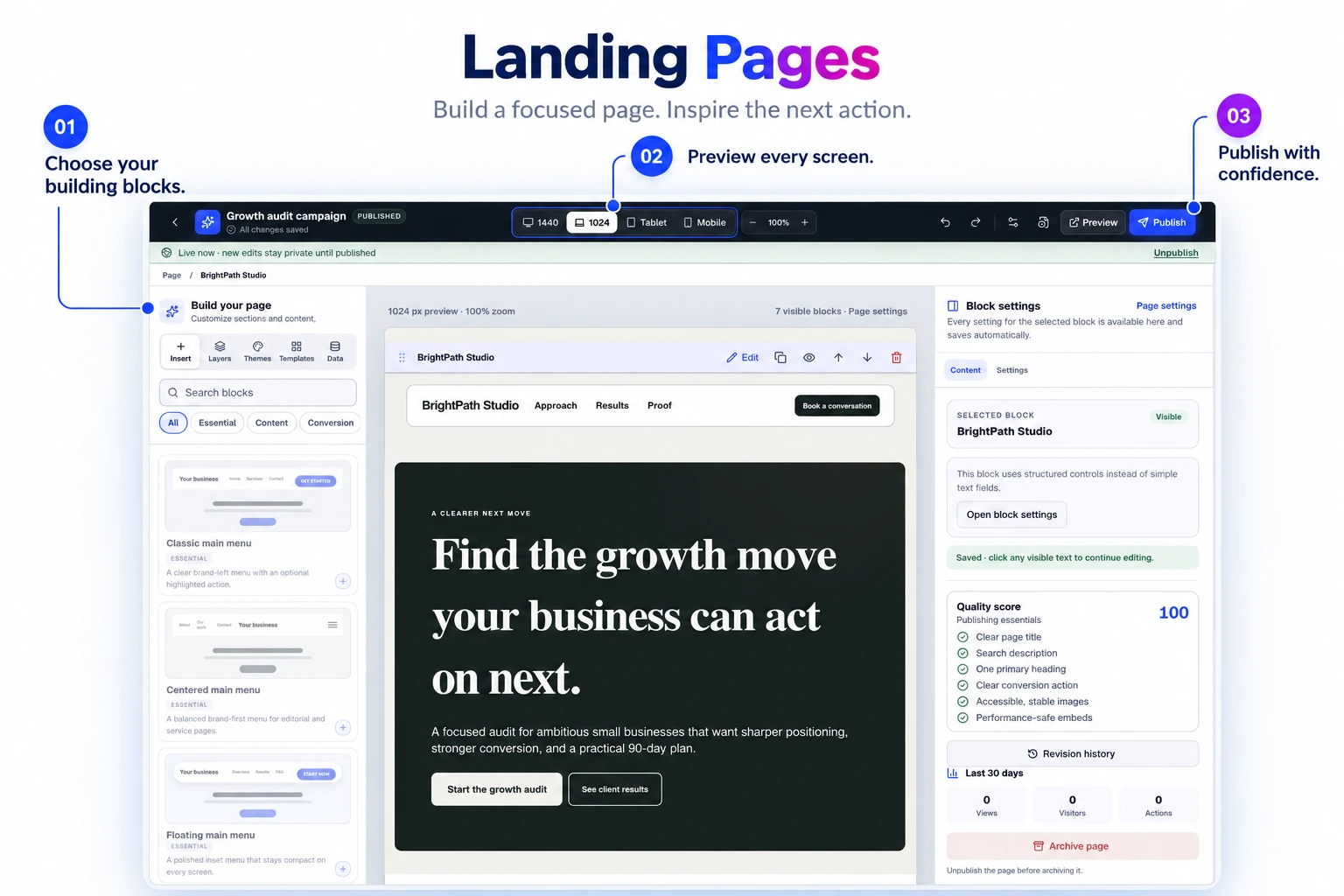
Ready-to-use sections
Arrange your headline, offer, images, proof, and calls to action with blocks that adapt to different screen sizes.
Bring your offer, customer proof, and lead form together on a branded page. Start from a template, make it yours, and publish without rebuilding your main website.
Shape your landing page with editing controls and responsive previews beside the design. Keep the message and its presentation in view as you build.
Publish a useful campaign, offer, profile, or event page while the opportunity is still current.
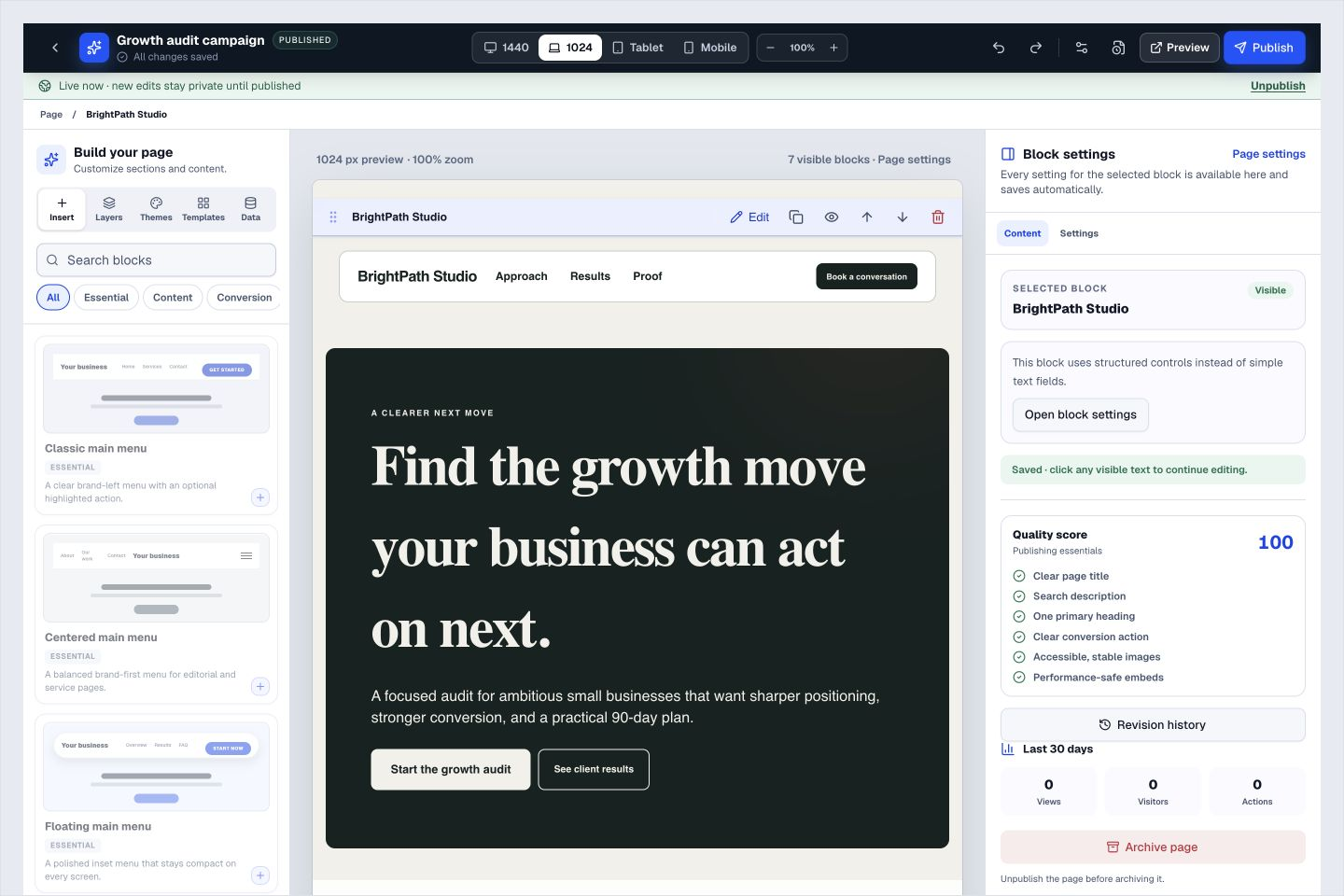
Arrange your headline, offer, images, proof, and calls to action with blocks that adapt to different screen sizes.
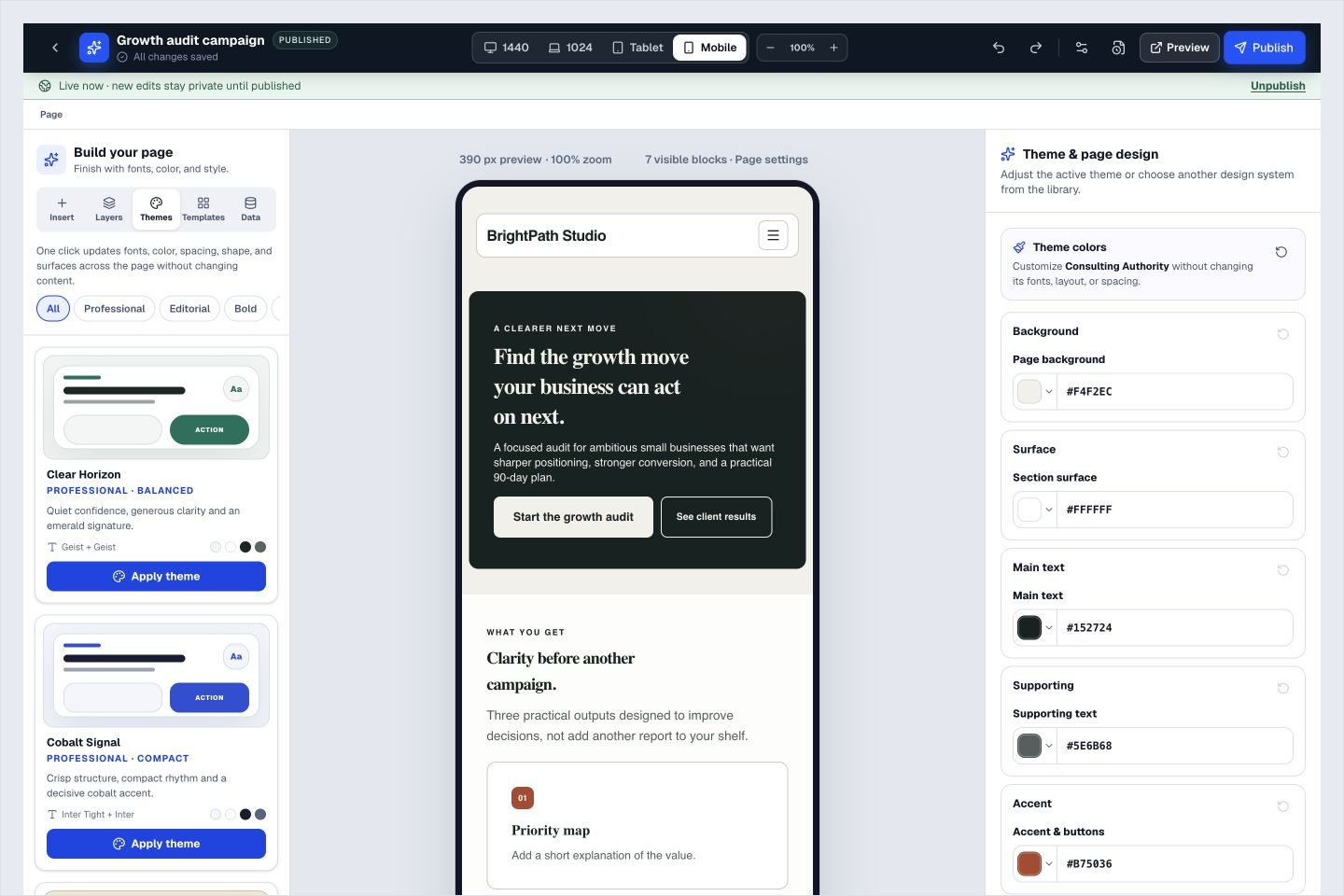
Create a consistent page with practical typography and color controls.
Edit safely, preview changes, and publish a version only when it is ready.
Reuse your ToolsPad lead forms and approved customer proof.
Upload, optimize, and globally deliver page images without managing files manually.
See visits and actions so you know whether the page is doing its job.
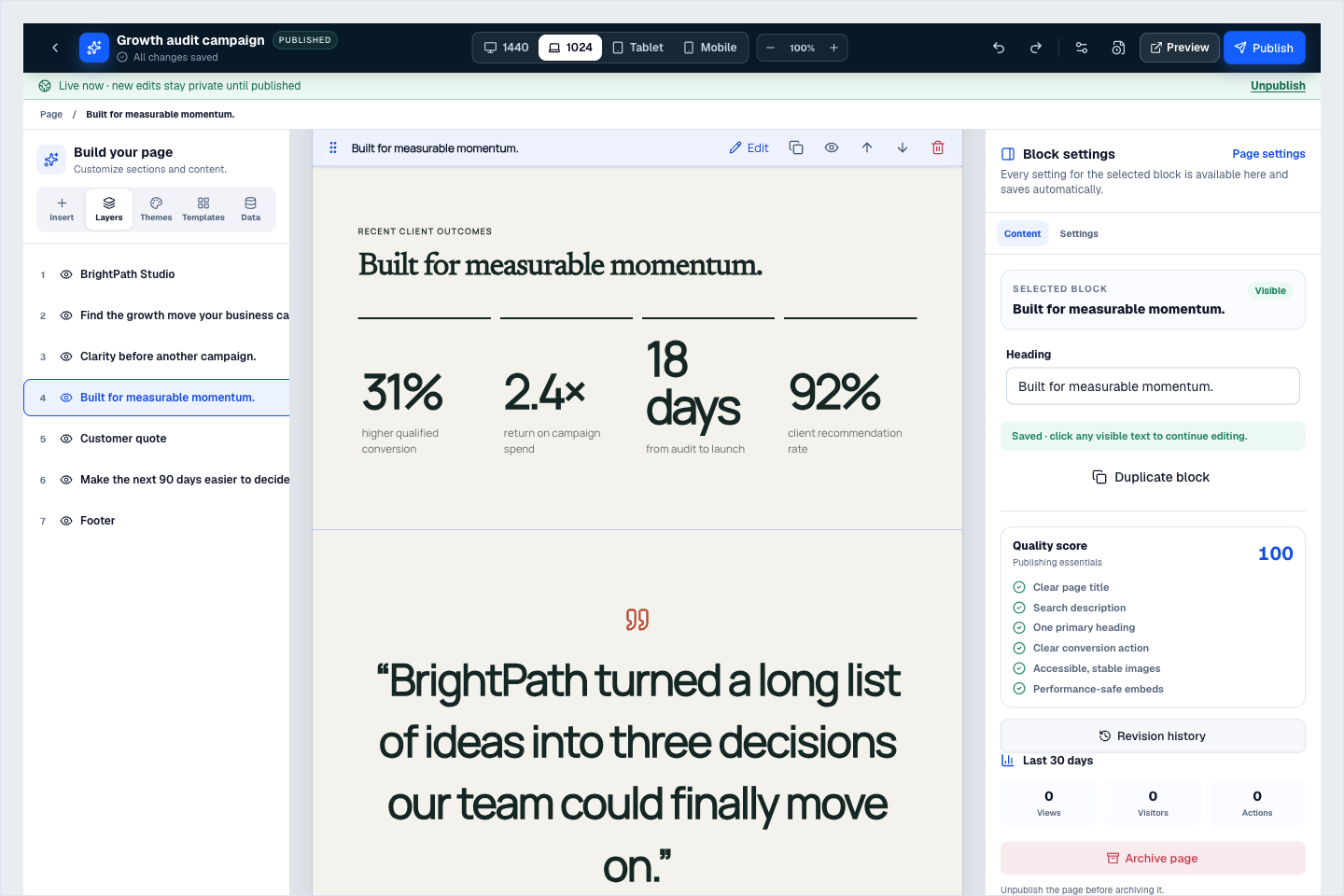
Use layers to find a section, edit its content, and review the publishing checks beside your design. Shown here with fictional sample metrics—not claimed ToolsPad customer results.
Begin with a structured template built around a real service-business use case.
Change copy, blocks, buttons, colors, fonts, and responsive behavior where you see them.
Check desktop, tablet, and mobile, then publish on a ToolsPad or connected custom domain.
Switch to a phone-sized preview to review your headline, content, and layout before publishing. Give the small screen the attention it deserves.
Bring forms, proof, and campaign routing onto one publishable page.
Turn website enquiries into organized leads.
Route visitors and compare campaign results.
Keep ideas, briefs and decisions easy to find.
Map ideas alongside the work they belong to.
Give every next step an owner and a deadline.
Ask better questions. Learn from every response.
Let your audience help make the next decision.
See what renews before you pay again.
Turn your proposal into a clear, professional quote.
Prepare clear invoices and track their status.
Collect customer stories and publish your best proof.
Work through pricing, margins and business scenarios.
Let customers choose a time that works.
Know where the working hours are going.
Keep contacts, context and follow-ups together.
Keep promising deals moving toward a decision.
Create branded QR codes and review their reach.
Bring useful business signals into one view.
Find, share and reuse your business files.
Give your expertise a place to grow.
Build a focused page around your next offer.
You’re hereMore tools. One free account.Scroll to explore, or use the arrows.
Clear answers before you create your first landing pages workflow.
Start with a template and edit its text, images, colors, and sections. Preview the result across screen sizes before publishing.
Yes. Landing Pages are designed to reuse content from the Lead Forms and Testimonial Collector apps.
Yes. One free account includes all 21 ToolsPad apps within Free plan limits, unlimited human teammates, and 30 days of Premium to explore—no card required. Afterward, continue on Free or choose a paid plan for more capacity and advanced features.
Start with Landing Pages today. Add the other apps as you need them—all from the same free account.