
Reliable numbering
Use workspace sequences to create consistent invoice identifiers.
Create a professional invoice, share a PDF or secure link, and see what is due or overdue. Reuse customer details, approved quotes, and billable time to spend less time preparing bills.
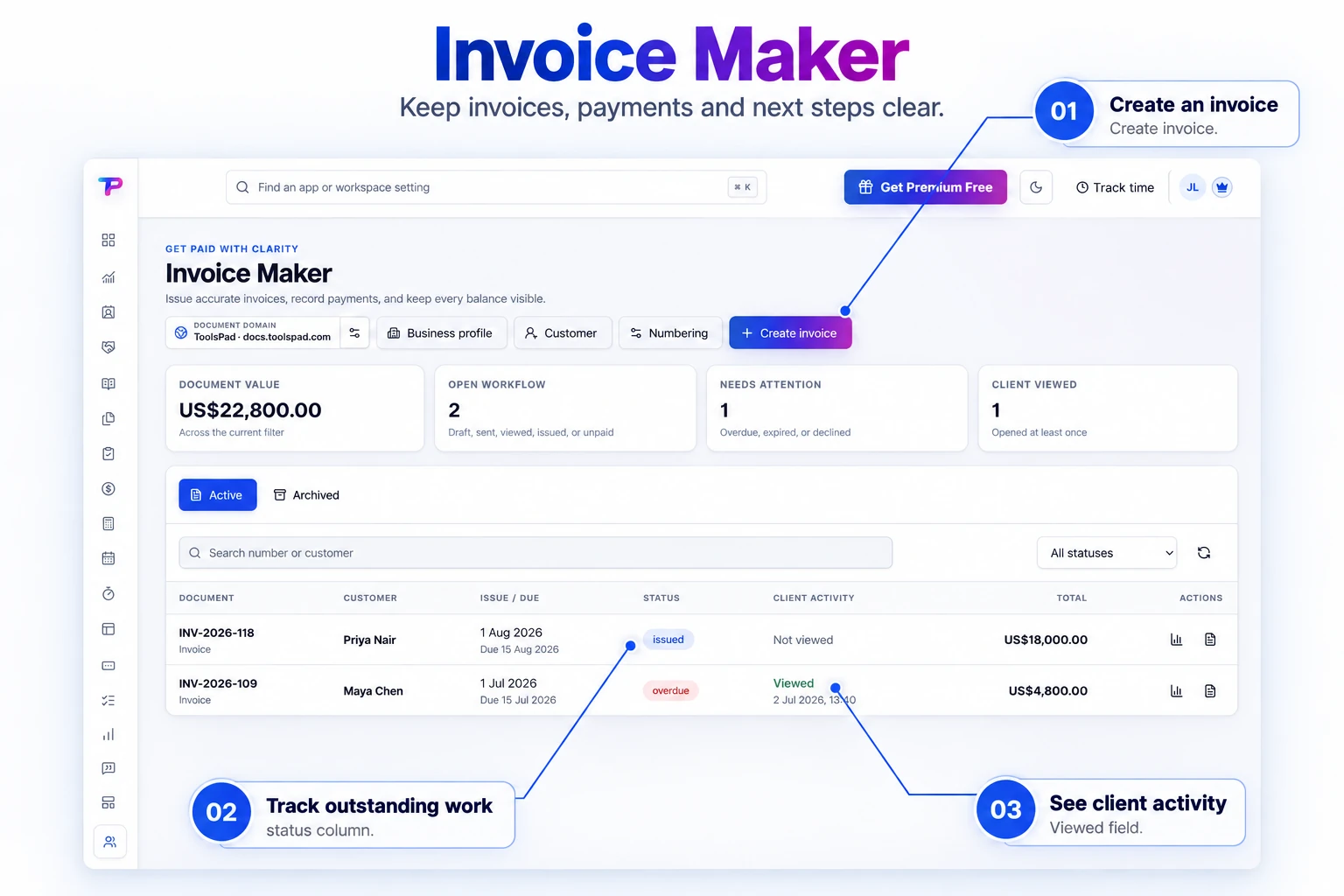
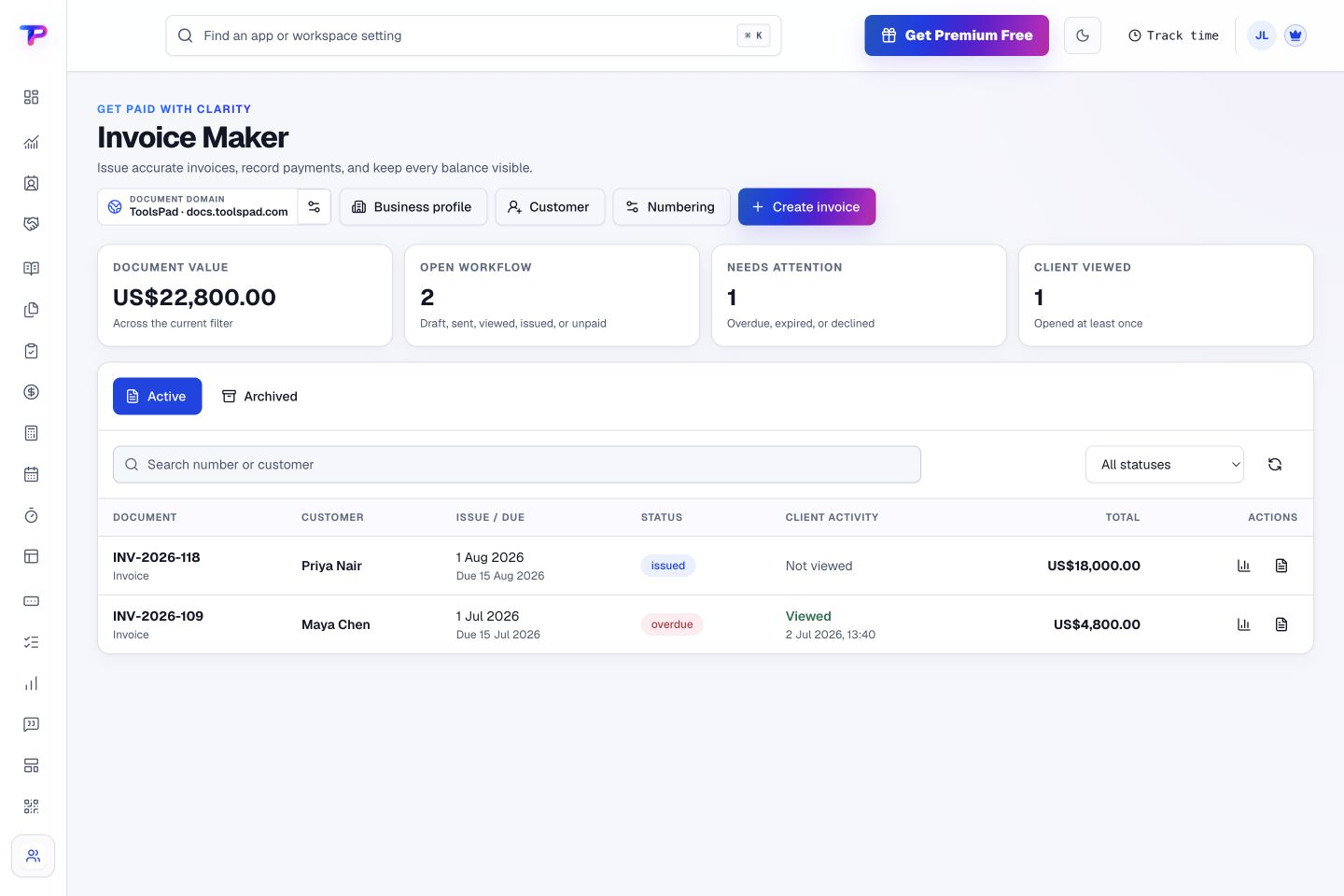
Review invoices, values, and payment states in one library. See which documents need attention without opening every invoice.
Send the right document, on time, with the details customers need to pay.
Use workspace sequences to create consistent invoice identifiers.
Make payment timing and commercial expectations clear.
Calculate structured adjustments and transparent totals.
Tell customers exactly how to pay without processing funds inside ToolsPad.
Download a polished PDF or share a secure public document link.
Record sent, due, paid, and overdue status for operational follow-up.
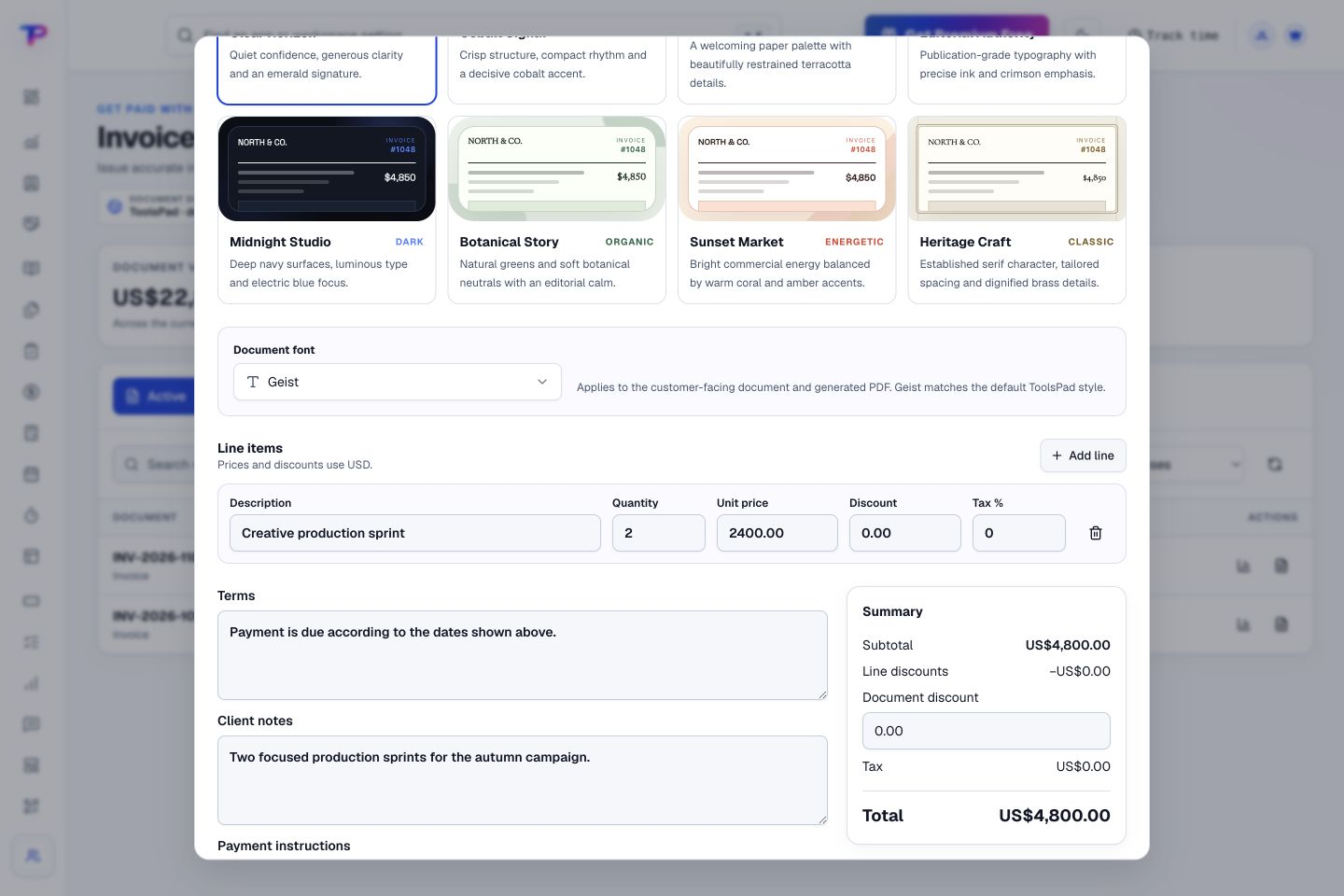
Add quantities and prices, apply discounts and taxes, and include your terms. Review the total while you prepare the document.
Use CRM details, approved time, or an existing quote as the starting point.
Apply numbering, due dates, taxes, discounts, payment instructions, and your document theme.
Share a secure link or PDF and update sent, due, overdue, or paid status.
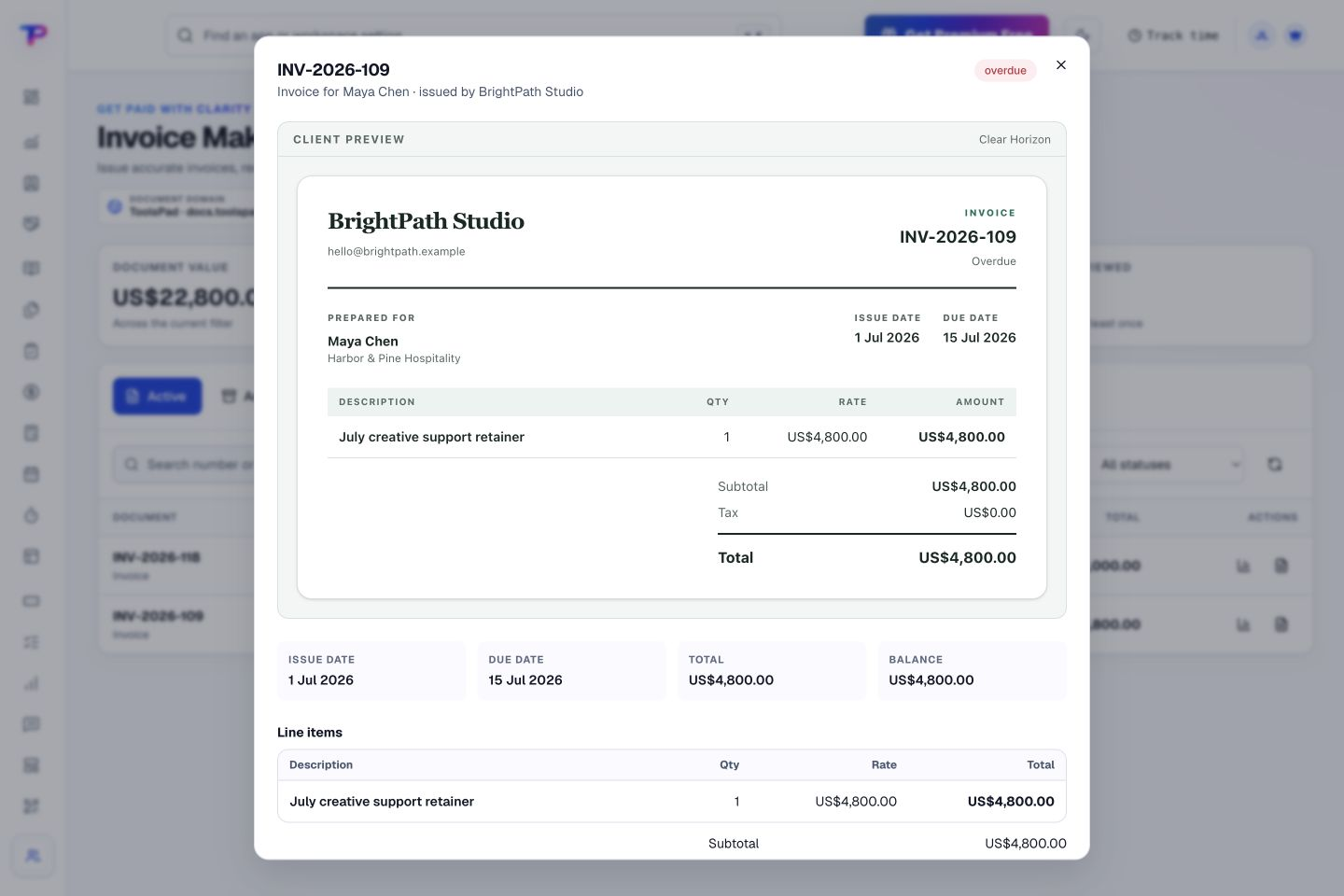
Preview the invoice and its outstanding balance together. Give your client a clear document showing the work and what remains to be paid.
Turn approved work, time, and quoted scope into the billing outcome.
Turn your proposal into a clear, professional quote.
Know where the working hours are going.
Keep contacts, context and follow-ups together.
Keep ideas, briefs and decisions easy to find.
Map ideas alongside the work they belong to.
Give every next step an owner and a deadline.
Turn website enquiries into organized leads.
Ask better questions. Learn from every response.
Let your audience help make the next decision.
Build a focused page around your next offer.
See what renews before you pay again.
Collect customer stories and publish your best proof.
Work through pricing, margins and business scenarios.
Let customers choose a time that works.
Route visitors and compare campaign results.
Keep promising deals moving toward a decision.
Create branded QR codes and review their reach.
Bring useful business signals into one view.
Find, share and reuse your business files.
Give your expertise a place to grow.
Prepare clear invoices and track their status.
You’re hereMore tools. One free account.Scroll to explore, or use the arrows.
Clear answers before you create your first invoice maker workflow.
Add your payment instructions, such as bank transfer details, to the invoice. Customers pay through that method, and you record the payment status in ToolsPad. Invoice Maker does not collect the money for you.
No. It is a focused invoice document and status tool, designed to complement rather than replace your accounting system.
Yes. One free account includes all 21 ToolsPad apps within Free plan limits, unlimited human teammates, and 30 days of Premium to explore—no card required. Afterward, continue on Free or choose a paid plan for more capacity and advanced features.
Start with Invoice Maker today. Add the other apps as you need them—all from the same free account.