
Discovery context gets lost.
The proposal says what you will do. The reasons, constraints and client expectations are somewhere in yesterday's notes.
Spend less effort piecing an engagement together. Keep discovery notes, client context, deliverables, documents and billable work in a workspace built for the way small consulting teams operate.
The proposal says what you will do. The reasons, constraints and client expectations are somewhere in yesterday's notes.
A good meeting can still end with actions that have no owner or date.
Chasing documents and rebuilding timesheets uses attention you would rather spend on client work.
Start with what matters to consultants. Keep the work and its context in the same workspace.
Offer a booking page for the right conversation and keep the prospective client in CRM.
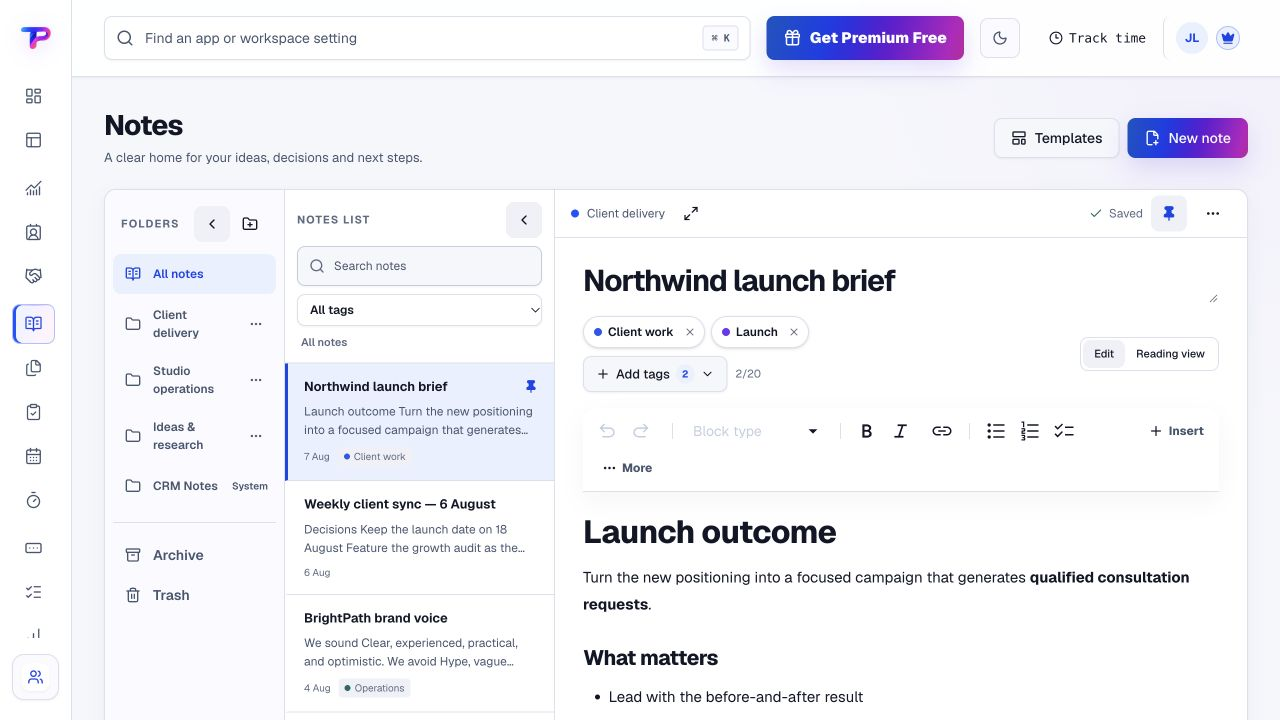
Write down goals, constraints and decisions in Notes; organise supporting files in Documents & Media.
Create deliverables as tasks with owners and dates. Keep working detail and discussion beside each task.
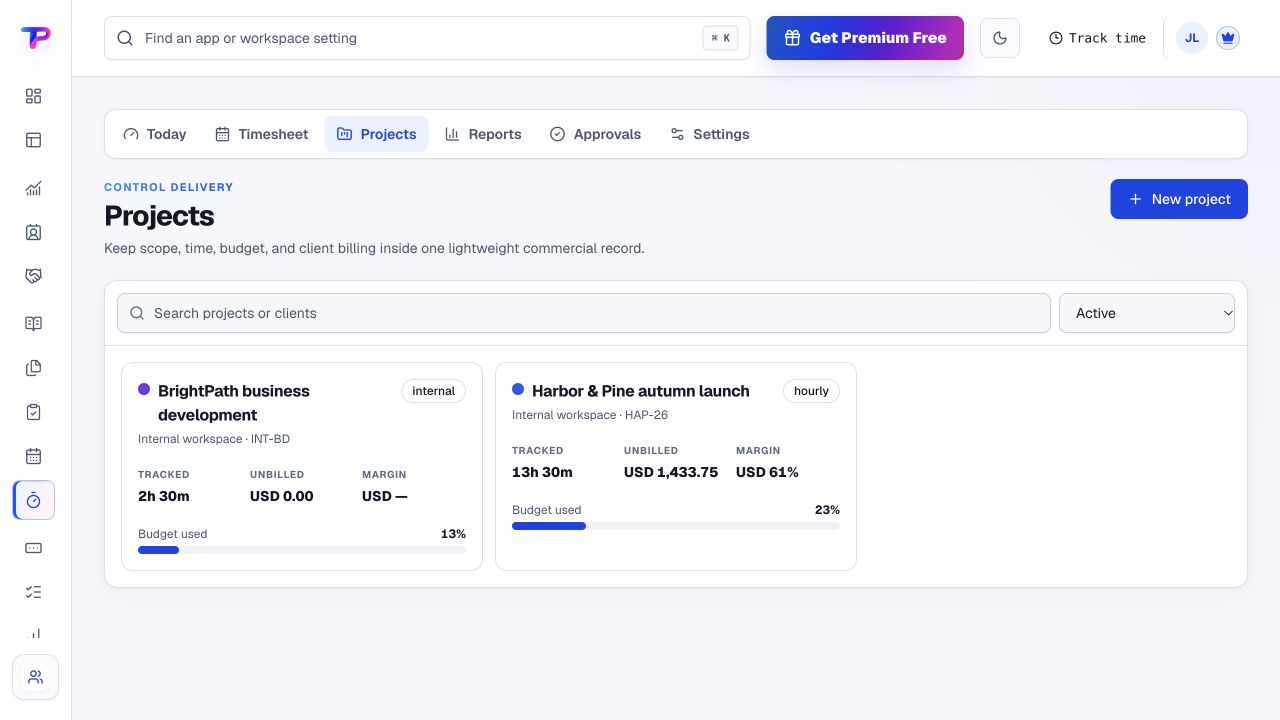
Track engagement time, review the entries and prepare an invoice with the payment method you use.
A working process, not an automatic setup. Choose the apps you need and organise them around your business.
Each app has a clear job. Together, they give consultants room to work without juggling a separate account for every task.
Give prospects a straightforward way to book a discovery conversation.
Explore Appointment SchedulingKeep people, companies and follow-up context ready for the next call.
Explore CRMCapture objectives, assumptions, decisions and meeting outcomes.
Explore NotesTurn agreed deliverables into owned work with clear dates.
Explore TasksOrganise supporting documents and reusable engagement assets.
Explore Documents & MediaRecord project time while the work is fresh, not at month end.
Explore Time TrackingIssue clear invoices with your payment instructions and recorded status.
Explore Invoice MakerAll included in one account, within your plan’s limits. Use one app today and add another when the work calls for it.
Keep the people, apps and records for each business in a dedicated workspace. Bring your teammates into the work without a per-seat bill.
Find the plan that fitsEvery plan, including Free, supports unlimited human teammates. Resource and feature limits still depend on your plan.
A workspace is a dedicated home for one business. Switch between your workspaces from the same account.
Use workspace roles and app permissions to manage who can see and work with business records.
Choose a live piece of work and keep its context useful from the next meeting onward.
Start in CRM. Shape the workspace around your own work.Add the client and record the engagement objectives.
Create the first deliverables with owners and dates.
Track your work and keep the supporting documents nearby.
What consultants should know before getting started.
See pricing and plan limitsYes. Start with the apps that solve today's problem. If collaborators join later, invite them into the appropriate workspace; human teammates are unlimited on every plan.
Yes. Shared workspace records, assigned tasks, notes and time tracking help colleagues work from the same engagement context, with permissions appropriate to their role.
No e-signature promise is made here. Estimates & Quotes can help you prepare pricing documents, while your existing signing or acceptance process can remain in place.
No. ToolsPad CRM is not a unified mailbox. Record useful customer context and use supported app connections, while keeping your existing email workflow.
Invoice Maker includes your payment instructions. The client pays through that method, and you record the status. It does not collect or automatically reconcile the money.
Yes. One free account includes all 21 ToolsPad apps within Free plan limits, unlimited human teammates, and 30 days of Premium to explore—no card required. Afterward, continue on Free or choose a paid plan for more capacity and advanced features. See Pricing for current limits.
Your engagement workspace can grow with the work: capture enquiries, publish an offer, collect feedback or map a complex idea without opening another account.
Give prospects a straightforward way to book a discovery conversation.
Keep people, companies and follow-up context ready for the next call.
Capture objectives, assumptions, decisions and meeting outcomes.
Turn agreed deliverables into owned work with clear dates.
Organise supporting documents and reusable engagement assets.
Record project time while the work is fresh, not at month end.
Issue clear invoices with your payment instructions and recorded status.
Map ideas alongside the work they belong to.
Turn website enquiries into organized leads.
Ask better questions. Learn from every response.
Let your audience help make the next decision.
Build a focused page around your next offer.
See what renews before you pay again.
Turn your proposal into a clear, professional quote.
Collect customer stories and publish your best proof.
Work through pricing, margins and business scenarios.
Route visitors and compare campaign results.
Keep promising deals moving toward a decision.
Create branded QR codes and review their reach.
Bring useful business signals into one view.
Give your expertise a place to grow.
More tools. One free account.Scroll to explore, or use the arrows.
Keep the client's context, your deliverables and the next action together. Start free, with no full-business migration required.