
Every session starts with a search.
You remember the client, but finding the previous discussion and agreed actions takes time.
The value of a coaching conversation continues after the call. Keep intake details, session notes, agreed actions and client feedback organised so the next session starts with useful context.
You remember the client, but finding the previous discussion and agreed actions takes time.
A clear action in the conversation needs an equally clear place after the call.
Useful observations and client outcomes get buried in messages instead of becoming a structured record.
Start with what matters to business coaches. Keep the work and its context in the same workspace.
Use a lead form to collect business goals and context. Review submissions before deciding the next step.
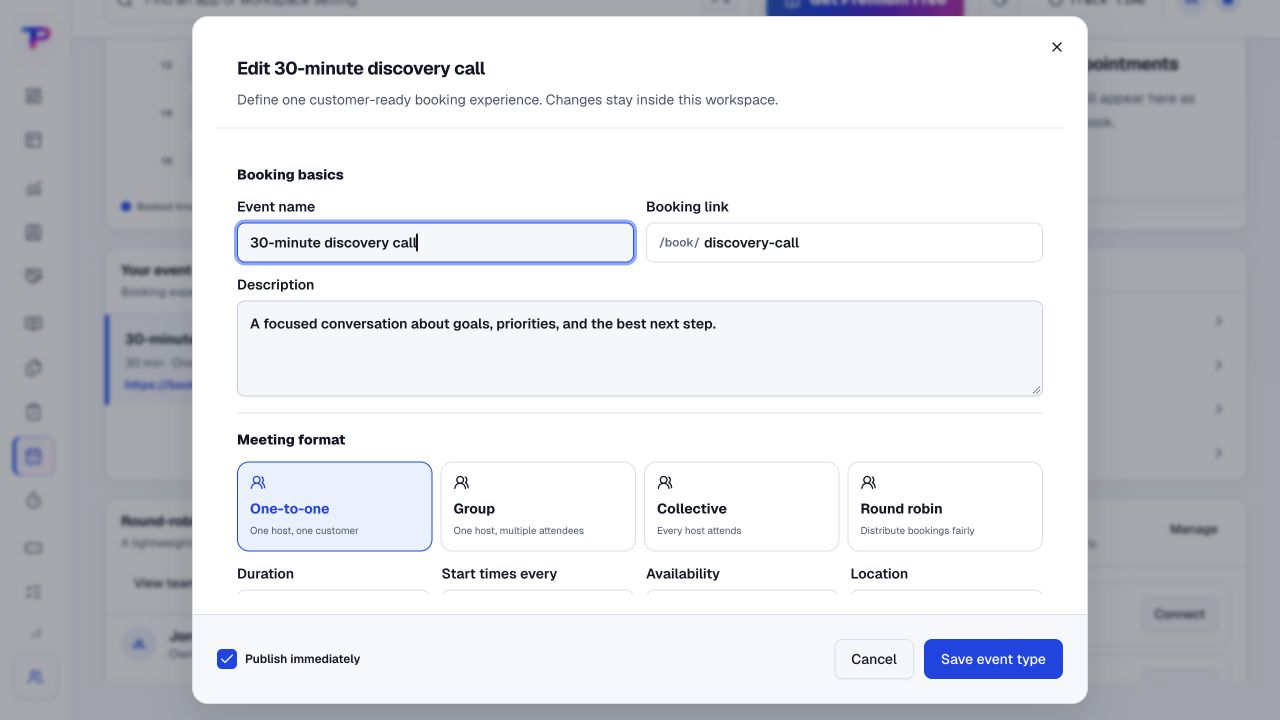
Publish a booking page for a discovery or coaching session, using the availability you configure.
Record your session notes and create agreed actions as tasks. This is your working record—not an automatic transcript.
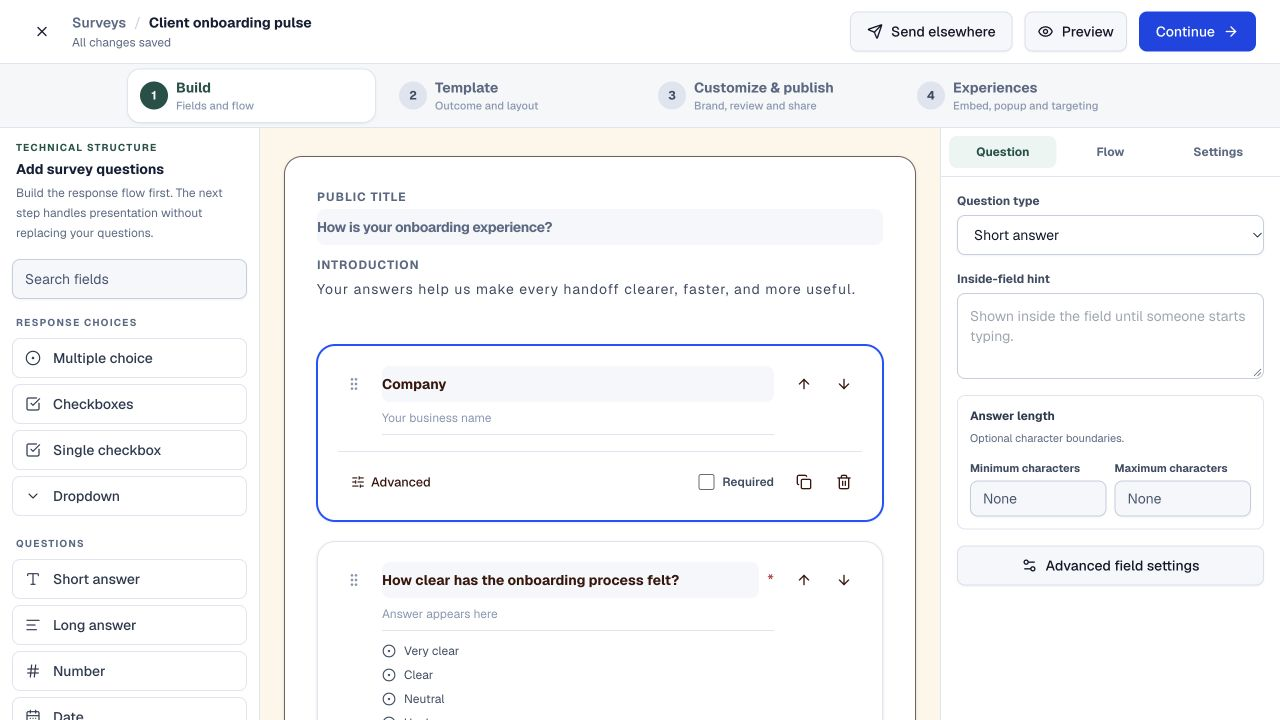
Share a check-in survey or request a testimonial when appropriate. Review responses before using them publicly.
A working process, not an automatic setup. Choose the apps you need and organise them around your business.
Each app has a clear job. Together, they give business coaches room to work without juggling a separate account for every task.
Let prospects and clients book the session types you make available.
Explore Appointment SchedulingAsk about the business, goals and current challenges before the call.
Explore Lead FormsKeep the relationship and follow-up context in one client record.
Explore CRMCapture session context, decisions and observations in your own structure.
Explore NotesRecord agreed actions with an owner and a useful due date.
Explore TasksCollect structured check-ins or programme feedback.
Explore SurveysInvite clients to share outcomes you can review and publish as proof.
Explore Testimonial CollectorAll included in one account, within your plan’s limits. Use one app today and add another when the work calls for it.
Keep the people, apps and records for each business in a dedicated workspace. Bring your teammates into the work without a per-seat bill.
Find the plan that fitsEvery plan, including Free, supports unlimited human teammates. Resource and feature limits still depend on your plan.
A workspace is a dedicated home for one business. Switch between your workspaces from the same account.
Use workspace roles and app permissions to manage who can see and work with business records.
Start with one client and a clear record of what you want to revisit.
Start in Appointment Scheduling. Shape the workspace around your own work.Create a client record and a session note.
List the agreed actions and review dates.
Set up a booking page or a simple feedback survey.
What business coaches should know before getting started.
See pricing and plan limitsThis page is for business coaching and advisory work. ToolsPad does not provide workout programming, nutrition plans, clinical records or therapy-specific practice management.
No. Use ToolsPad for client administration, sessions, notes, actions and feedback. Keep your existing learning-management or course-delivery platform if you need one.
Yes. Appointment Scheduling lets you publish booking pages for the availability and session types you configure. Check the app page and plan limits for the features you need.
No automatic call recording or AI meeting summary is promised. Notes gives you a place to capture the context and actions you choose to record.
No. Workspace notes remain subject to access permissions. Publishing a testimonial is a deliberate action; collect and use client permissions appropriate to your coaching practice.
Yes. One free account includes all 21 ToolsPad apps within Free plan limits, unlimited human teammates, and 30 days of Premium to explore—no card required. Afterward, continue on Free or choose a paid plan for more capacity and advanced features. See Pricing for current limits.
Beyond the next session, you can publish a focused offer, prepare an invoice, organise documents or map a client's business challenge—all within the same account.
Let prospects and clients book the session types you make available.
Ask about the business, goals and current challenges before the call.
Keep the relationship and follow-up context in one client record.
Capture session context, decisions and observations in your own structure.
Record agreed actions with an owner and a useful due date.
Collect structured check-ins or programme feedback.
Invite clients to share outcomes you can review and publish as proof.
Map ideas alongside the work they belong to.
Let your audience help make the next decision.
Build a focused page around your next offer.
See what renews before you pay again.
Turn your proposal into a clear, professional quote.
Prepare clear invoices and track their status.
Work through pricing, margins and business scenarios.
Know where the working hours are going.
Route visitors and compare campaign results.
Keep promising deals moving toward a decision.
Create branded QR codes and review their reach.
Bring useful business signals into one view.
Find, share and reuse your business files.
Give your expertise a place to grow.
More tools. One free account.Scroll to explore, or use the arrows.
Keep the conversation, the client context and the next step organised. Begin with one client and expand at your own pace.