
The brief lives in three places.
Someone remembers the conversation. Someone else has the document. Delivery starts without the full picture.
A promising enquiry should not disappear between sales and delivery. Keep client context, next steps, deadlines and tracked work in one connected workspace your agency can actually use.
Someone remembers the conversation. Someone else has the document. Delivery starts without the full picture.
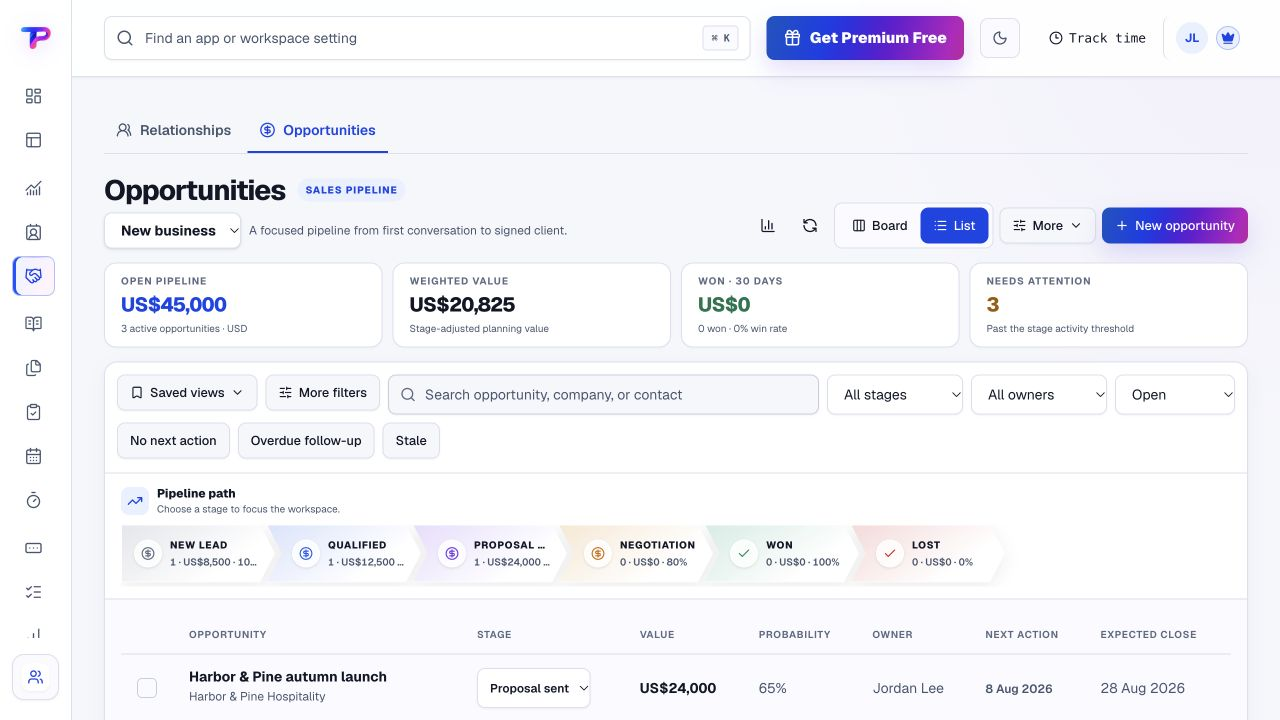
When ownership is unclear, a good opportunity can sit without the next follow-up.
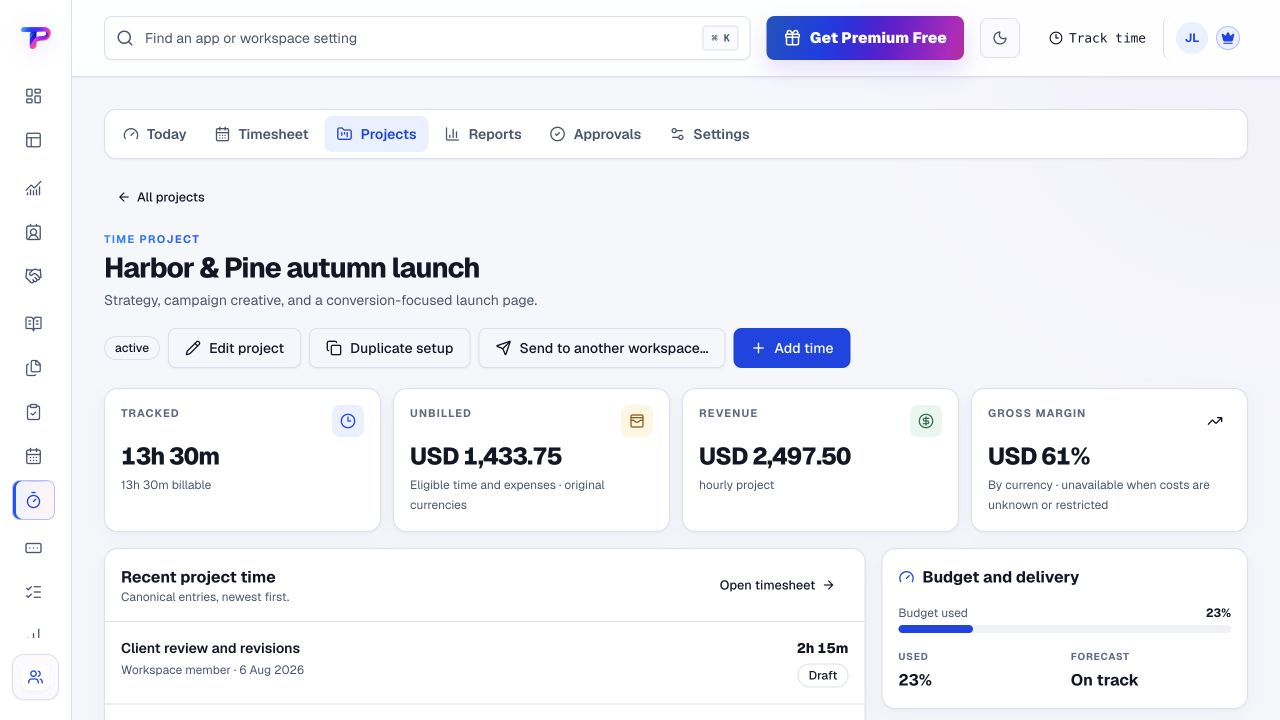
Reconstructing time at the end of a project makes billing slower and project reviews less useful.
Start with what matters to agencies & studios. Keep the work and its context in the same workspace.
Publish or embed a project form with the details you need. Review identified submissions alongside customer context.
Keep the contact and opportunity in view, with an owner and an explicit follow-up instead of relying on memory.
Create the project tasks, assign the team and keep checklists and comments with the work. You decide when delivery begins.
Review tracked hours, prepare billing documents and record payment status. Payment collection follows the instructions you put on the invoice.
A working process, not an automatic setup. Choose the apps you need and organise them around your business.
Each app has a clear job. Together, they give agencies & studios room to work without juggling a separate account for every task.
Collect the brief, budget and contact details before the first conversation.
Explore Lead FormsKeep client contacts, companies and relationship context together.
Explore CRMSee which proposals need a next step and who owns the conversation.
Explore OpportunitiesGive deliverables an owner, a due date and a checklist.
Explore TasksTrack client work and review billable hours against your projects.
Explore Time TrackingPresent a clear scope and price without another scattered document.
Explore Estimates & QuotesCreate professional invoices and record their payment status.
Explore Invoice MakerAll included in one account, within your plan’s limits. Use one app today and add another when the work calls for it.
Keep the people, apps and records for each business in a dedicated workspace. Bring your teammates into the work without a per-seat bill.
Find the plan that fitsEvery plan, including Free, supports unlimited human teammates. Resource and feature limits still depend on your plan.
A workspace is a dedicated home for one business. Switch between your workspaces from the same account.
Use workspace roles and app permissions to manage who can see and work with business records.
You do not need to migrate the whole agency to see whether the workflow fits.
Start in CRM. Shape the workspace around your own work.Add the client and its current opportunity.
Assign the next three delivery tasks.
Track the work and prepare your next billing document.
What agencies & studios should know before getting started.
See pricing and plan limitsIt fits small service agencies and studios that coordinate enquiries, proposals, client delivery and billable work. Use your own project names, task stages and notes rather than adopting a fixed agency process.
Do not assume that. CRM and Opportunities keep customer and sales context connected; your team creates and organises delivery tasks when the engagement is ready. The process shown here includes deliberate human handoffs.
Yes. A workspace is a dedicated home for one business, with its own people, apps and records. Switch between the workspaces you belong to without treating every client contact as a separate workspace.
No. Use ToolsPad for client-work organisation. It does not promise consolidated advertising-platform reports, social publishing or creative proofing.
No. Add your payment instructions to the invoice. Clients pay through that method, and your team records payment status in ToolsPad. ToolsPad subscription billing is separate from your client invoices.
Yes. One free account includes all 21 ToolsPad apps within Free plan limits, unlimited human teammates, and 30 days of Premium to explore—no card required. Afterward, continue on Free or choose a paid plan for more capacity and advanced features. See Pricing for current limits.
Client delivery is only one part of agency life. Your account also gives you publishing, feedback, planning and other useful tools when the next job needs them.
Collect the brief, budget and contact details before the first conversation.
Keep client contacts, companies and relationship context together.
See which proposals need a next step and who owns the conversation.
Give deliverables an owner, a due date and a checklist.
Track client work and review billable hours against your projects.
Present a clear scope and price without another scattered document.
Create professional invoices and record their payment status.
Keep ideas, briefs and decisions easy to find.
Map ideas alongside the work they belong to.
Ask better questions. Learn from every response.
Let your audience help make the next decision.
Build a focused page around your next offer.
See what renews before you pay again.
Collect customer stories and publish your best proof.
Work through pricing, margins and business scenarios.
Let customers choose a time that works.
Route visitors and compare campaign results.
Create branded QR codes and review their reach.
Bring useful business signals into one view.
Find, share and reuse your business files.
Give your expertise a place to grow.
More tools. One free account.Scroll to explore, or use the arrows.
Start with the enquiry, the next action or today's delivery work. Add the other apps when they help—not all at once.