
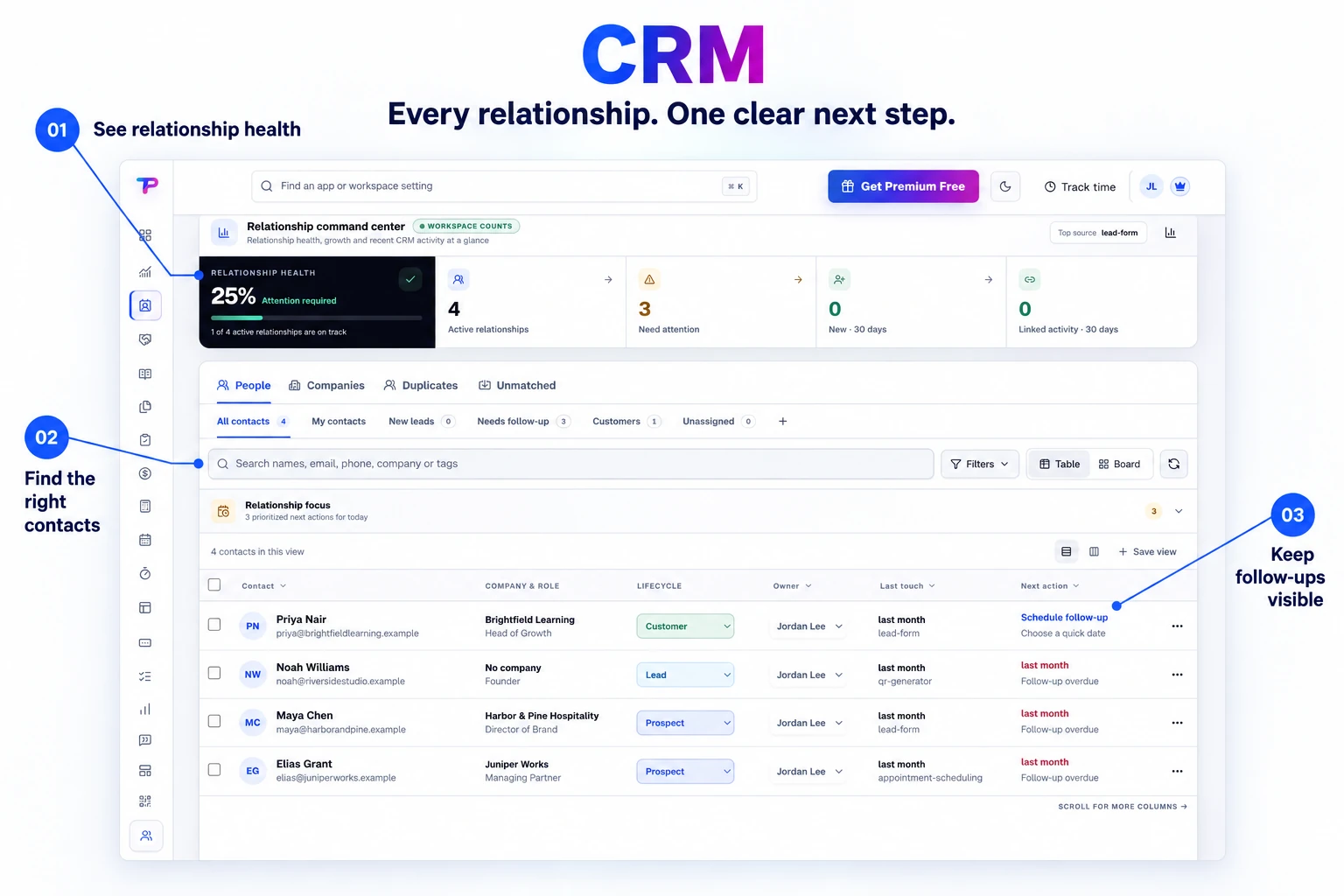
Contacts and companies
Keep people, their roles, companies, contact methods, owners, lifecycle, and global workspace tags together.
Keep contacts, companies, follow-ups, forms, appointments, notes, tasks, and client documents connected in one clear customer workspace.
Read relationship insights above your contact list, then filter to the people you need to follow up with. Keep the overview close to the next action.
Know who every customer is, what happened, and what should happen next—from one calm workspace.
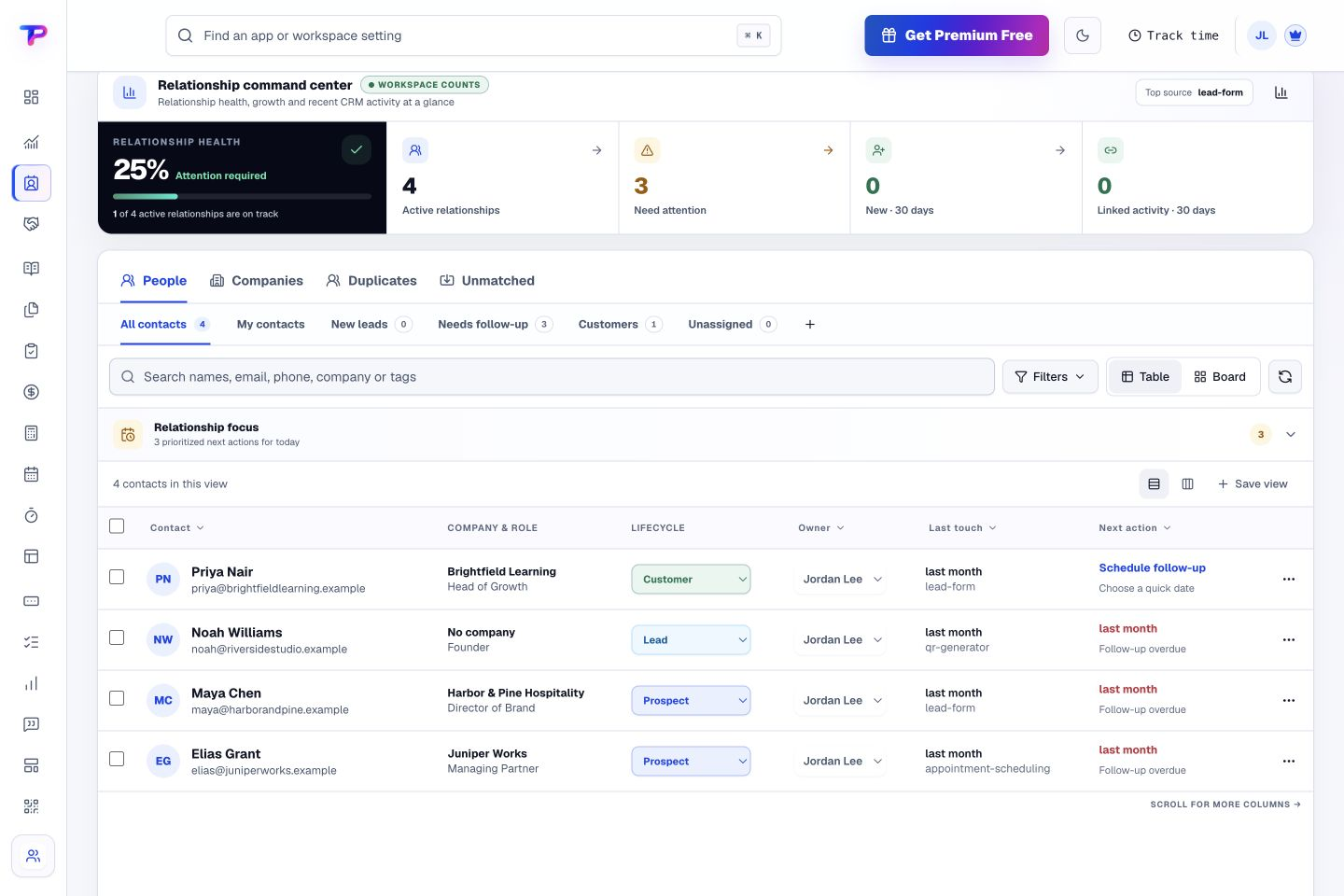
Keep people, their roles, companies, contact methods, owners, lifecycle, and global workspace tags together.
See linked forms, appointments, notes, tasks, testimonials, estimates, and invoices without copying their data into CRM.
Switch quickly between all contacts, your contacts, new leads, follow-ups, customers, and unassigned records—then save advanced filters when needed.
Match exact emails, review ambiguous phone numbers, and merge records only after an explicit conflict preview.
Add custom fields for the customer information your team needs, from service interests to account preferences.
Export contacts and companies whenever you need them.
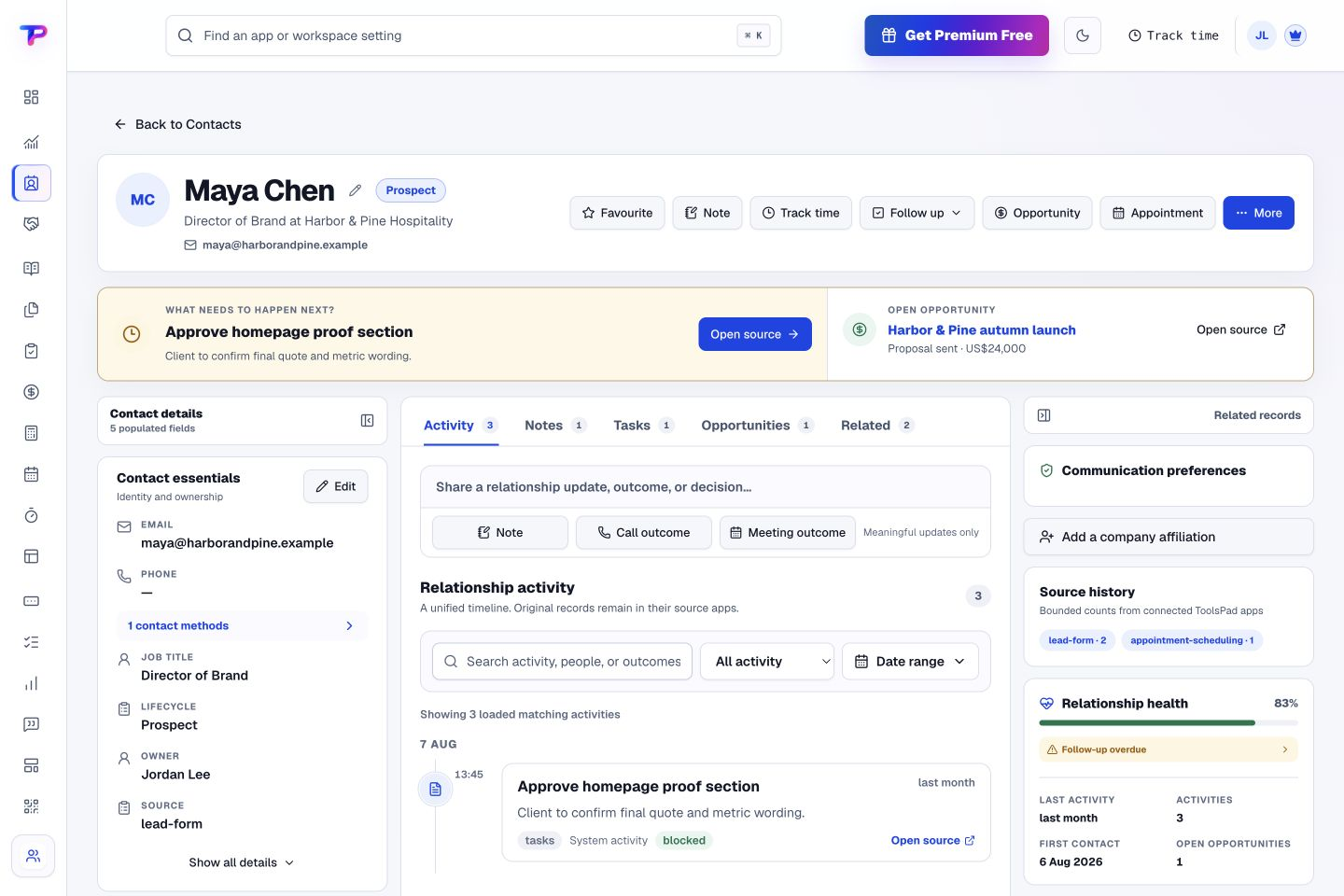
Open a contact to see activities, notes, linked tasks, and opportunities together. Keep the next action beside the relationship it belongs to.
Create people and companies manually, import safely, or match identified submissions.
Review the timeline, details, tasks, notes, appointments, documents, and opportunities together.
Assign ownership, schedule follow-up, create an opportunity, or prepare the next customer document.
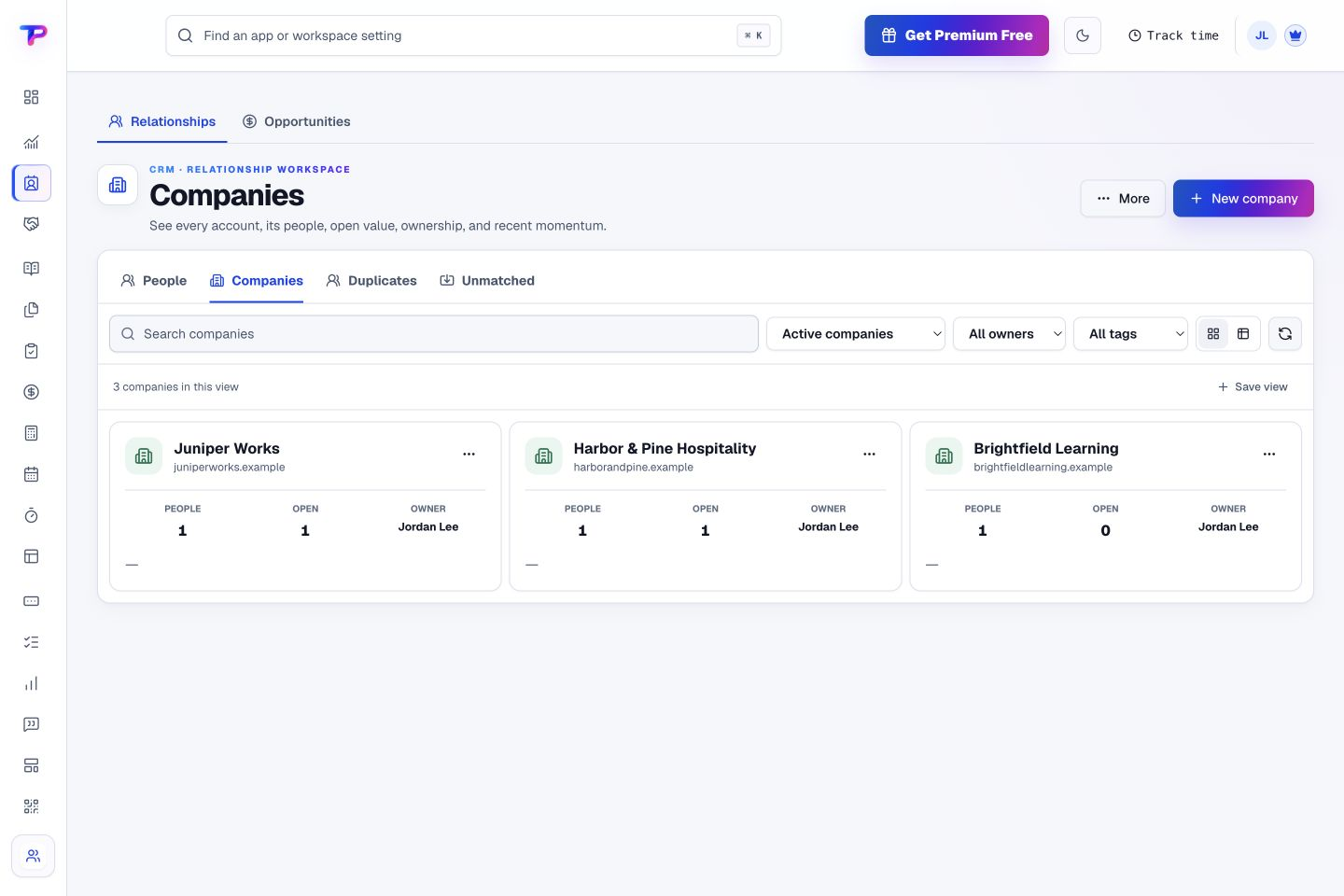
Review company records and their connected contacts in one CRM. See how individual relationships fit into the accounts you serve.
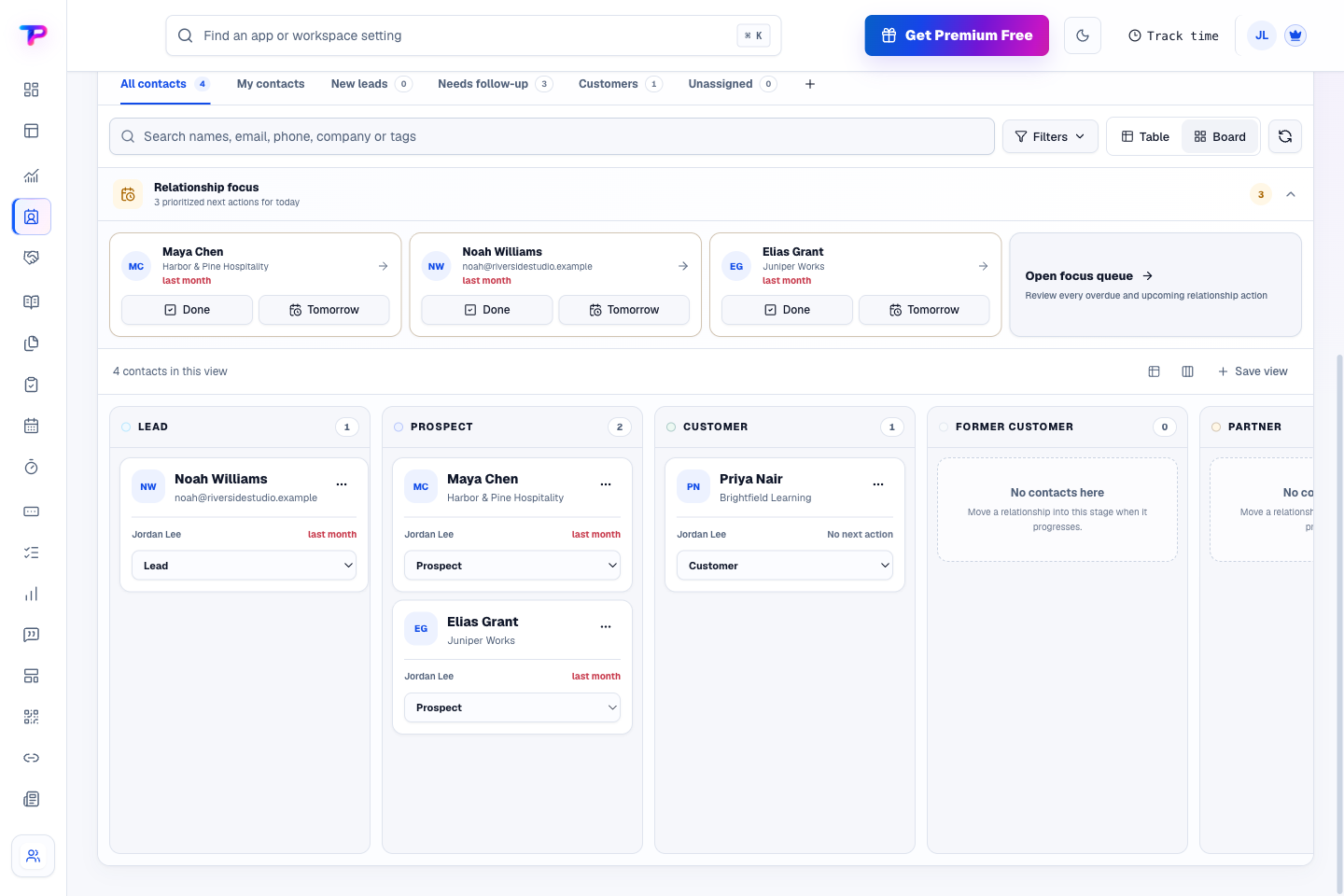
Use the lifecycle board to see leads, prospects, and customers side by side. Keep ownership and follow-ups visible while you review the stage of each relationship.
Bring every customer touchpoint into one relationship without copying the records.
Turn website enquiries into organized leads.
Keep promising deals moving toward a decision.
Keep ideas, briefs and decisions easy to find.
Map ideas alongside the work they belong to.
Give every next step an owner and a deadline.
Ask better questions. Learn from every response.
Let your audience help make the next decision.
Build a focused page around your next offer.
See what renews before you pay again.
Turn your proposal into a clear, professional quote.
Prepare clear invoices and track their status.
Collect customer stories and publish your best proof.
Work through pricing, margins and business scenarios.
Let customers choose a time that works.
Know where the working hours are going.
Route visitors and compare campaign results.
Create branded QR codes and review their reach.
Bring useful business signals into one view.
Find, share and reuse your business files.
Give your expertise a place to grow.
Keep contacts, context and follow-ups together.
You’re hereMore tools. One free account.Scroll to explore, or use the arrows.
Clear answers before you create your first crm workflow.
Yes. A contact can show related forms, appointments, notes, tasks, estimates, and invoices without forcing you to manage duplicate copies.
Yes. CSV import includes column mapping, validation, duplicate review, and safe update or skip rules.
No. CRM does not sync your mailbox. Record useful calls and messages manually, and see connected forms, appointments, notes, and documents in the customer timeline.
Yes. One free account includes all 21 ToolsPad apps within Free plan limits, unlimited human teammates, and 30 days of Premium to explore—no card required. Afterward, continue on Free or choose a paid plan for more capacity and advanced features.
Start with CRM today. Add the other apps as you need them—all from the same free account.