
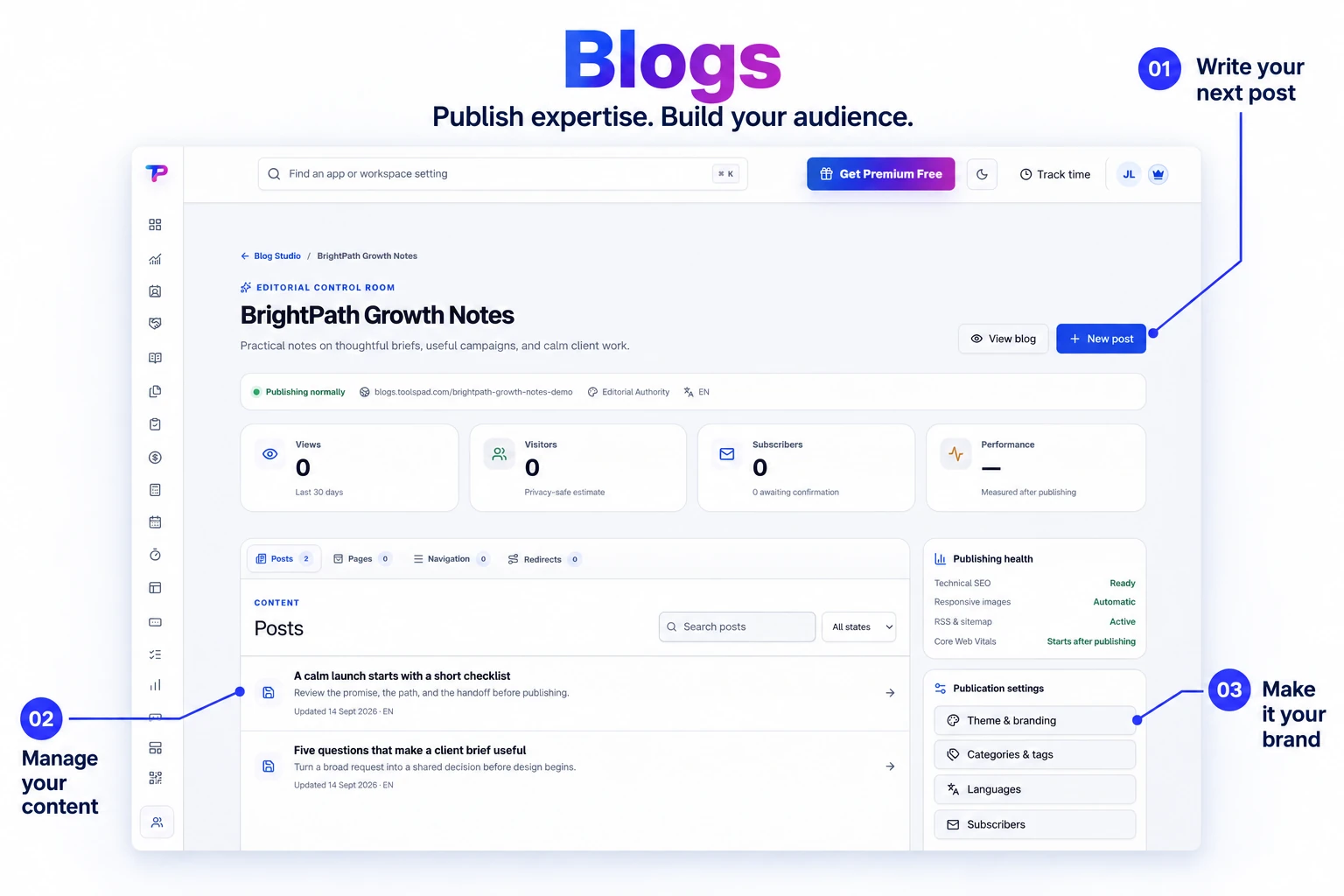
Simple article writing
Use the familiar ToolsPad Notes editor for headings, lists, links, quotes, tables, code, and media while the theme controls layout.
Publish helpful articles on a professional business blog, collect subscribers, and connect readers to your offers. ToolsPad handles themes, hosting, and the search essentials.
Keep articles, publishing status, and subscriber activity together. Give your next useful idea a professional home.
Own a professional business publication that stays fast, portable, and connected to the rest of your customer journey.
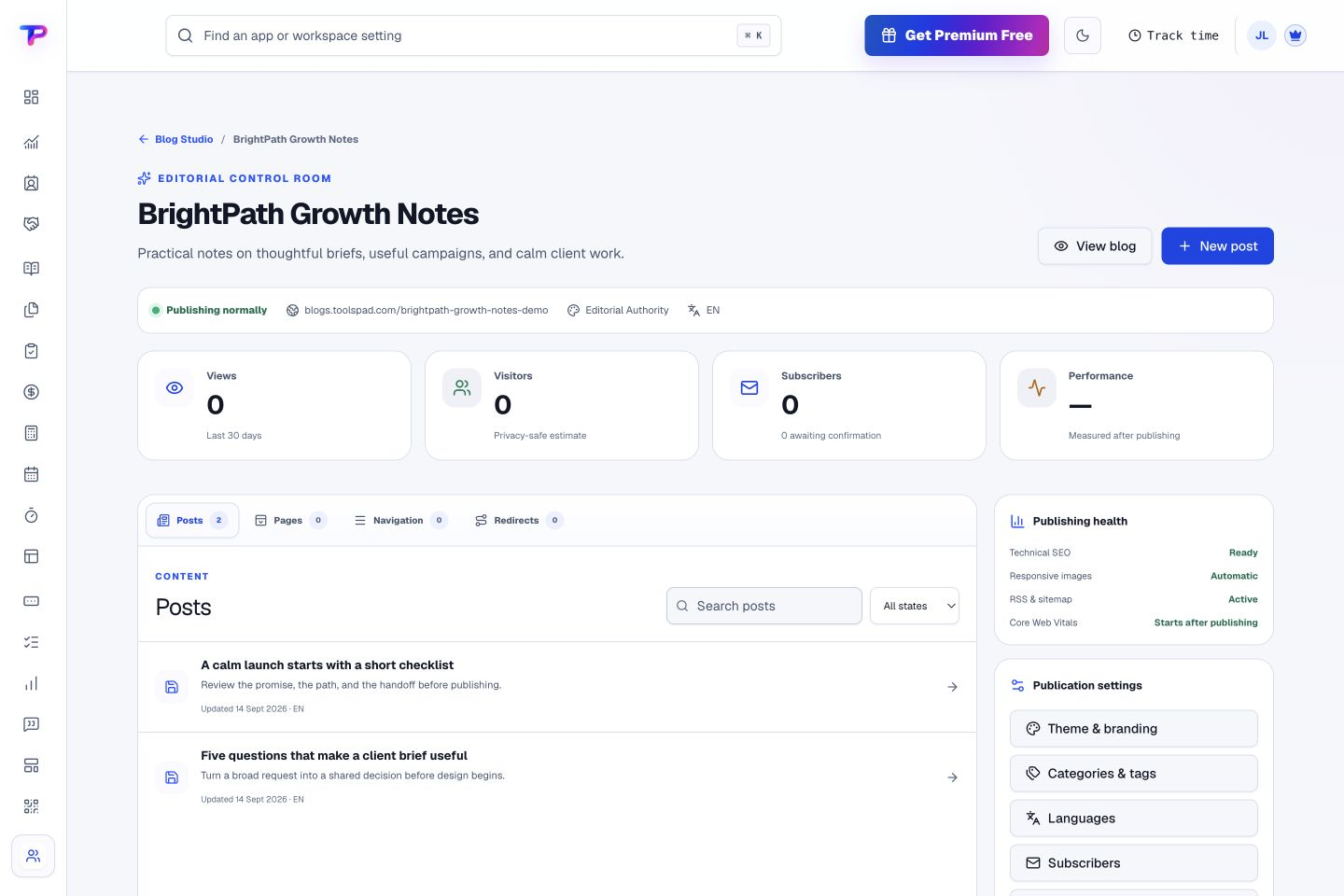
Use the familiar ToolsPad Notes editor for headings, lists, links, quotes, tables, code, and media while the theme controls layout.
Give your articles a polished home with fast-loading pages, responsive images, and layouts that read well on mobile.
Generate canonical URLs, structured data, RSS, sitemaps, social metadata, redirects, and multilingual hreflang automatically.
Collect confirmed email subscribers, offer topic preferences, and notify them when you publish a new post.
Reuse workspace tags and Documents & Media assets, then connect forms, appointments, testimonials, and Smart Links.
Start on a ToolsPad address and use an eligible connected custom hostname or safe custom path on Premium.
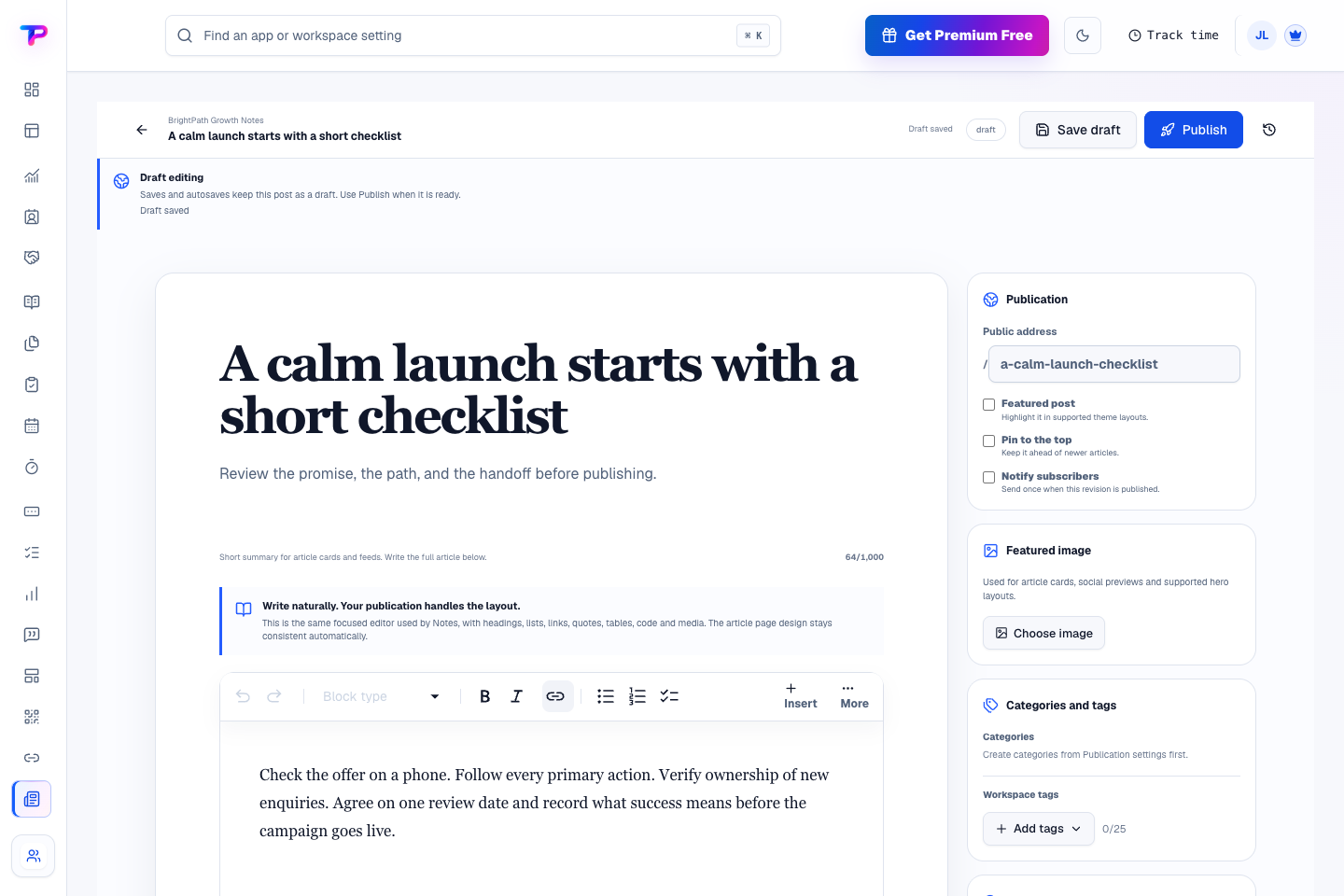
Draft in a focused editor with your public address, featured image, tags, and subscriber notification controls nearby. Save your work and publish when it is ready.
Use the familiar Notes writing experience instead of designing every article as a page.
Set excerpt, image, tags, category, search appearance, language, and schedule in one clear checklist.
Publish your article, notify subscribers who opted in, and review traffic and conversion results.
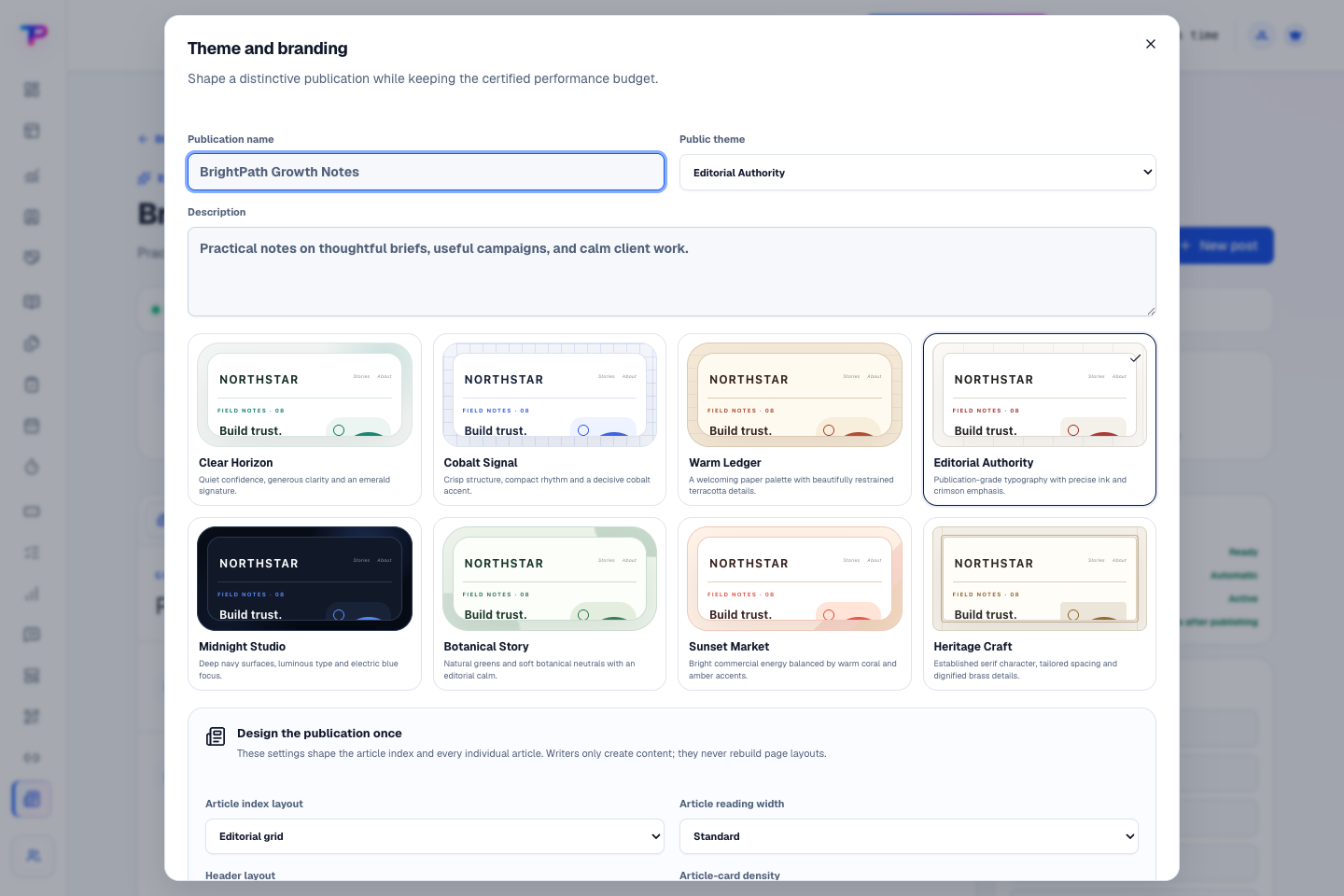
Choose a theme, set your publication identity, and tune the article layout. Give every post a consistent reading experience without designing each one from scratch.
Connect articles to shared tags, media, forms, appointments, proof, and campaign links.
Turn website enquiries into organized leads.
Route visitors and compare campaign results.
Find, share and reuse your business files.
Keep ideas, briefs and decisions easy to find.
Map ideas alongside the work they belong to.
Give every next step an owner and a deadline.
Ask better questions. Learn from every response.
Let your audience help make the next decision.
Build a focused page around your next offer.
See what renews before you pay again.
Turn your proposal into a clear, professional quote.
Prepare clear invoices and track their status.
Collect customer stories and publish your best proof.
Work through pricing, margins and business scenarios.
Let customers choose a time that works.
Know where the working hours are going.
Keep contacts, context and follow-ups together.
Keep promising deals moving toward a decision.
Create branded QR codes and review their reach.
Bring useful business signals into one view.
Give your expertise a place to grow.
You’re hereMore tools. One free account.Scroll to explore, or use the arrows.
Clear answers before you create your first blogs workflow.
No. Blogs keeps article writing simple and uses reusable site and article layouts for the public presentation. Landing Pages remains the focused page-building app.
Premium workspaces can use an eligible dedicated hostname. An already connected custom domain can also publish a blog at a reserved path such as /blog when its routing configuration supports it.
Yes. Blog images live in Documents & Media, so you can choose existing brand assets and reuse new uploads elsewhere. Files use your workspace storage allowance.
Yes. One free account includes all 21 ToolsPad apps within Free plan limits, unlimited human teammates, and 30 days of Premium to explore—no card required. Afterward, continue on Free or choose a paid plan for more capacity and advanced features.
Start with Blogs today. Add the other apps as you need them—all from the same free account.